Features
Plainly Videos Alternative
Plainly renders variations of a pre-built After Effects template through a render API.
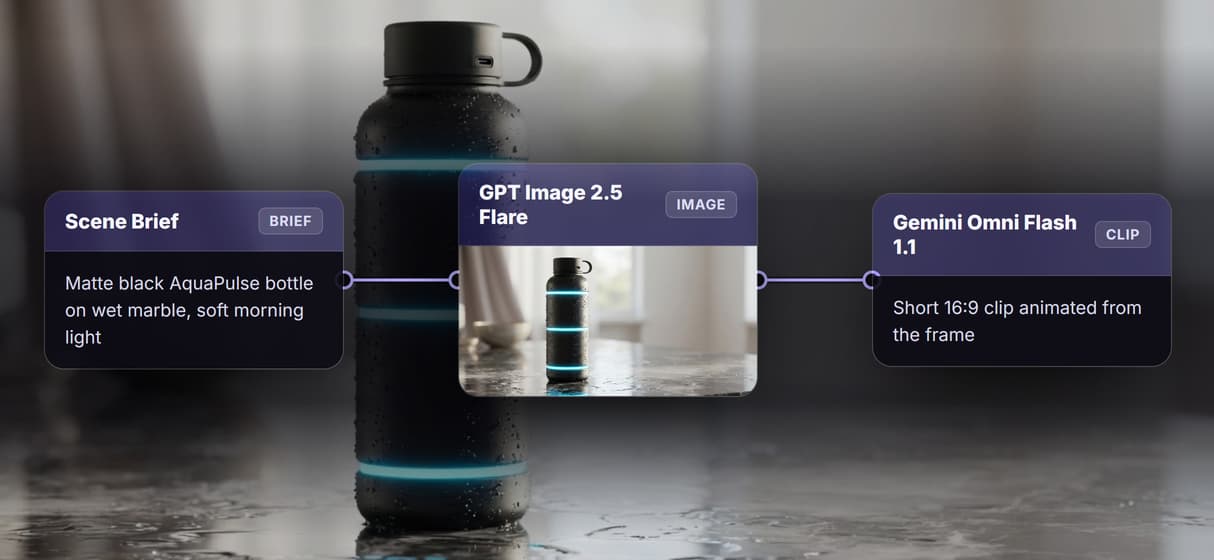
Wireflow hands you the canvas instead: a Scene Brief becomes a product image with GPT Image 2.5 Flare, then Gemini Omni Flash 1.1 animates that frame into a clip. You build the pipeline and see every step, no AE license and no black-box render queue.
Free to build · no credit card · Read the agent docs · See how it works ↓
 Andrew Adams · Co-Founder & Operations at Wireflow ·
How to Use Plainly Videos Alternative
Steps to get you started in Wireflow.
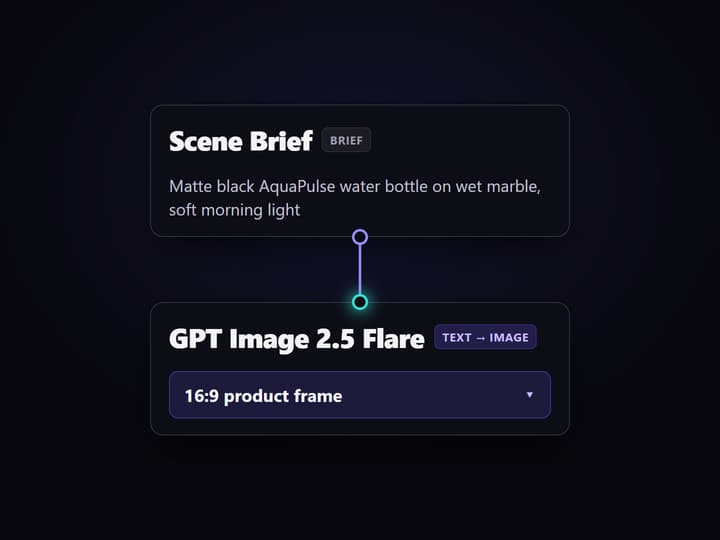
Write the scene brief
Open the flow and click the Scene Brief node. One line covers it: the product, the setting, and the mood, for example a matte black AquaPulse water bottle on wet marble in soft morning light.
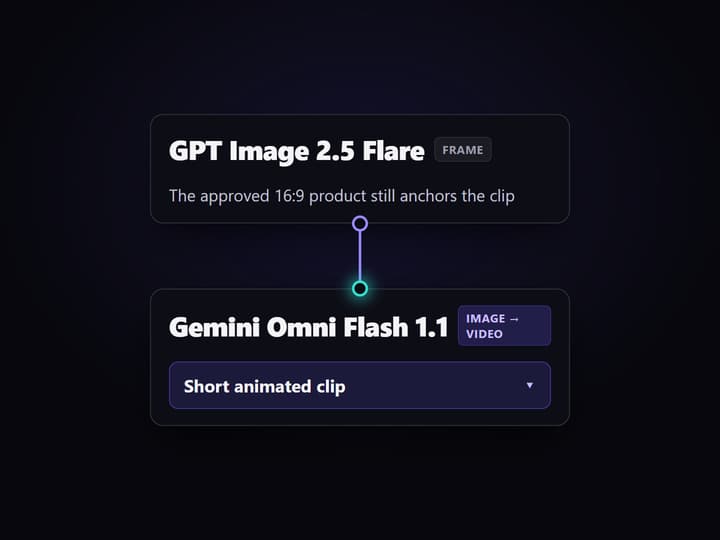
Render the product scene with GPT Image 2.5 Flare
Run the graph and GPT Image 2.5 Flare turns the brief into a 16:9 product image. Approve the framing here on the canvas before spending anything on motion, so a weak shot costs one image, not a full clip.
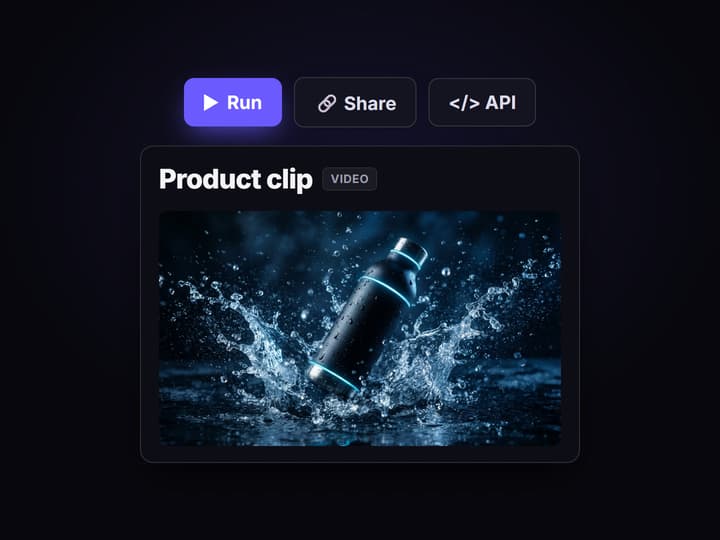
Animate it into a clip with Gemini Omni Flash 1.1
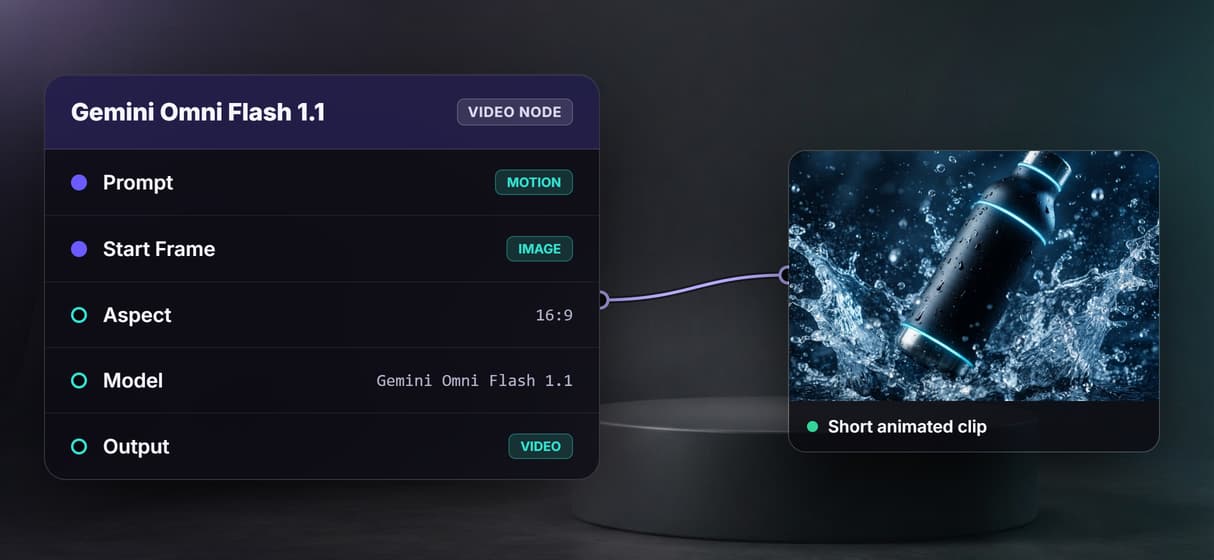
Gemini Omni Flash 1.1 reads the product image plus the Video Motion Prompt and returns a short clip. Swap that node for Veo 3.1 or Seedance 2.0 when a job wants a different motion look.
Why teams look for a Plainly Videos alternative
Plainly earned its niche: hand it a finished After Effects template and it renders thousands of personalized variations from a data feed. The friction shows up when you do not already own that template. Someone has to build and maintain the AE project, motion-design skills gate every change, and the actual generation happens inside a black-box render queue you feed rather than a pipeline you can see.
Wireflow answers with a different shape. Product video is a small workflow you own on a node canvas: a Scene Brief holds the copy, GPT Image 2.5 Flare renders the product frame, and Gemini Omni Flash 1.1 turns that frame into motion. It runs on hosted compute in the browser, nothing to install, and the same canvas drives every other text to video AI job your team has, from product clips to social cutdowns.
What replaces the render queue
Scene brief intake
A Scene Brief node holds the shot in one line. Change the words and rerun; the graph never moves.
Product frames
GPT Image 2.5 Flare renders the 16:9 product still that sets the staging, light, and framing.
Motion you steer
Gemini Omni Flash 1.1 animates the still, while a separate Video Motion Prompt directs the camera move.
Swappable models
Veo 3.1 and Seedance 2.0 are drop-in nodes when a clip needs a different motion look.
REST and MCP built in
Publish the flow and it is a REST endpoint and an MCP tool with typed inputs and asset URLs.
Versioned and shareable
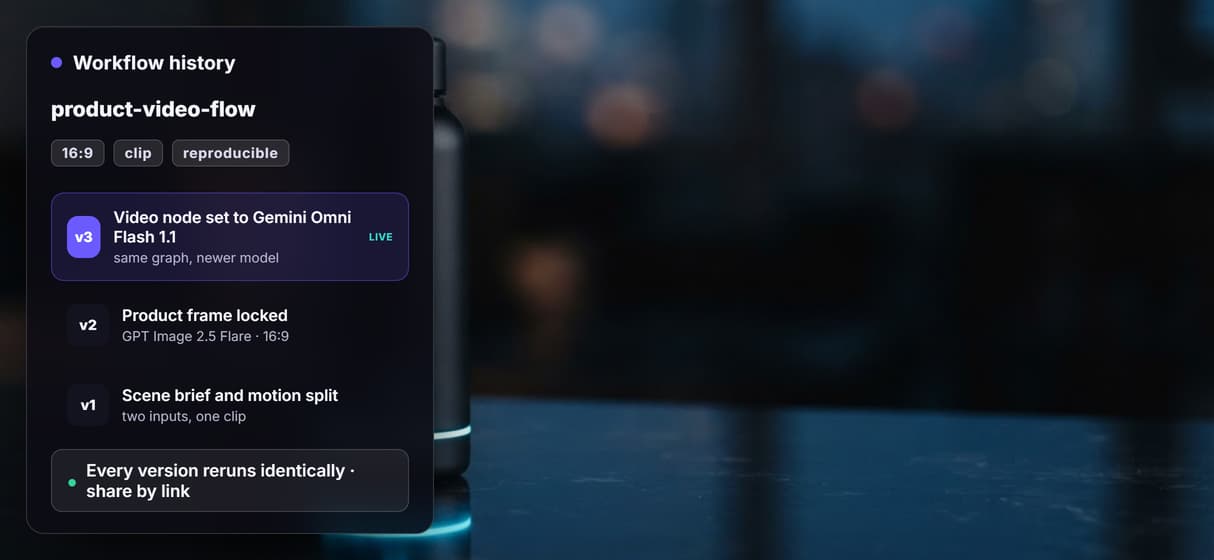
Workflows are versioned server side and shared by link, so every rerun walks the same graph.
How the product video graph actually runs
The workflow behind this page's button is deliberately small: three working nodes and one steering input.
- Scene Brief holds the copy. One line about the product, the setting, and the mood is enough; a sticky note in the flow walks a first run through it.
- GPT Image 2.5 Flare renders the frame. The brief becomes a 16:9 product still, so you approve the look before paying for motion.
- Gemini Omni Flash 1.1 animates it. The node reads the still on its start-frame port and a separate Video Motion Prompt on its text port, then returns a short clip.
That split is the detail worth copying: the frame decides the staging and the motion prompt decides the camera, so you tune each without redoing the other. The clip node is the last hop and stays unrun until you ask for it, because video generation is the expensive step, which keeps iteration on the cheap image hop. From there the graph is also a plain video generation API your code can call.
When Plainly is the better choice
If your team already owns a polished After Effects template and the job is to render thousands of personalized variants from a data feed, Plainly is built around exactly that, and this page will not pretend otherwise. A locked brand template rendered at volume and precise motion-design fidelity that only After Effects delivers are real strengths that a generation canvas is not trying to copy pixel for pixel.
Wireflow earns its place when the job is upstream of that: when you do not have an AE template, when you want to build and see the generation logic itself, or when you want AI image and video models wired directly into the flow instead of bolted onto one template layer. If that is the shape of your problem, the product video graph above is the honest place to start, and it pairs with an AI ad generator when the output is an ad.
More Than Just Plainly Videos Alternative
You build the pipeline, not a render queue
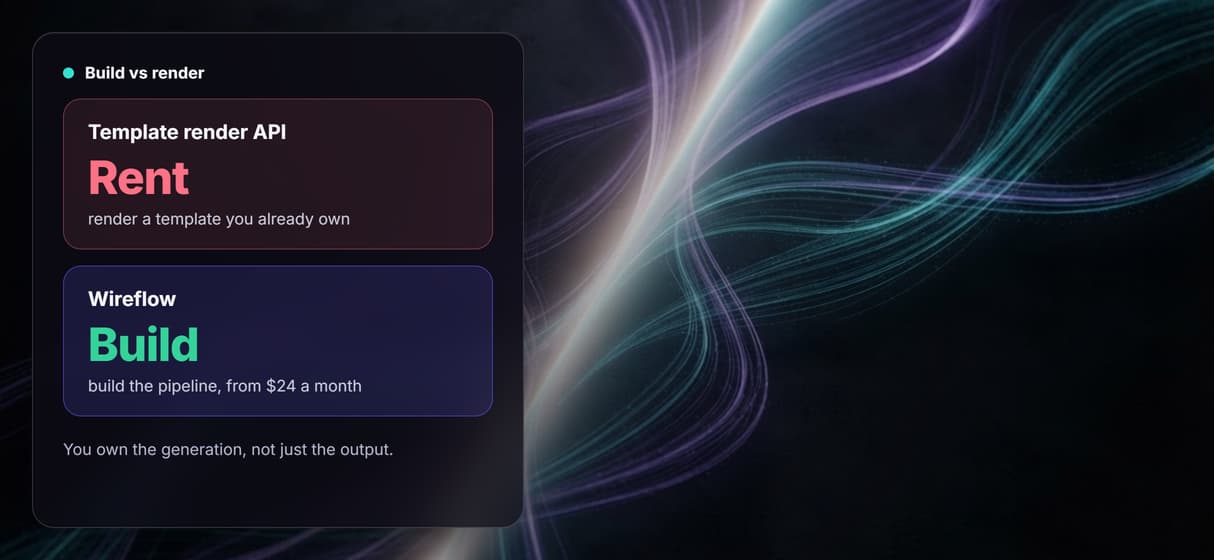
Plainly renders variants of a locked template; here the brief, product image, and clip are open nodes you wire on a node based video canvas.
Swap the video model, keep the graph
The clip node runs Gemini Omni Flash 1.1 today. Trade it for Veo 3.1 or Seedance 2.0 in one click, the way image to video AI should let you.
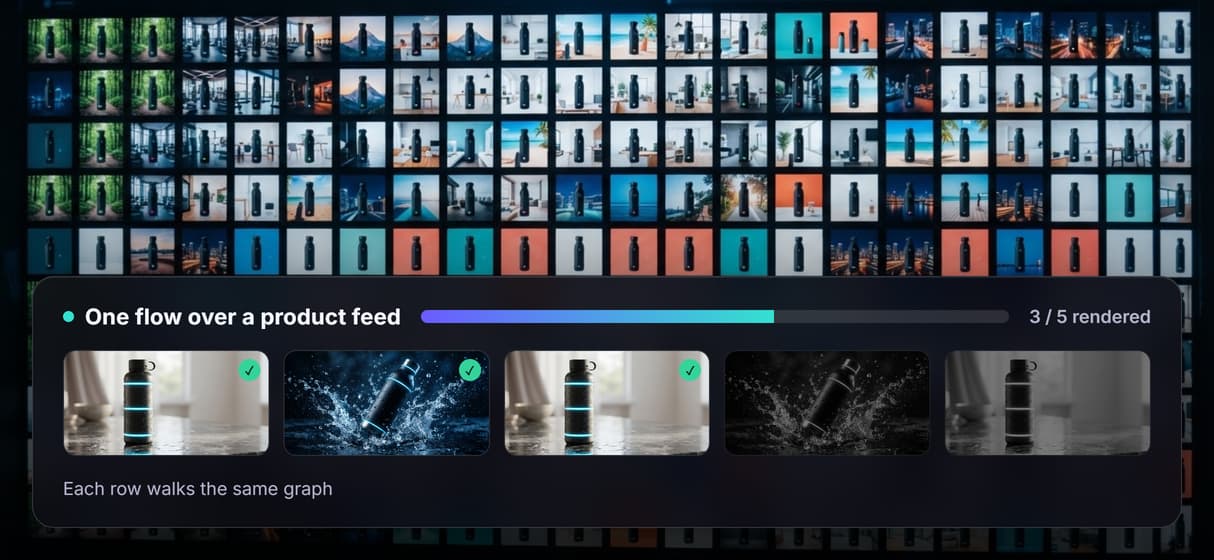
Loop one flow over a product feed
Point the published flow at a feed and every row renders through the same graph, the honest version of what an AI video pipeline does at scale.
Reruns are identical, upgrades are one node
Workflows are versioned server side and shared by link, so your fiftieth take matches your first across any AI video workflow you build.
Build the generation, do not rent a template
No After Effects license and no template to maintain: you build the generation itself, then run it like any AI marketing video job.
Plainly videos alternative Workflows
No Code Required
API & Batch Processing
FAQs
It depends on what you want to keep. If you already have an After Effects template and only need bulk personalized renders, other template-render APIs are the closest match. If you want to build the generation pipeline itself, Wireflow replaces the render queue with a node canvas: scene brief to product image to animated clip, priced per generation.
Discover related AI tools
More From Wireflow
Written by
Andrew Adams · Co-Founder & Operations at Wireflow
Runs client operations and content strategy at Wireflow. Works directly with creative teams and agencies to build production AI workflows.
Build the product video pipeline, not a render queue
Open the flow, write a scene brief, and run it: a product image from GPT Image 2.5 Flare, then motion from Gemini Omni Flash 1.1. Building is free; you pay per generation, and you see every step.