How to Clone Viral Ads With AI: A 5 Step Workflow

In this article▾
- Why you clone a winning ad instead of writing a new one
- Step 1: find the ads that have been running the longest
- Step 2: turn the winner into a timestamped master prompt
- Step 3: generate the clone and compare it to the real ad
- Step 4: build your own two scene UGC ad from one product photo
- Step 5: run the whole canvas from a chat
- What the pipeline looks like end to end
- FAQ
- Getting started
To clone viral ads with AI you need three things: a way to find ads that are already making money, a way to break the winner into a timestamped prompt, and a video model that can hold one scene together for more than two seconds. This guide walks the whole loop end to end, using a node canvas in Wireflow so every step is a box you can rewire instead of a tool you have to buy separately.
Cloning here does not mean lifting someone else's footage. It means taking the structure that made an ad work, the hook timing, the shot order, the beat where the product enters frame, and rebuilding it with your own product. The structure is the asset.
Watch the full walkthrough on YouTube
Why you clone a winning ad instead of writing a new one
Most ad scripts fail because they were never tested. An ad that has been running for four months was tested thousands of times by the advertiser's own budget, and it survived. Rebuilding a winner like that is faster when you create the ad on a node canvas, swapping only the product and hook while the pipeline stays fixed. That is the only signal worth chasing when you pick a format to copy, and it is why ad teams working at volume start from proven references instead of a blank page.
Ad spend is not sentimental. If a video ad has been live for 90 days or more, someone is paying to keep it live, and they only keep paying because it returns more than it costs. Recency tells you nothing. Longevity tells you everything.
Build this in Wireflow
Make the same kind of asset on a canvas you control, with a free account and no credit card.
Step 1: find the ads that have been running the longest
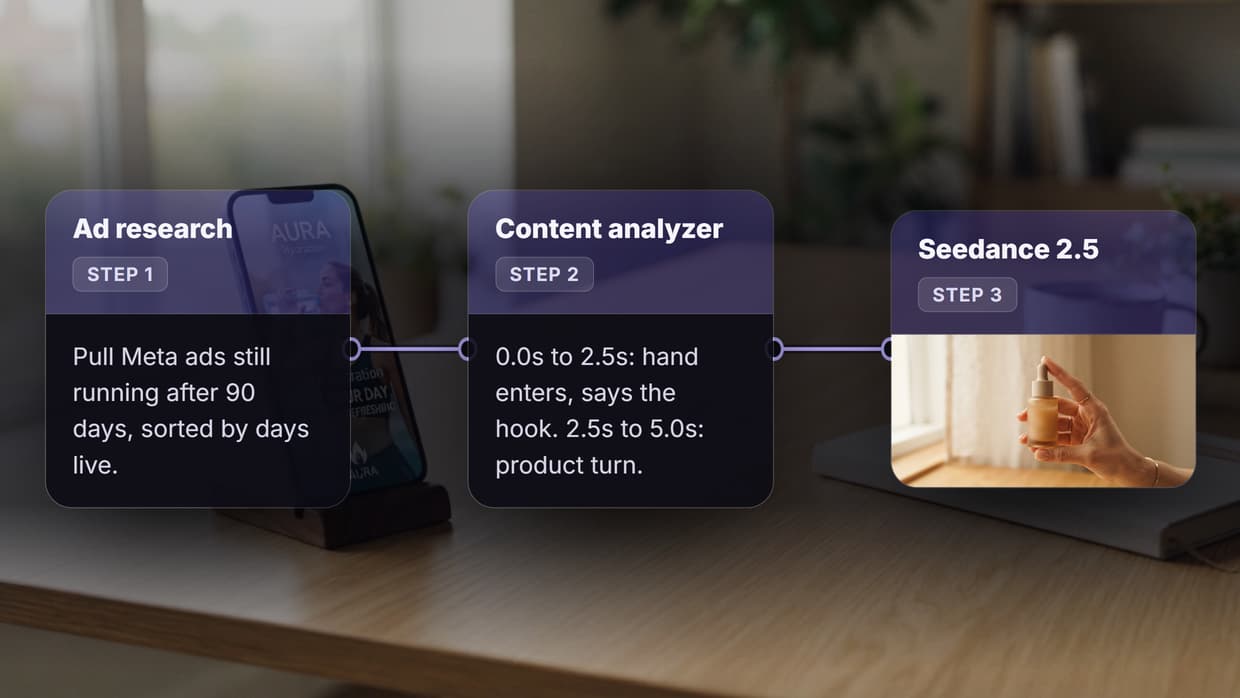
Start in the Meta Ad Library, which is public and free. Filter to your category, then sort by how long each ad has been active rather than by how new it is. A research node can do this for you in bulk: give it the niche, and have it return ads with their first-seen date, days live, format, and a link to the creative.
What you are looking for:
- Days live over 90. Anything under 30 days is unproven.
- Video, not static. You cannot clone motion from a still.
- A single clear product. Bundles and multi-product ads have too many variables to copy cleanly.
- A visible hook in the first two seconds. If you cannot name the hook, the ad will not survive being rebuilt.
Pick one winner. Not five. The whole method breaks down when you average several ads together, because you end up cloning the mean of three formats instead of the one that worked.
Step 2: turn the winner into a timestamped master prompt
This is the step almost everyone skips, and it is the one that decides whether the clone works. Feed the winning ad into a content analyzer node and ask it for a shot list broken into time windows. Each window needs three things and nothing else: the timecode, the exact words spoken, and what is physically on screen.
A usable analyzer output looks like this:
0.0s - 2.4s   "I have been using this for three weeks"
              Hand holds bottle at chest height, kitchen window behind, natural light
2.4s - 5.0s   "and my skin finally calmed down"
              Close on face, bottle enters lower frame, slight camera drift left
5.0s - 8.0s   "link is in my bio"
              Product on counter, label facing camera, hand exits frame
Notice what is missing: adjectives, mood words, and style direction. A shot list that says "cinematic and engaging" produces mush. A shot list that says "hand enters at 2.4s, bottle at chest height" produces a shot. This is the same discipline that makes any multi step video pipeline reproducible instead of lucky.
Keep the master prompt in a text node of its own so you can edit the words without touching the model settings. When a clone comes back wrong, the fix is almost always in the prompt text, not the model.
Step 3: generate the clone and compare it to the real ad
Send the master prompt to a video model that handles multi second continuity. Seedance 2.5 is the current pick for this because it holds a subject stable across a full 10 second window, which is what a cloned ad needs, and it takes timestamped instructions seriously instead of averaging them into one vibe.
Then do the honest part. Put the real ad and your clone side by side and watch them back to back. In testing the visual clone holds up well: framing, pacing, product entry, and camera drift come back close enough that most viewers cannot pick which is which on a phone. Two gaps are real, and neither is a dealbreaker if you plan for them.
- Voices. Generated speech still reads slightly flat next to a real creator. The fix is to generate the video silent and drop a real or cloned voice track over it.
- Captions. Burned in captions come back with wrong kerning and occasional garbled words. Add captions afterwards in an editor rather than asking the model to render them.
Everything else, the model level detail covered in the Seedance 2.5 review, is close enough to ship.
Step 4: build your own two scene UGC ad from one product photo
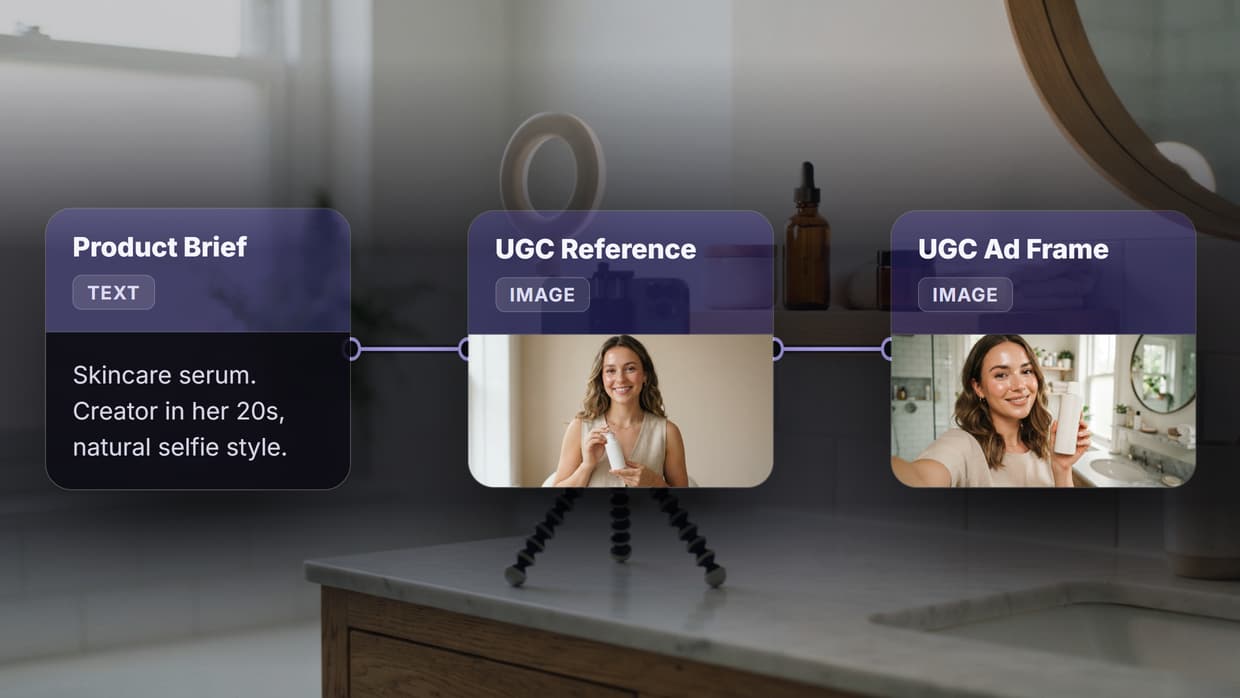
Once the clone works, the same rig builds original ads. Start with a single photo of your product, plain background, decent light, taken on a phone. Feed that image into the generator as a reference so the product stays consistent across every scene, then write two scenes rather than one long one.
Scene one is the unboxing: hands, packaging, the reveal. Scene two is the payoff: product in use, face in frame, the line that carries the offer. Each scene gets its own timestamped prompt, written exactly like the master prompt from step two. The timestamp rule matters most here, because a model given one undifferentiated paragraph will spend the whole clip on the first sentence. That is the structure behind a repeatable UGC ad workflow that runs daily without a new brief each time.
Then stitch. Two clips joined in a built in editor node beat one 20 second generation every time. Long single generations drift: the product changes shape, the lighting shifts, the hands change. Two eight second clips cut together stay consistent because each one only has to hold for eight seconds.
Step 5: run the whole canvas from a chat
The last piece is removing yourself from the clicking. Connect the canvas over MCP and an agent like Claude triggers the whole pipeline from a chat message: pass it a niche and a product photo, and it runs research, analysis, generation, and stitching without you opening the canvas. The same workflow API surface does it from code if you would rather schedule the run than ask for it.
That is where the method turns into a system. One canvas, one command, and a tested ad format runs against a new product in the time it takes to write two sentences.
What the pipeline looks like end to end
| Step | Input | Output | What to check |
|---|---|---|---|
| Ad research | Niche or competitor | Ads sorted by days live | At least one ad over 90 days live |
| Content analysis | The winning ad | Timestamped master prompt | Every window has time, words, and visuals |
| Clone generation | Master prompt | Cloned video clip | Product stays consistent across the clip |
| Original build | One product photo | Two scene UGC ad | Scene two matches scene one's lighting |
| Stitch | Two clips | Final ad | No jump in product shape at the cut |
| Automation | Chat message or API call | The whole run | Same output as running it by hand |
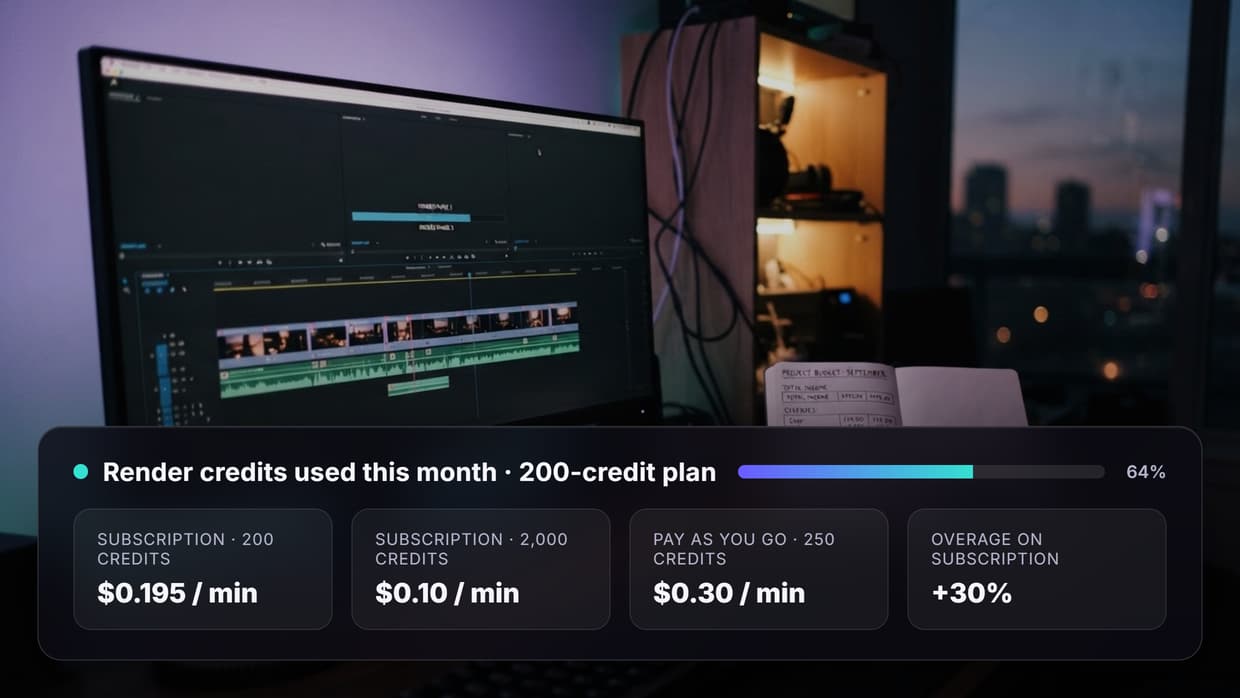
Budget the test batch before you scale. One clone is a handful of generations, but ten hooks against three products is 30 runs, so check per second video pricing first.
FAQ
Is it legal to clone a viral ad with AI?
Copying the structure, pacing, and hook of an ad is standard advertising practice. Copying the actual footage, voice, music, or brand assets is not. Rebuild every shot with your own product and your own audio and you are on the same ground as any agency that studies the competition.
How do I find ads worth cloning?
Use the Meta Ad Library and sort by how long each ad has been running, not by recency. An ad live for 90 days or more is being funded because it works. Ads under 30 days old are still unproven, whatever their view count says.
What is a timestamped master prompt?
A shot list where every time window carries three facts: the timecode, the exact words spoken, and what is on screen. It replaces mood words with instructions, which is what makes a generation reproducible instead of random.
Which model should I use for the clone?
Pick one that holds a subject stable for the full clip length rather than the one with the highest resolution. Running the same prompt across two or three models and comparing the outputs side by side settles it faster than reading spec sheets.
Why do AI ad clones still fail on voices and captions?
Generated speech lacks the small timing irregularities of real speech, so it reads flat, and text rendering inside video models is still unreliable at small sizes. Both are solved outside the model: voice over the silent clip, captions in the editor.
How many scenes should one prompt cover?
One. Write each scene as its own generation and stitch them together. Multi scene single prompts drift, and the drift always shows up as the product changing between beats.
Do I need a product video to start?
No. One clean product photo is enough. It goes in as a reference image so the product stays identical across every scene, which is exactly how an automated UGC build keeps a catalogue consistent.
Can I run this without opening the canvas?
Yes. Once the canvas is built it can be triggered over MCP from a chat, or over the API from a script, so the build happens once and every later run is a single instruction.
Getting started
The method comes down to one habit: stop guessing at ad structure and start copying structures that already survived a real budget. Find the ad running longest, turn it into a timestamped shot list, rebuild it with your product, and keep the two gaps, voices and captions, out of the model's hands. The AI video generator side is the easy part once the prompt is right.
The canvas used throughout this guide is free to clone and run: open the ad cloning workflow.

Co-Founder & Operations at Wireflow
Runs client operations and content strategy at Wireflow. Works directly with creative teams and agencies to build production AI workflows.
- Content Strategy
- Client Operations
Get unlimited ad creatives today.
One call to see if we are a fit and scope the first ad. If it fits, your first batch lands inside week one.