How to Automate UGC Video Creation: A Step-by-Step Pipeline Guide

In this article▾
- What an automated UGC pipeline actually looks like
- Step 1: Generate scripts and hooks in bulk
- Step 2: Turn scripts into avatar video
- Step 3: Assemble captions, crops, and end cards
- Step 4: Batch variations and hook testing
- Step 5: The cost math nobody publishes
- Common failure modes to design around
- Getting started this week
- FAQ
- Conclusion
Learning to automate UGC video creation means turning a product brief into dozens of ready-to-run ad videos without touching an editor. This guide walks through the full pipeline: script generation, avatar video, assembly, batch variations, and the feedback loop, with real cost numbers at each stage. Wireflow lets you chain the AI models involved into one repeatable canvas, so the same setup runs every new product you feed it.
What an automated UGC pipeline actually looks like
Most guides treat UGC automation as "pick a tool, paste a URL, download a video." That works for one video. It falls apart when you need 40 variants a week for creative testing. A real pipeline is a chain of five stages, and each one can be automated independently.
For a reusable implementation of the hook-testing step, use the video ad variant generator. For a hands-on look at this in action, check out the AI UGC workflow feature page, which shows the node-by-node version of everything below.
The five stages:
- Brief intake: product name, offer, audience, and 2-3 pain points
- Script and hook generation: an LLM writes multiple hook variants plus body copy
- Video generation: an avatar or video model turns each script into footage
- Assembly: captions, format crops, music, and brand end cards
- Distribution and feedback: publish, measure hook rate, feed winners back in

The mistake most teams make is automating stage 3 only. Generating one talking-head clip on demand saves an hour. Automating all five stages, the way an AI UGC agent does, saves the recurring 15-20 hours a week that batch production actually costs.
The same automation is what makes scaling UGC ads practical, since one published pipeline can be looped over dozens of product and hook combinations.
Build this in Wireflow
Make the same kind of asset on a canvas you control, with a free account and no credit card.
Step 1: Generate scripts and hooks in bulk
Every UGC ad lives or dies in the first two seconds, so the script stage should produce hooks in volume, not one at a time. If you would rather borrow a hook that already works, break a winning ad into a timestamped prompt and write your variants against that shot list. Prompt an LLM with the product brief and ask for 10 distinct hooks across proven patterns: problem callout, unexpected stat, "I was skeptical" confession, and direct question. Then attach one shared body script to each. Teams running ad creative testing at scale consistently find that hook variation drives more performance spread than any other variable.
Two rules keep script automation from producing generic output:
- Feed it real customer language. Paste review snippets or support tickets into the prompt. Scripts built from actual phrasing sound like a person, not a press release.
- Constrain the length. 55-70 words for a 25-30 second video. Longer scripts push avatars into monotone pacing.
Store the brief-to-script prompt as a reusable template. In a node-based setup you save it once as a reusable workflow template and every future product runs through the identical structure.
Step 2: Turn scripts into avatar video
This is the stage most people mean when they search for UGC automation. You have two architectural options, and the right choice depends on volume and control.
Option A: hosted avatar platforms. Tools like Arcads, Creatify, and HeyGen bundle avatar, voice, and lipsync into one subscription. They are fast to start and need no setup. The tradeoff is per-seat pricing and limited batch control; the differences between the two biggest options are covered in this Arcads vs Creatify breakdown.
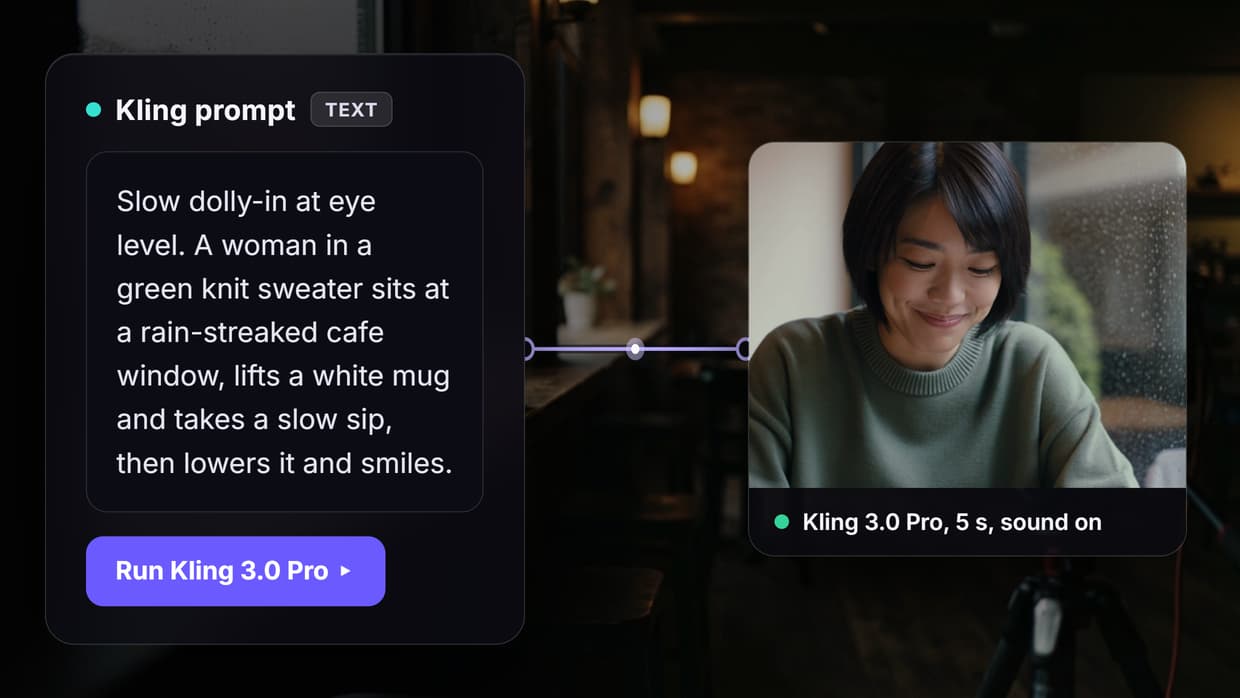
Option B: composable model pipelines. Chain the pieces yourself: a text-to-speech model for the voice, an image or character model for the persona, and a video model for motion. This costs less per video at volume and lets you swap any single model when a better one ships. A node-based video generation canvas is the middle ground: composable like an API pipeline, visual like a SaaS tool.

Whichever route you pick, lock the persona early. Batch campaigns fail visually when the "creator" drifts between videos: different face, different voice, different room. Generate one canonical character reference, store it, and pass it into every generation call. The same discipline applies to voice: pick one voice ID and never let the pipeline default-select.
Step 3: Assemble captions, crops, and end cards
Raw avatar clips are not ads. The assembly stage adds burned-in captions (85 percent of feed video plays muted), platform-specific crops, and a branded end card with the offer. Doing this manually in an editor is where "automated" pipelines quietly become manual again, which is why an AI video pipeline should handle assembly as a node, not a person.
Format logic worth automating:
| Platform | Aspect ratio | Caption safe zone | Max useful length |
|---|---|---|---|
| TikTok / Reels | 9:16 | middle 60 percent | 30s |
| Meta feed | 4:5 | upper two-thirds | 45s |
| YouTube Shorts | 9:16 | avoid bottom 25 percent | 45s |
| Meta stories | 9:16 | middle 50 percent | 15s |
Generate the master in 9:16 and derive the 4:5 crop automatically rather than re-rendering. Teams that automate video creation for social media ads typically cut per-video assembly time from 25 minutes to under 2 by templating exactly this table.
Step 4: Batch variations and hook testing
Here is the part the tool listicles skip entirely: the economics of UGC automation come from batching, not from single-video speed. One product brief should fan out into a matrix, for example 10 hooks x 2 personas x 2 formats = 40 videos from one input. Batch AI generation is what makes that fan-out a single run instead of 40 manual exports.
The testing method that makes the batch useful:
- Launch all hook variants with identical body, persona, and offer
- Measure 3-second hook rate, not just CTR, after roughly 1,000 impressions each
- Kill the bottom 70 percent, keep the top 3 hooks
- Fan those 3 winners out again across new personas and angles
This is systematic creative iteration, and it is the reason agencies mass-produce UGC ads rather than perfecting individual videos. The winning hook is unknowable in advance; the pipeline exists to find it cheaply.

Step 5: The cost math nobody publishes
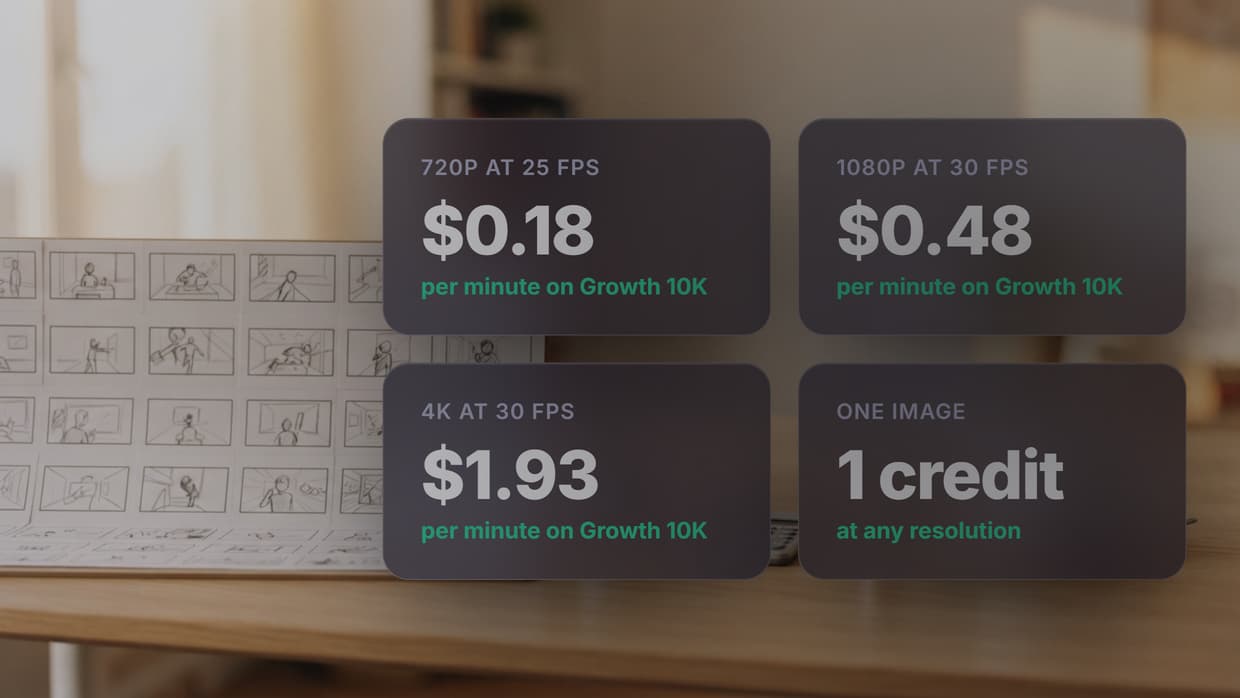
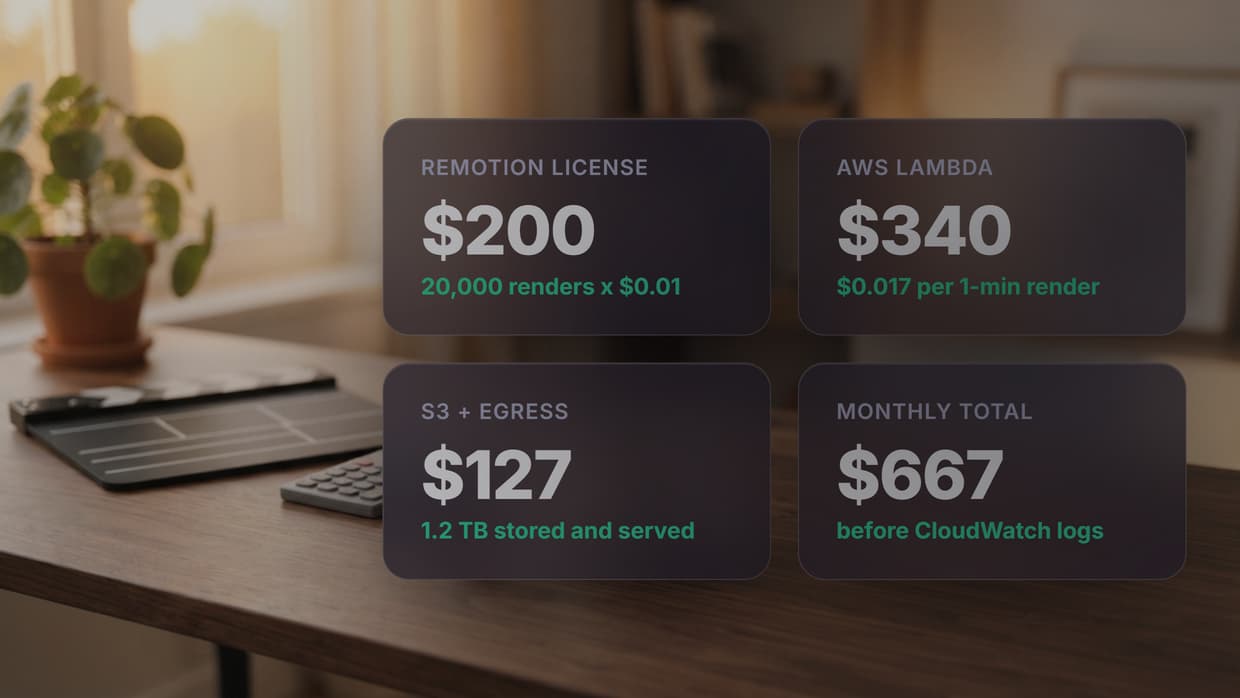
"AI UGC is cheaper than creators" is true but useless without numbers. Here is the realistic per-video breakdown at moderate volume (40 videos per month), using figures consistent with current AI UGC pricing benchmarks:
| Cost line | Human creators | Hosted UGC SaaS | Composable pipeline |
|---|---|---|---|
| Script | included | included | $0.02 (LLM call) |
| Video generation | $150-400/video | $2-6/video | $0.50-2.50/video |
| Editing/assembly | $30-80/video | included | $0.05-0.20/video |
| Monthly fixed | $0 | $99-500 seat | $0-50 |
| 40 videos/month | $7,200-19,200 | $180-740 | $25-160 |
The composable column assumes you pay per model call rather than per seat, which is how pipeline automation pricing works. The honest caveat: composable pipelines cost setup time, roughly a day to build and test the first one. That day pays back within the first batch at agency volume, and never pays back if you need three videos a quarter. Low volume favors SaaS; recurring batches favor the pipeline.
Common failure modes to design around
Automation guides rarely mention what breaks. Four failure modes show up in nearly every UGC pipeline, and each has a design fix. Agencies running UGC video automation for clients hit all four within the first month.
- Persona drift. Batch runs produce slightly different faces or voices per video. Fix: one stored character reference and one pinned voice ID passed explicitly into every call.
- Lipsync artifacts. Long sentences and numbers ("$1,499") trip sync models. Fix: keep sentences under 12 words and write numbers as spoken words in the script stage.
- Platform policy flags. Meta and TikTok both allow AI-generated ads but require accurate claims and, increasingly, AI disclosure toggles. To create compliant campaigns, use tools that help you create UGC ads with AI while keeping claims sourced from the creative brief, and enable the AI-content flag during upload rather than risking rejection.
- Silent pipeline failures. One model in the chain times out and the batch ships 37 of 40 videos. Fix: run the chain on a platform with per-node status, like a video generation API with explicit run logs, so failures surface instead of vanishing.

Getting started this week
Do not try to automate all five stages on day one. The sequence that works: template your script prompt first (one hour, immediate quality gain), automate video generation second, then add assembly and batching once the first ten videos prove the persona and offer. Orchestration tools compared in n8n vs MCP for video automation can glue the distribution stage on last.
Try it yourself: open this pre-built UGC ad workflow in Wireflow. The nodes are pre-configured with the script-to-video setup discussed above, so you can run your first automated batch without building the chain from scratch.
FAQ
How much does it cost to automate UGC video creation?
At 40 videos per month: $180-740 on hosted SaaS platforms, or $25-160 on a composable model pipeline where you pay per generation call. Human creator equivalents run $7,200-19,200 for the same volume. Setup time is the hidden cost of the pipeline route, roughly one working day.
Can I automate UGC videos without coding?
Yes. Node-based canvases and hosted UGC platforms both work without code. You connect a script node to a video node visually instead of writing API calls. Coding only becomes necessary if you want custom orchestration logic like conditional retries or CRM-triggered briefs.
How many video variants should one product brief produce?
A useful default is 10 hooks x 2 personas x 2 formats, or 40 videos per brief. The goal is finding the winning hook through testing, not producing one perfect video. Kill underperformers at the 1,000-impression mark and fan out the survivors.
Will Meta or TikTok reject AI-generated UGC ads?
Both platforms accept AI-generated ads. Rejections come from unsubstantiated claims or missing AI disclosure, not from the footage being synthetic. Enable the platform's AI-content flag at upload and keep product claims traceable to the brief.
How do I keep the same avatar consistent across a batch?
Store one canonical character reference image and one pinned voice ID, and pass both explicitly into every generation call. That same locked reference works for short previews too, where you can animate a frame into a loop for a quick teaser instead of a full video. Pipelines drift when each video re-selects defaults. Consistency is a pipeline design decision, not a model capability.
What is the difference between a hosted UGC tool and a pipeline?
Hosted tools (Arcads, Creatify, HeyGen) bundle avatar, voice, and editing behind a subscription: fast to start, priced per seat, limited batch control. A pipeline chains individual models you can swap independently: cheaper per video at volume, more setup, full control over persona and formats.
What metric matters most when testing UGC ad variants?
Three-second hook rate. It isolates the hook variable, which drives more performance spread than persona, format, or offer framing. CTR and ROAS matter downstream, but hook rate is the earliest reliable kill signal and needs only about 1,000 impressions per variant.
Conclusion
Automating UGC video creation is a pipeline problem, not a tool choice. Template the script stage, lock your persona, batch your hooks, and wire performance data back into the next run. Start with one stage this week, prove the output quality on ten videos, and scale the batch size only after the pricing math works for your volume. The teams winning with UGC in 2026 are not generating better single videos; they are running better loops.

Co-Founder & Operations at Wireflow
Runs client operations and content strategy at Wireflow. Works directly with creative teams and agencies to build production AI workflows.
- Content Strategy
- Client Operations
Make AI videos and ads.
Start free, no card needed.