Runway App Studio Alternative: 8 Ways to Turn a Workflow into a Team App (2026)

In this article▾
- Quick summary
- What Runway App Studio does and costs
- 1. Wireflow Product Portfolio blueprint: Best overall
- The same job, run on Wireflow
- 2. Figma Weave: Best for design teams
- 3. Flora: Best for API runs
- 4. Magnific Spaces: Best for templates
- 5. ViewComfy: Best for ComfyUI teams
- 6. ComfyDeploy: Best open source option
- 7. Photoroom: Best for product cleanup
- 8. Pebblely: Best budget option
- Comparison table
- Which tool suits which job
- FAQ
- Conclusion
Looking for a Runway App Studio alternative? We compared 8 tools that turn an AI workflow into an app your team can run, and built one free in Wireflow.
App Studio turns a Runway workflow, or a plain-language description, into a small app with its own interface. We read its launch post on 27 October 2026, compared seven other tools that do the same job, and rebuilt one of its built-in apps, Product Portfolio, on Wireflow, the node-based AI canvas we build, as a free blueprint. We compete with Runway, so read this as a competitor's guide.
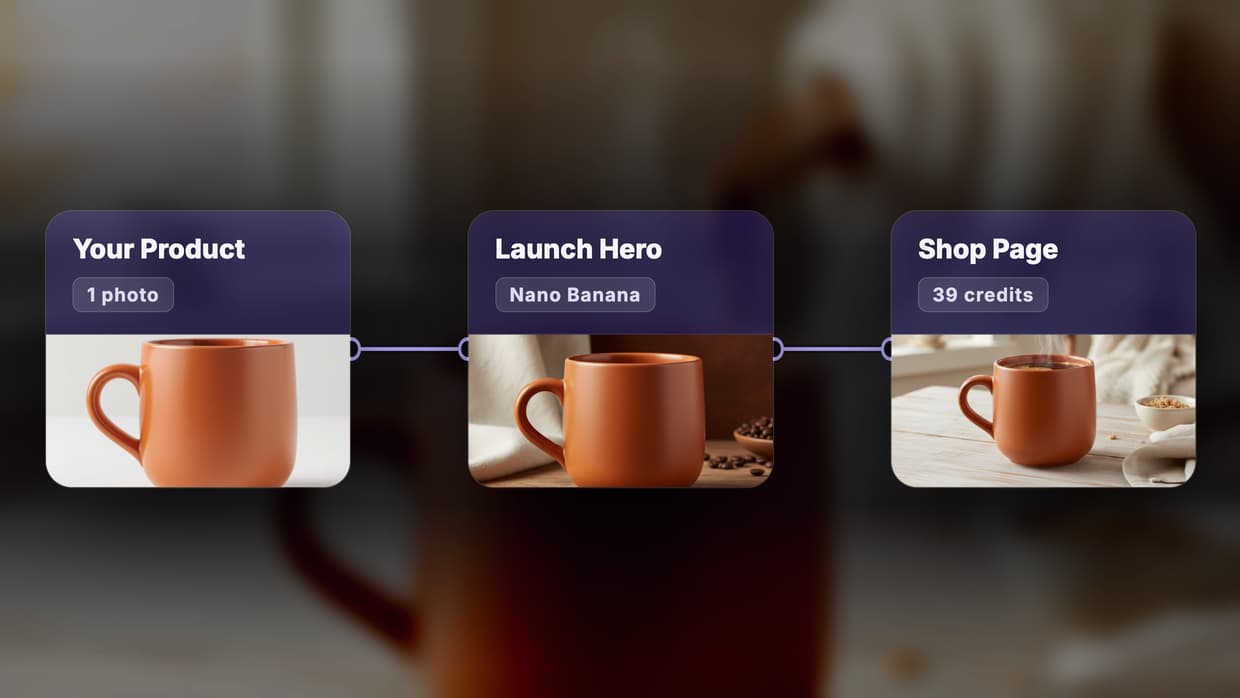
The short version: our app takes one product photo and a short brief and returns a launch hero, a catalog shot and a product page picture for 39 credits, with the prompts and models locked so a teammate only touches the two inputs. App Studio can also build an app from a description and writes the code for you. For the rest of the Runway toolset, see our Runway alternatives.
Quick summary
- Wireflow Product Portfolio blueprint: one photo to 3 product pictures, free to fork. Best overall
- Figma Weave: a workflow becomes a tool with a simple UI. Best for design teams
- Flora: reusable Techniques you can run by API. Best for API runs
- Magnific Spaces: node canvas with ready-made product templates. Best for templates
- ViewComfy: ComfyUI workflows as shareable web apps. Best for ComfyUI teams
- ComfyDeploy: an auto-generated Playground over ComfyUI. Best open source option
- Photoroom: product photo editing in bulk. Best for product cleanup
- Pebblely: products placed in generated backgrounds. Best budget option
What Runway App Studio does and costs
Runway launched App Studio on 26 October 2026. You describe the tool you need in plain language, or turn an existing Workflow or Agent session into an app in one click, and App Studio builds an app with its own interface that makes images, video and audio from your Brand Kits and Workflows. You lock the prompt, model chain and settings, then give teammates only the inputs they need.
| Setting | What Runway lists |
|---|---|
| Built-in apps | Character Swap, AutoComp, Product Portfolio, 3D Camera Control, Precise Edit, Runway Pro |
| Build from | A plain-language description, a Workflow or an Agent session |
| Sharing | Private, teammates, a project, the workspace, or a public link for anyone with a Runway account |
| Price | Included in every paid plan; building, running and hosting use your Runway credits |
| Free users | Can run built-in and shared apps, must upgrade to build |
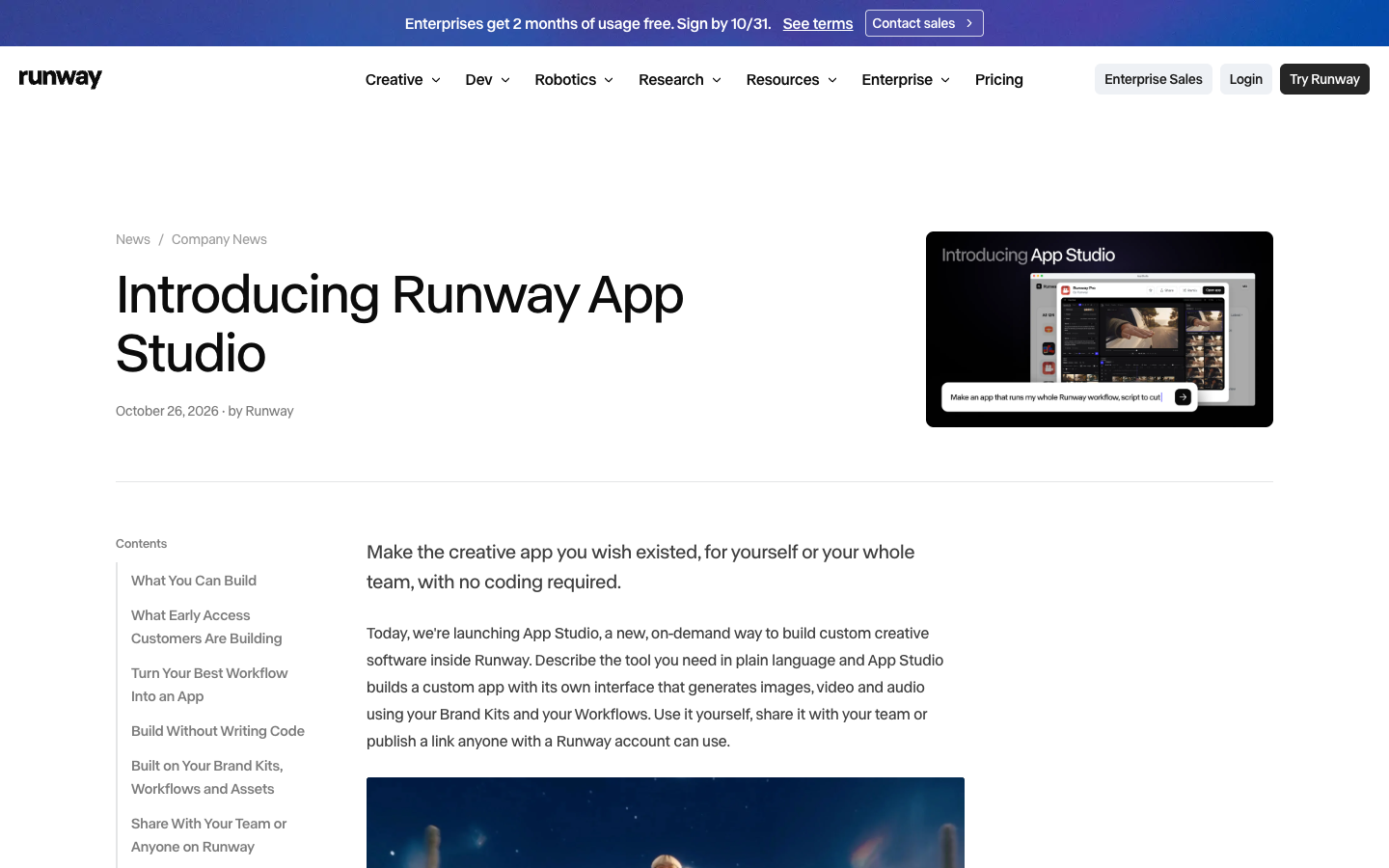
When an app is shared publicly, visitors sign in and pay for their own generations. Runway's Standard plan starts at $12 a month billed annually with 625 credits, and our Runway API alternatives cover the developer side.
Build this in Wireflow
Make the same kind of asset on a canvas you control, with a free account and no credit card.
1. Wireflow Product Portfolio blueprint: Best overall
The Product Portfolio blueprint is a ready-made board for App Studio's product photo app. Two inputs face the user: a product photo and a brief. Behind them sit the locked parts: a planner that writes 3 shot prompts, fixed picture rules that keep the product exactly as photographed, and one Nano Banana node per picture. It is the same idea as reusable AI templates, laid out as atomic nodes you can check, swap or rerun one at a time.
Blueprints are frozen copies of a workflow: you fork one to your canvas or add it to another workflow as a single node. Wireflow can also publish a workflow as a standalone app on its own wireflow.ai subdomain, free, charged per run or by subscription. The blueprint is free to fork; running it needs a paid plan and uses your own credits. Browse more in the blueprint library.
The same job, run on Wireflow
We ran Product Portfolio's job: one product photo in, polished pictures for a launch, a catalog and an online shop out. The input was a terracotta stoneware mug packshot we made earlier, with a brief for a made-up brand, Clayday. The board's rules tell the model to keep the mug's shape, colour, matte glaze and handle, and to put no words, letters or logos in the picture, the same approach as our AI product photography boards.
| Measure | Our run on 27 October 2026 |
|---|---|
| Shot planner (Claude Sonnet 4.5) | 3 credits, 9 seconds with the free extract nodes |
| 3 pictures (Nano Banana, 1:1) | 36 credits, 26 seconds |
| One retry of the catalog picture | 12 credits, 18 seconds |
| Cost of one run | 39 credits for 3 square pictures |
At current plan prices ($24 for 1,600 credits on Starter, $45 for 4,300 on Professional), 39 credits cost $0.41 to $0.59. With the retry, our test spent 51 credits in total.

The mug kept its shape, terracotta colour, matte glaze, loop handle and cream foot ring in every picture, and none of them had stray text. The launch hero sets it on a wooden surface with a cream cloth and coffee beans against a dark brown wall; the shop picture puts a steaming cup on a pale table by a window. The flaws: the catalog shot came back almost the same as our input packshot on both takes, though the planner asked for a three-quarter view, all three keep the same side-on angle, and the coffee surface has a flat tan patch. Our Higgsfield Ads Studio alternatives test adds headlines to pictures like these with real text layers.
2. Figma Weave: Best for design teams
Figma Weave, formerly Weavy, is a node-based platform whose homepage says a workflow can become a tool by automatically generating a simplified UI for the team. Free has 150 credits and 5 workflows, and Starter is $24 a month for 1,500 credits. API workflow runs are listed only on Enterprise; see our Figma Weave alternative.
3. Flora: Best for API runs
Flora's Technique Builder turns any canvas workflow into a reusable, shareable Technique, and each Technique defines its inputs, outputs and per-run cost in US dollars. Its API runs a Technique by slug, and paid plans include the API. Starter is $18 a seat a month; compare it in our Flora AI alternative.
4. Magnific Spaces: Best for templates
Magnific Spaces, formerly Freepik Spaces, is a node canvas with ready-made templates such as Generate product scenes and Create product variations in context, and its workflows are described as reusable by any team member. Free users can create up to 3 Spaces. More shared starting points are in our AI workflow templates.
5. ViewComfy: Best for ComfyUI teams
ViewComfy turns ComfyUI workflows into web apps with a no-code app builder and shares them with your team and clients in one click. The Developer plan is $0 plus compute with 1 app, and Team is $30 a month plus compute with 5 apps. If you would rather skip GPUs, see our ComfyUI alternative.
6. ComfyDeploy: Best open source option
ComfyDeploy gives a ComfyUI workflow an auto-generated Playground: you define the inputs and outputs, and artists adjust sliders, text fields and image uploads without knowing ComfyUI. Its homepage says it is now open source, and no plans are shown there. More hosted options are in our hosted ComfyUI alternatives.
7. Photoroom: Best for product cleanup
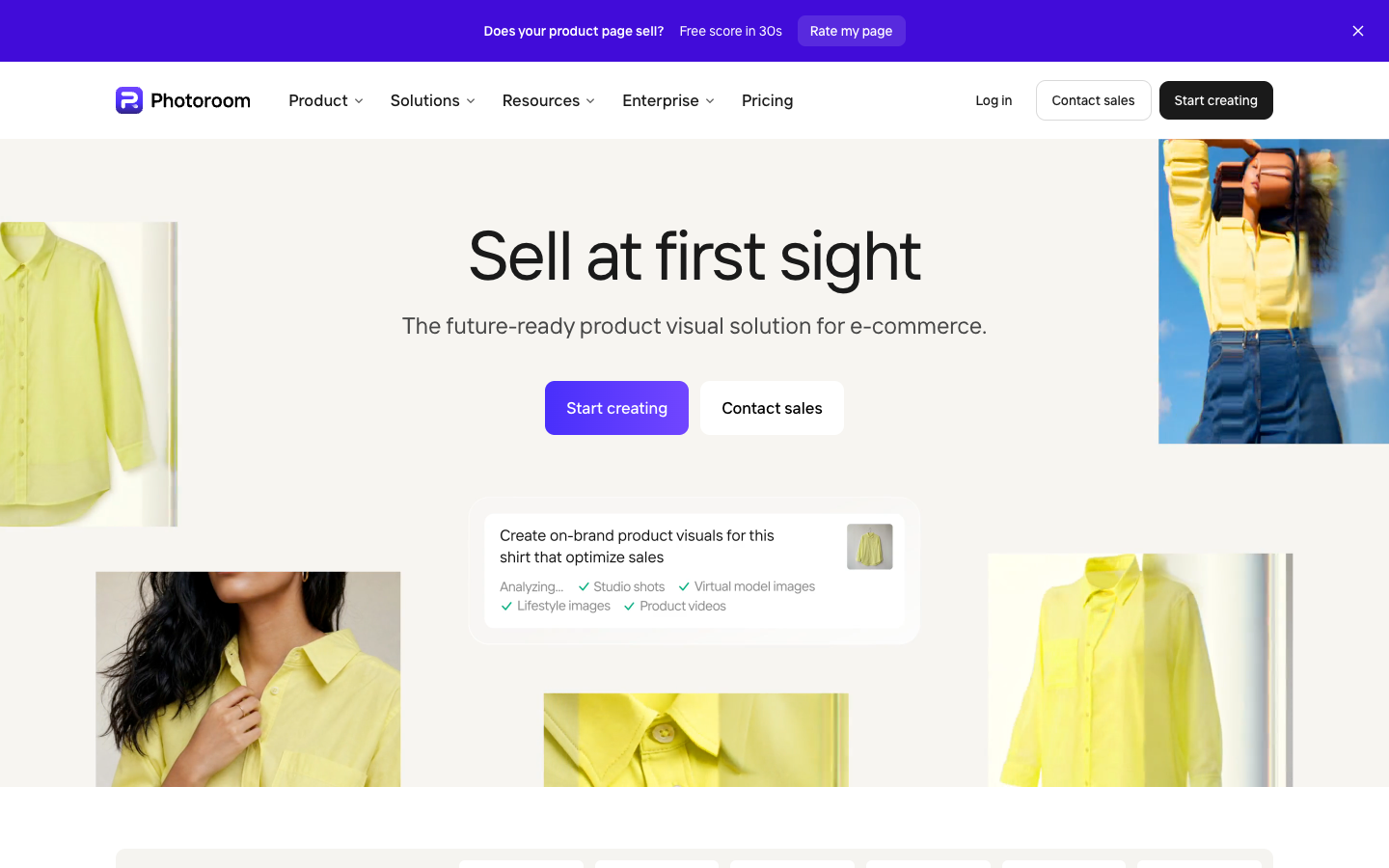
Photoroom edits product photos in bulk, with Product Staging and other AI tools on up to 250 images at once and a brand kit for fonts, logos and colours. Pro is $7.50 a month billed yearly. It is a fixed app rather than one you build; an AI product photo generator board lets you change the steps.
8. Pebblely: Best budget option
Pebblely places your product in generated backgrounds, with 40+ themes, custom prompts and bulk generate on Basic and Pro. Lite is $9 a month for 30 images, and the site lists no public API. For feed ads built on pictures like these, see our Runway Ads alternative.

Comparison table
Rows come from vendor pages read between 11 and 27 October 2026. To build your own flow from scratch, start in the AI workflow builder.
| Tool | Turns a workflow into an app | Simple UI for teammates | Product photo job | Price shown |
|---|---|---|---|---|
| Runway App Studio | Yes, or from a description | Yes, its own interface | Product Portfolio app | Included in paid plans, from $12 a month |
| Wireflow Product Portfolio | Blueprint or published app | Two exposed inputs | Yes, 3 pictures a run | 39 credits a run on our test |
| Figma Weave | Yes | Auto-generated UI | Build it yourself | Starter $24 a month |
| Flora | Techniques | Defined inputs | Build it yourself | Starter $18 a seat a month |
| Magnific Spaces | Reusable workflows | Templates | Product scene templates | Free: up to 3 Spaces |
| ViewComfy | Yes, from ComfyUI | No-code app builder | Build it yourself | $0 plus compute for 1 app |
| ComfyDeploy | Yes, from ComfyUI | Playground | Build it yourself | Not shown |
| Photoroom | No, fixed app | Yes | Yes, up to 250 at once | Pro $7.50 a month billed yearly |
| Pebblely | No, fixed app | Yes | Yes | Lite $9 a month |
Which tool suits which job
- An app built from a plain-language description, inside Runway: App Studio.
- A product photo app you can open, check and change node by node: the Wireflow Product Portfolio blueprint.
- Design teams already in Figma: Figma Weave.
- Running a saved workflow from your own code: Flora Techniques or a Wireflow published app.
- ComfyUI workflows your artists can use: ViewComfy or ComfyDeploy.
- Clean product shots in bulk with no building: Photoroom or Pebblely.
Try it yourself: Fork the free Product Portfolio blueprint. Replace the mug photo and the brief with your own, then run it. The planner rules and picture rules stay locked unless you choose to edit them.
FAQ
What is Runway App Studio?
A Runway tool, launched on 26 October 2026, that builds a custom app with its own interface from a plain-language description or an existing Workflow, using Runway's image, video and audio models and your Brand Kits.
How much does Runway App Studio cost?
Runway says App Studio is included in every paid plan with no add-on. Building, running and hosting apps draw from your Runway credits, and public visitors pay for their own generations.
Is there a free Runway App Studio alternative?
The Wireflow Product Portfolio blueprint is free to fork; a run uses your own credits and cost 39 for our 3 pictures. ViewComfy's Developer plan is $0 plus compute for 1 app. Agencies can read our guide to AI workflow software for agencies.
Can my team use the app without touching prompts?
Yes. In the blueprint, only the photo and the brief are exposed; the planner rules, picture rules and models stay as they are, so every teammate gets the same setup.
Can I run the app from code?
A Wireflow published app can be called over HTTP with an API key, and the key's owner pays for the run. Our no-code AI with API access page covers that route.
Why did the catalog shot look like the input photo?
Our input was already a clean studio packshot, and Nano Banana kept its pose and backdrop on both takes. Start from a different photo, or ask for a top-down or close-up view in the planner rules, on the no-code AI canvas.
Conclusion
App Studio is the quicker pick if your team already works in Runway and wants an app built from a description, with the code written for you. For a product photo app where every step is a node you can check, swap and rerun, Wireflow does it as a free blueprint, 39 credits for 3 pictures on our test, and you can publish the same workflow as an app; our guide on how to build AI workflow software for agencies goes further.
Our Higgsfield Katana alternatives guide rebuilds video edits the same way.

Co-Founder & Operations at Wireflow
Runs client operations and content strategy at Wireflow. Works directly with creative teams and agencies to build production AI workflows.
- Content Strategy
- Client Operations
Make AI videos and ads.
Start free, no card needed.