 Andrew Adams · Co-Founder & Operations at Wireflow ·
 AI Marketing Video
Turn a written brief into a marketing video on a canvas you can see.
This page's live flow wires a Marketing Prompt text node into a GPT Image 2.5 Flare image node, then into a Gemini Omni Flash 1.1 node, so a prompt becomes a first frame and that frame becomes a clip.
Free to build · no credit card
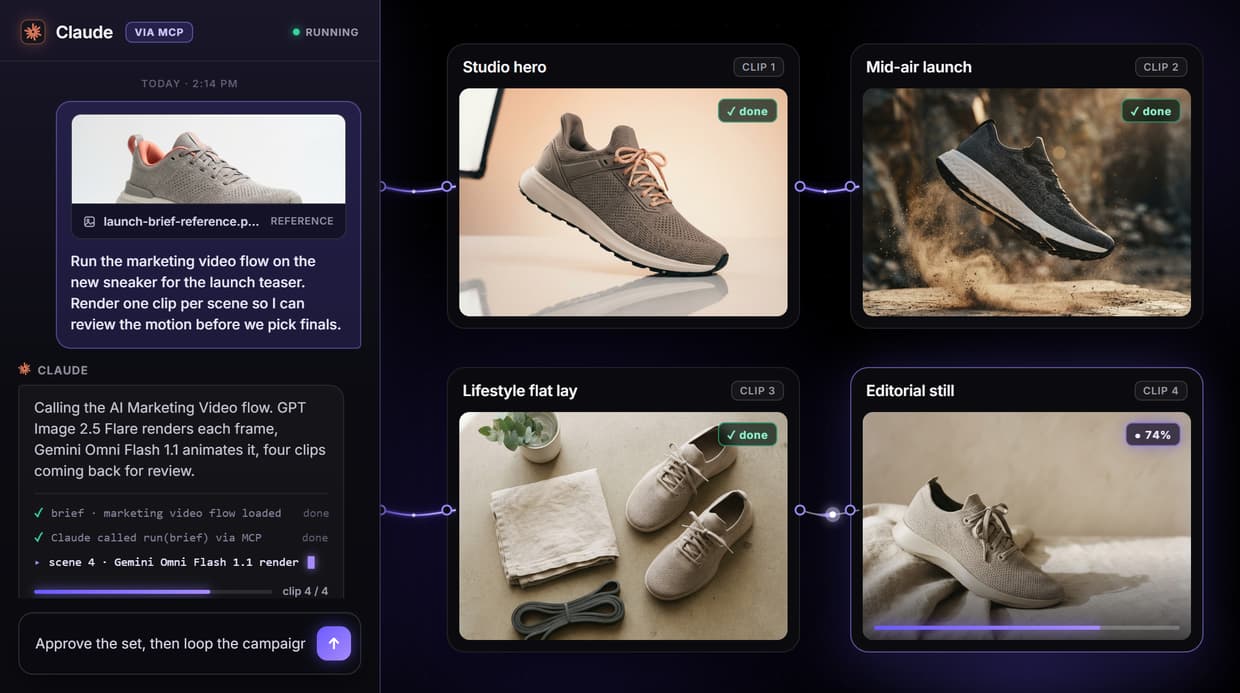
What the marketing video flow actually does
The phrase AI marketing video usually promises a system that reads a brief, writes the script, picks its own models, and returns a finished ad. That hides where the work happens. What you actually need is a pipeline you can see, so you know which model made which frame and can fix any step by hand.
On Wireflow the flow behind this page is three nodes: a Marketing Prompt text node wired into a GPT Image 2.5 Flare image node, then into a Gemini Omni Flash 1.1 node. You describe the shot, GPT Image 2.5 Flare renders the opening frame, and Gemini Omni Flash 1.1 reads that frame on its Start Frame port and animates it into a clip. You approve the still before you spend a render on motion, and every stage stays visible and repeatable.
What you can make from a brief
Social video ads
Short promotional clips for feeds and stories, rendered from one brief and a single opening frame.
Product motion shots
Animate a product still into a moving hero shot with camera drift, no physical set or crew.
Promo and launch clips
Turn a sale or launch frame into a short animated teaser you can render again per offer.
Explainer scenes
Build a scene from a written description, then animate it to show a feature or step in motion.
UGC-style clips
Render a candid, lifestyle-styled frame and add subtle motion for a native, hand-held feel.
Concept motion tests
Explore how a campaign look moves early, when a render costs credits instead of a shoot day.
One frame model, one video model, both swappable
Each model on the canvas is a node you can replace. Unplug GPT Image 2.5 Flare and drop in another image model to change the opening frame, or unplug Gemini Omni Flash 1.1 and wire in Seedance 2.5, Veo 3.1, Wan 2.5, or Sora 2 to change how the clip moves. The same brief runs through whatever you pick, so you compare motion styles without rebuilding the flow.
You can also add steps on purpose: chain a chosen clip into an upscaler for higher resolution, or add an audio node to layer sound. None of that is wired in the base flow, and there is no LLM node writing your copy in it either. Each swap and each added node is a deliberate choice, so the pipeline never drifts on its own and you always know what produced the final clip. A published workflow is also a REST endpoint and a hosted MCP tool, so an agent can list it, run it with a typed brief, and receive a video URL back.
When Wireflow is not the right tool
Wireflow is the generation layer, not the reasoning brain. It does not plan your campaign, write your script or captions, choose your media spend, or decide your creative strategy, and it does not refine on its own between runs. It renders what the brief describes. This flow produces one clip per run from one frame; it does not auto-size the same run into 16:9, 9:16, and 1:1 at once, and it does not batch by itself. Aspect ratio is set on the node, and a batch is a loop you set up over the saved workflow. For a static ad rather than a clip, use the AI marketing agent flow instead.
It earns its place when marketing video is repeatable and you want an agent to drive it: when you lock a brief and reuse it, swap models without rebuilding, chain a clip into an upscaler, or hand the whole workflow to an agent as a callable tool. Building and wiring the flow is free, and new accounts get a free video; every further run spends credits on a paid plan, so a large batch is a real budgeting decision. If you need one clip once and never plan to repeat it, a single prompt in any video tool is enough. The three-node flow above is the smallest honest start for teams that ship marketing video again and again.
More Than Just AI Marketing Video
A prompt in, a clip out
A Marketing Prompt node feeds GPT Image 2.5 Flare for the first frame, then Gemini Omni Flash 1.1 animates it into a text to video clip you watch build on the canvas.
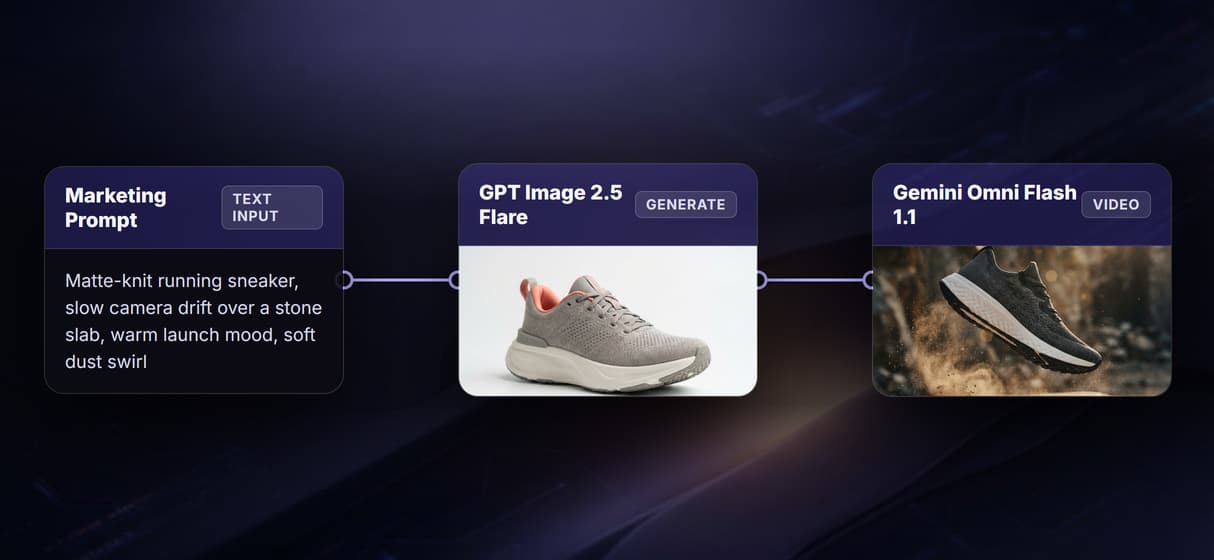
Animate the frame you approve
Gemini Omni Flash 1.1 reads the still on its Start Frame port and adds motion. You judge the image to video frame first, so a weak shot costs one render, not a whole clip.
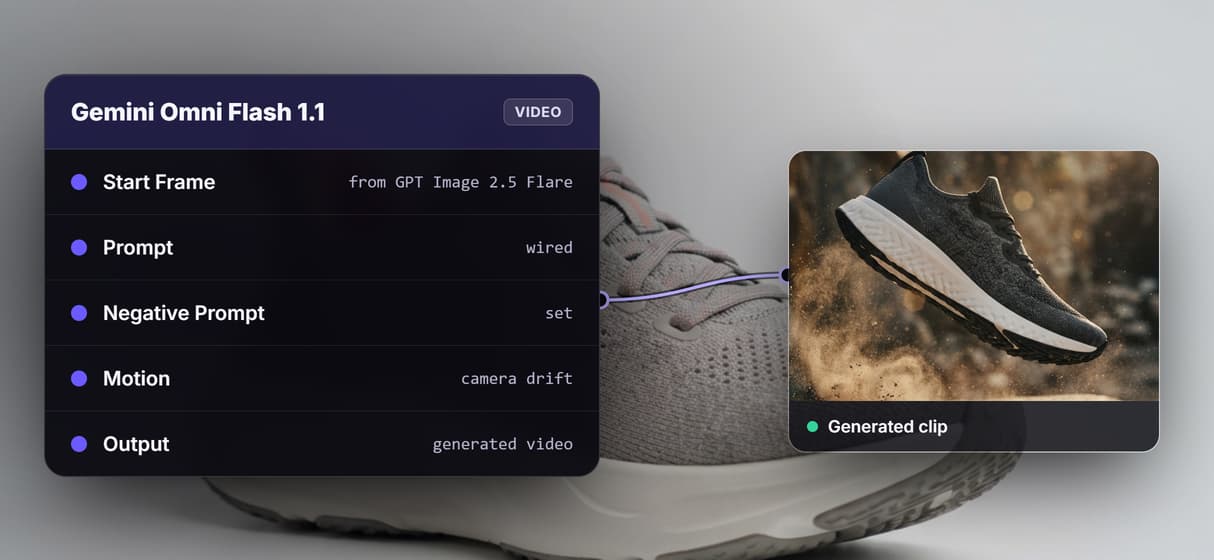
Swap the video model, keep the flow
The video model is a node, not a lock-in. Trade Gemini Omni Flash 1.1 for Seedance 2.5, Veo 3.1, or Sora 2 on the same wire when an AI video generator job needs a new motion style.
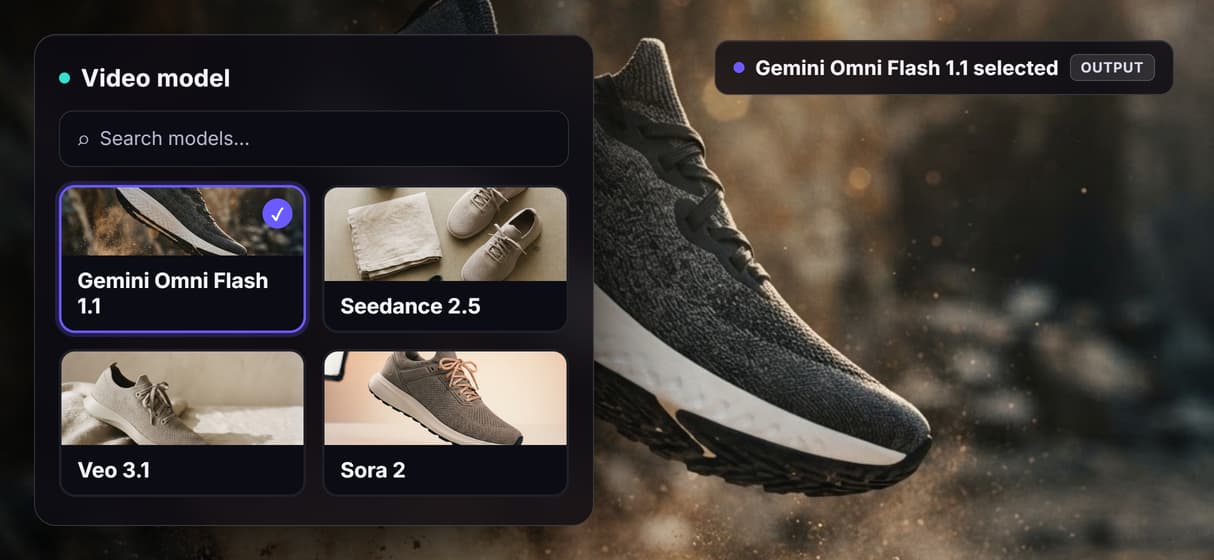
Save it as a campaign flow
Save the graph and swap only the brief for each new campaign, so every run repeats the same setup. A locked AI ad generator flow renders on demand, versioned server side.

Your agent calls the video flow
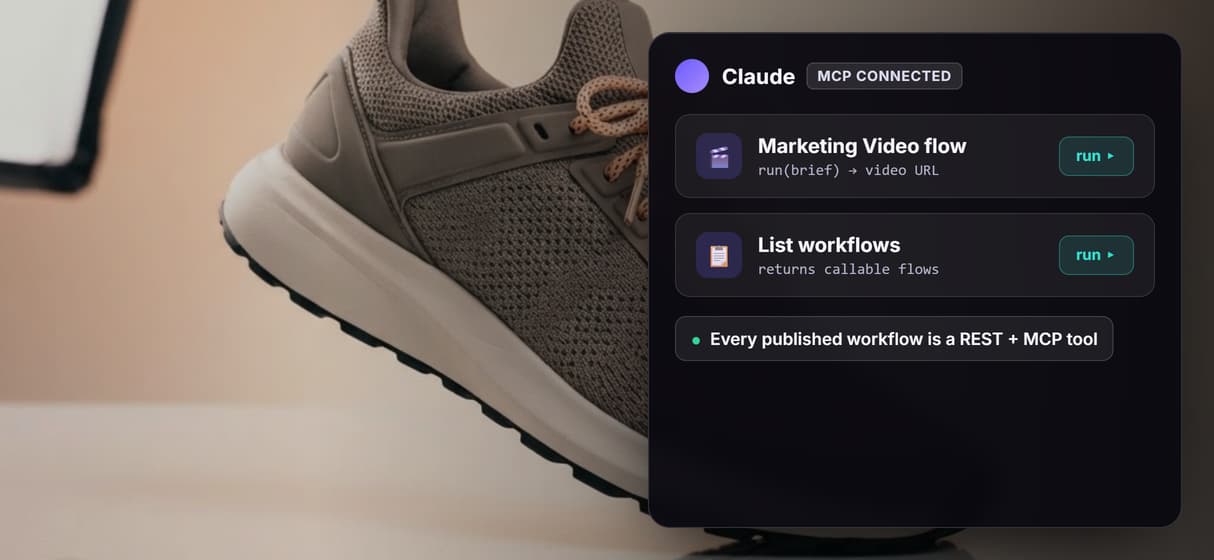
Every published workflow is a REST endpoint and an MCP tool, so an agent like Claude runs this one with a typed brief and gets a video URL back, no clicking required.
AI Models Available
Automate Any Workflow
Included in Every Plan
FAQs
It is a promotional clip generated by AI models instead of a camera and an editor. On Wireflow it is a visible workflow: a Marketing Prompt text node wired into a GPT Image 2.5 Flare image node, then into a Gemini Omni Flash 1.1 node that animates the frame into a clip.
More From Wireflow
Written by
Andrew Adams · Co-Founder & Operations at Wireflow
Runs client operations and content strategy at Wireflow. Works directly with creative teams and agencies to build production AI workflows.
Open the marketing video flow behind this page
It is live on the canvas: a Marketing Prompt text node into a GPT Image 2.5 Flare frame into a Gemini Omni Flash 1.1 node. Run a brief, watch the frame animate into a clip, then save your own copy so an agent can call it. Building is free; generations are pay per run.