Seedream API: Call Every Seedream Version With One Key

In this article▾
The Seedream API is how developers run ByteDance's Seedream image models from code, either through BytePlus ModelArk or through a reseller key. This guide compares those routes, lists what each Seedream version costs per image, and shows how Wireflow runs Seedream V4, V4.5, 5 Lite and 5 Pro behind one API key, next to the other image models in its catalog, with batch runs and a webhook when each run finishes.
Quick answer
| Question | Answer (checked 19 October 2026) |
|---|---|
| Who makes Seedream? | ByteDance's Seed team. The official API is sold through BytePlus ModelArk; Volcano Engine serves mainland China |
| Which versions can you call? | 3.0, 4.0, 4.5, 5.0 Lite and 5.0 Pro. Resellers list all five, and some have already dropped 3.0 |
| What does the official call look like? | POST /api/v3/images/generations on ModelArk, with a Bearer key, a dated model ID and a prompt |
| Can one key cover Seedream and other models? | Yes, through a reseller or a workflow API. Our public model catalog lists 38 image models, four of them Seedream versions |
| Does it return the image at once? | ModelArk returns the image URL in the response. A workflow API returns an execution ID you poll, or posts the result to your webhook |
In short, there are three ways to call Seedream: straight from ByteDance, through a reseller's key, or as one node inside one workflow API over many models, where the same request shape also runs Google, OpenAI and other image models. The rest of this guide covers each route, with code.
Build this in Wireflow
Make the same kind of asset on a canvas you control, with a free account and no credit card.
Seedream versions and what each one costs
Seedream is ByteDance's text-to-image family, and every version from 4.0 on can also edit: you pass one or more reference images with the prompt. That makes it a single family for both generation and edits, which is why it shows up in most roundups of the image generation APIs for developers.
| Version | Node type | Credits per image | Images per call | Notable settings |
|---|---|---|---|---|
| Seedream V4 | generate:bytedance_seedream_v4_text_to_image | ~10 | 1 to 6 | Seed, prompt enhance mode, custom size |
| Seedream V4.5 | generate:bytedance_seedream_v4_5_text_to_image | ~13 | 1 to 6 | Seed, custom size |
| Seedream 5 Lite | generate:bytedance_seedream_v5_lite | ~10 | 1 to 4 | auto_2K and auto_3K presets |
| Seedream 5 Pro | generate:bytedance_seedream_v5_pro | ~27 | 1 to 6 | auto_2K preset, paid plans only |
Every node above also has an optional Image 1 port for a reference image, and each family has a matching edit node; the node reference lists all eight with their ports. Credits are charged per image and only when the model finishes, so a failed run costs nothing.
Dollar prices depend on the route. BytePlus's own Seedream 3.0 guide lists $0.03 per image, or $30 per 1,000. Muapi's Seedream page, checked on 19 October 2026, lists $0.03 for 3.0, $0.04 for 4.0, $0.05 for 4.5, $0.0325 for 5.0 Lite and $0.045 to $0.09 for 5.0 Pro depending on size. Confirm current rates in the ModelArk console before you budget, and compare them with other usage-based AI API pricing models.

Route 1: the official BytePlus ModelArk API
The first-party route takes four steps: create a BytePlus account, open ModelArk, create an API key, and activate the Seedream model you want. The call itself is short; the job tracking, storage and guardrails around it are what our guide on how to add text-to-image generation to your app covers. BytePlus's Seedream 3.0 guide shows the request:
curl -X POST https://ark.ap-southeast.bytepluses.com/api/v3/images/generations \
  -H "Authorization: Bearer $ARK_API_KEY" \
  -H "Content-Type: application/json" \
  -d '{
    "model": "seedream-3-0-t2i-250415",
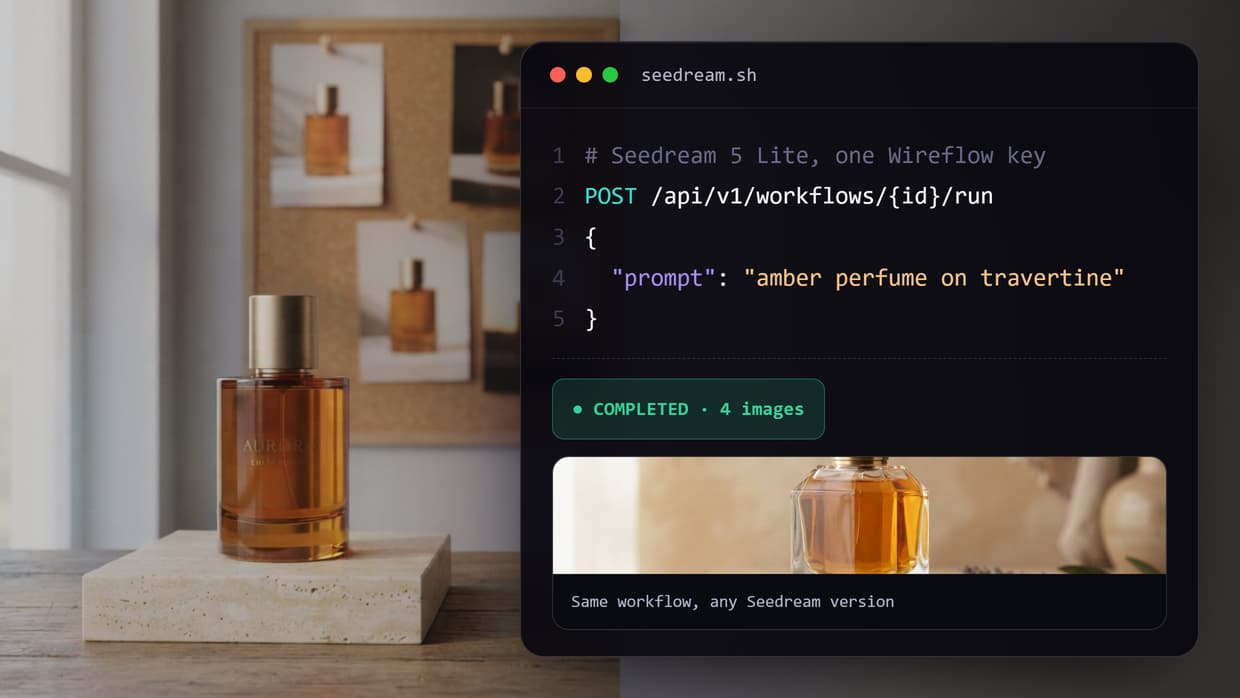
    "prompt": "amber perfume bottle on travertine, soft morning light",
    "size": "1024x1024",
    "response_format": "url"
  }'
Newer versions use their own dated model IDs, listed in the console. The 3.0 guide accepts sizes from 512x512 to 2048x2048 and warns that returned image URLs stay valid for only 24 hours, so your code has to copy each file to your own storage. If you want to keep files without that step, compare the trade-offs in our guide to a self-hosted image generation API.
Resellers such as Muapi, CometAPI, Atlas Cloud, EvoLink, kie.ai and Vercel's AI Gateway sell the same models under their own keys. Their request shapes differ: some answer on the open connection, while Muapi returns a request_id you poll for the result. The catch with both routes is that a Seedream key covers Seedream, so a second model family means a second integration, the problem behind most AI orchestration APIs for production apps.
Route 2: Seedream as one node in a workflow
The second route treats Seedream as a node. You build a small graph once (a text prompt wired into a Seedream node), then call that graph by its ID. Swapping 5 Lite for V4.5, or adding an upscaler after it, changes the graph and not your integration code, which is the idea behind a text to image API built on workflows.
We built this on 19 October 2026: one text prompt wired into Seedream 5 Lite and Seedream V4.5 side by side. Both nodes were set to the square_hd preset and still returned large files: 3072 x 3072 from 5 Lite in 31.6 seconds, and 4096 x 4096 from V4.5 in 21.5 seconds. The run cost about 23 credits, and the same pattern scales into AI model chaining when a second model needs the first one's output.

Calling it from code
- Create a key. Generate one under Settings > API Keys. Keys start with
sk-and are shown once. - Read the inputs.
GET /api/v1/workflows/{id}/runreturns each input's node ID, type and default. - Start a run.
POST /api/v1/workflows/{id}/runwith aninputsmap. It returns 202, anexecutionIdand a poll URL. - Get the result. Poll until the status is
COMPLETEDorFAILED, or pass awebhookblock and receive a POST when the run finishes.
# 1. See which inputs the workflow takes
curl https://www.wireflow.ai/api/v1/workflows/YOUR_WORKFLOW_ID/run \
  -H "Authorization: Bearer sk-your-api-key"

# 2. Start a run with your prompt and an optional webhook
curl -X POST https://www.wireflow.ai/api/v1/workflows/YOUR_WORKFLOW_ID/run \
  -H "Authorization: Bearer sk-your-api-key" \
  -H "Content-Type: application/json" \
  -d '{
    "inputs": { "PROMPT_NODE_ID": "amber perfume bottle on travertine, soft morning light" },
    "webhook": { "url": "https://example.com/hooks/seedream", "secret": "your-signing-secret" },
    "metadata": { "sku": "AMB-50" }
  }'

# 3. Poll instead, if you skipped the webhook
curl https://www.wireflow.ai/api/v1/workflows/executions/EXECUTION_ID/poll \
  -H "Authorization: Bearer sk-your-api-key"
A completed poll lists each node's run with its image URLs. When you set a webhook secret, every delivery carries an X-Wireflow-Signature header, an HMAC-SHA256 of the raw body, and the metadata you sent comes back so you can match the result to your own job. That matching is what a programmatic image generation platform needs when hundreds of images run unattended.
Batch runs
One call can already return several images: up to 6 per Seedream V4, V4.5 or 5 Pro node, and up to 4 from 5 Lite. For many prompts, such as one image per product in a catalog, loop over your rows and send one run per prompt, tagging each with metadata. Our walkthrough on batch image generation via API covers the same pattern with a spreadsheet as the source.
const rows = ["amber perfume, travertine", "amber perfume, black slate", "amber perfume, linen"];
for (const [i, prompt] of rows.entries()) {
  await fetch(`https://www.wireflow.ai/api/v1/workflows/${WORKFLOW_ID}/run`, {
    method: "POST",
    headers: { Authorization: `Bearer ${API_KEY}`, "Content-Type": "application/json" },
    body: JSON.stringify({
      inputs: { [PROMPT_NODE_ID]: prompt },
      webhook: { url: WEBHOOK_URL, secret: WEBHOOK_SECRET },
      metadata: { row: i },
    }),
  });
  await new Promise((r) => setTimeout(r, 7000)); // stay under 10 run starts a minute
}
| Plan | Requests per minute | Executions per minute | Executions per day |
|---|---|---|---|
| Free | 10 | 10 | 50 |
| Starter | 20 | 10 | 200 |
| Pro | 60 | 10 | 1,000 |
| Enterprise | 200 | 10 | Unlimited |
A 429 response carries a Retry-After header in seconds. A 402 lists requiredCredits, availableCredits and a per-node breakdown, so a batch job can stop cleanly when the balance runs out instead of failing halfway, the same guardrail we compare across AI generation APIs with spend limits.
Which Seedream version to call
- Default for product and marketing images: 5 Lite. About 10 credits, up to 4 images per call,
auto_2Kandauto_3Kpresets. - You need to reproduce a result: V4 or V4.5. Both expose a seed field; the 5 Lite and 5 Pro nodes do not list one.
- Top of the family: 5 Pro, at about 27 credits per image and on paid plans only.
- Cheapest test runs: V4 or 5 Lite, both about 10 credits per image.
- Not sure: run two versions on the same prompt, as in the workflow below, and compare before you commit.
If Seedream is only one step in your pipeline, for example a product shot that then becomes a short clip, our guide on how to chain multiple AI models in one API call shows how the outputs pass from node to node.
Try it yourself: Build this workflow in Wireflow. Edit the prompt, run Seedream 5 Lite and V4.5 side by side, then call the same workflow from code with
POST /run.
FAQ
Is there an official Seedream API?
Yes. ByteDance sells Seedream through BytePlus ModelArk, with Volcano Engine serving mainland China, the same way it sells its video model through a Seedance API.
How much does the Seedream API cost?
BytePlus's own Seedream 3.0 guide lists $0.03 per image. Reseller list prices we checked on 19 October 2026 run from $0.03 for 3.0 to $0.09 for 5.0 Pro at its larger size, and the workflow nodes above cost about 10 to 27 credits per image, with plans on the pricing page.
Is there a free Seedream API?
We found no free tier from ByteDance. Puter.js once offered Seedream 3.0 with no developer key, but its page now marks that model as no longer available. Our free plan includes 60 one-time credits, enough for a few Seedream 5 Lite images, and other options are in our list of free AI image generators.
Is the Seedream API synchronous or asynchronous?
It depends on the route. ModelArk returns the image URL in the response, Muapi returns a request ID to poll, and a workflow run returns an execution ID plus an optional webhook, the usual shape for a hosted AI inference API.
Can the Seedream API edit images?
Yes. Versions 4.0 and later accept reference images with the prompt for edits, and multi-image fusion on some routes. For other options, see our roundup of image editing API tools.
Can Claude or another AI agent call Seedream?
Yes, if the agent can call an HTTP endpoint or an MCP tool. Our guide to connecting an AI image API to Claude walks through the setup.
What is the difference between Seedream and Seedance?
Both come from ByteDance's Seed team. Seedream makes and edits still images, and Seedance makes video, so teams often chain the two, as in our comparison of Seedance API tools.
Conclusion
Seedream is easy to reach: BytePlus sells it directly and several resellers sell the same models under their own keys. The harder part is everything around the call, such as expiring URLs, a separate key per model family, batch limits and result delivery. Wireflow runs every Seedream version as a node in a workflow you call by ID, next to the other models in its catalog, and the AI asset pipeline page shows larger graphs built the same way.

Co-Founder & Operations at Wireflow
Runs client operations and content strategy at Wireflow. Works directly with creative teams and agencies to build production AI workflows.
- Content Strategy
- Client Operations
Get unlimited ad creatives today.
One call to see if we are a fit and scope the first ad. If it fits, your first batch lands inside week one.