Kling AI vs Veo 3: We Ran the Same Prompts Through Both

In this article▾
Kling AI vs Veo 3 depends on the shot. We gave Kling 3.0 Pro and Veo 3.1 the same two prompts: Veo handled a line spoken to camera better, and Kling won a liquid product shot for less than half the credits. Both ran side by side on Wireflow, the node-based AI canvas we build, and this page shows the clips, the time and cost of each one, and which model suits which job.
A note on names first. "Veo 3" now means Veo 3.1: Google's Gemini API price list covers only Veo 3.1 models. Kling opened Kling 4.0 to everyone on 15 October 2026, but its API is still marked coming soon, so we tested Kling 3.0 Pro, the newest Kling you can call from code. Our Kling 4.0 pricing breakdown covers what is known about the new model.
Quick summary
- Wireflow: runs both models from one prompt node. Best for comparing both
- Kling 3.0 Pro: 1080p, clips up to 15 seconds. Best value for product shots
- Veo 3.1 Standard: Google's current Veo, sound included. Best for spoken lines
- Veo 3.1 Fast and Lite: $0.10 and $0.05 per second at 720p. Best for drafts
- Kling 4.0: clips up to 30 seconds, no API yet. One to watch
How we ran the test

On 19 October 2026 we wired two prompt nodes into four video nodes, sending each prompt to Kling Video (3.0 Pro) and Veo 3.1 (Standard). Every clip was 4 seconds, 16:9, with sound on, the shortest length both models offer. Veo ran at 720p, our test default; the Kling node has no resolution setting and returned 1080p. A Video Editor node placed all four clips in one 2x2 grid, like a tool to compare AI video models side by side.
The two prompts, word for word:
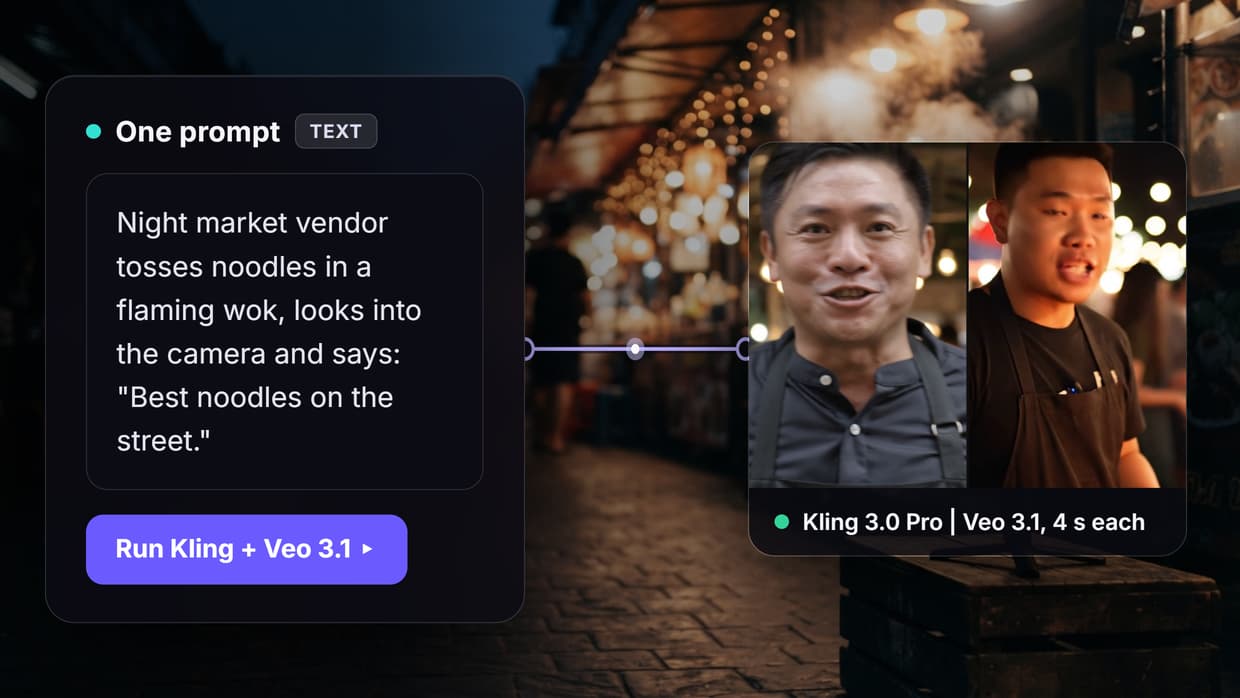
- Vendor (dialogue test): "Handheld medium close-up at a busy night market. A street food vendor in a black apron tosses noodles in a flaming wok, then looks straight into the camera and says: "Best noodles on the street." Sizzling wok, crowd chatter, warm string lights behind him. Realistic, natural skin texture, no text, no logos."
- Product (liquid test): "Slow push-in on a glass bottle of cold brew coffee standing on a wet slate counter. A hand drops three ice cubes into a tall glass beside it and the coffee splashes up the sides. Soft morning window light, shallow depth of field, clinking ice. Realistic commercial product shot, no text, no logos."
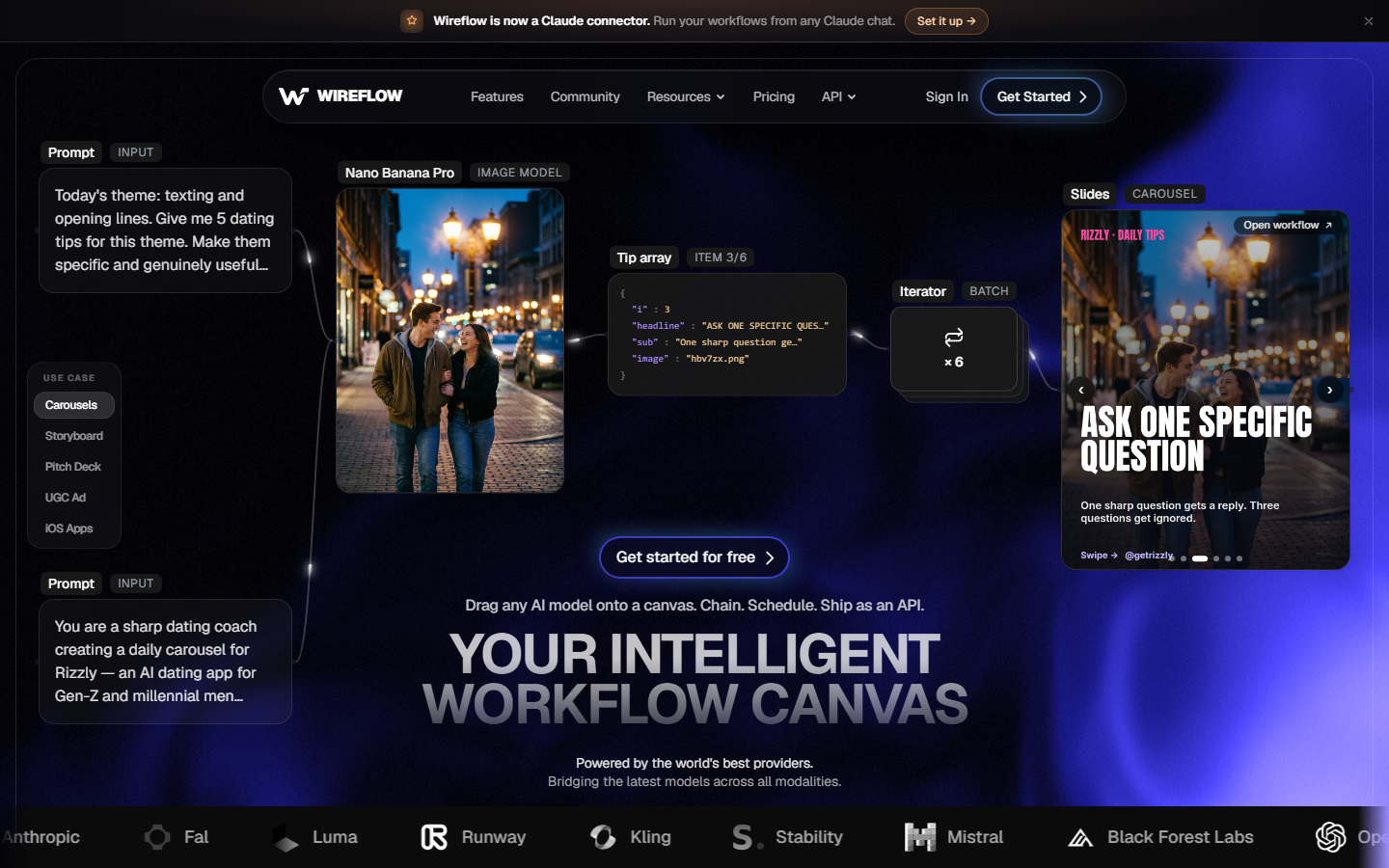
One prompt node feeding both models means any difference comes from the model, not from two slightly different prompts. Our roundup of tools for comparing AI video models covers other setups.
Build this in Wireflow
Make the same kind of asset on a canvas you control, with a free account and no credit card.
Kling AI in October 2026
Kling is Kuaishou's video model family. Kling 3.0 Pro makes 3 to 15 second clips in 16:9, 9:16 or 1:1, with optional sound and start and end frames. The homepage now leads with Kling 4.0 (3 to 30 seconds), but until its API opens, 3.0 is the version to build on, as our Kling Video 3 page explains.
Veo 3 in October 2026
Veo is Google DeepMind's video model, and Veo 3.1 is the current version. It makes 4, 6 or 8 second clips in 16:9 or 9:16, up to 4K on Standard and Fast, and every Gemini API price includes sound. Code samples and rates are in our Veo 3.1 API examples post.
Test 1: a street food vendor who speaks
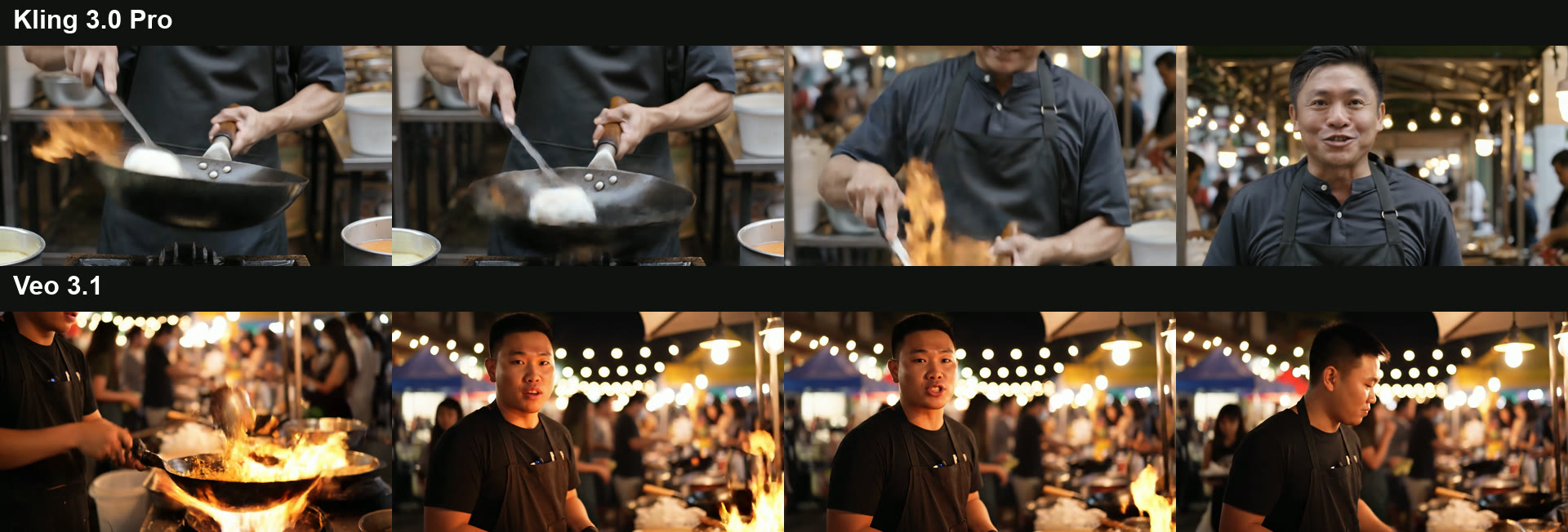
Veo 3.1 followed the script in order. It opened on the vendor at a flaming wok, cut once to him facing the camera, and said the line word for word from 1.5 to 3 seconds before turning back to the wok. The voice sits mid-clip with room on both sides, which is what you want for UGC-style video ads.
Kling 3.0 Pro packed three shots into 4 seconds: hands and wok, a medium shot with a burst of flame, then the vendor smiling into the camera. The line is also word for word, but it runs from 2.7 to 3.9 seconds, rushed into the end of the clip, and in the close-up the noodles turn into a pale lump on the spatula. The trailer-style cutting suits text to video b-roll better than dialogue.
Winner: Veo 3.1. For a spoken line on Kling, we would try a longer clip so the line has room.
Test 2: a cold brew product shot
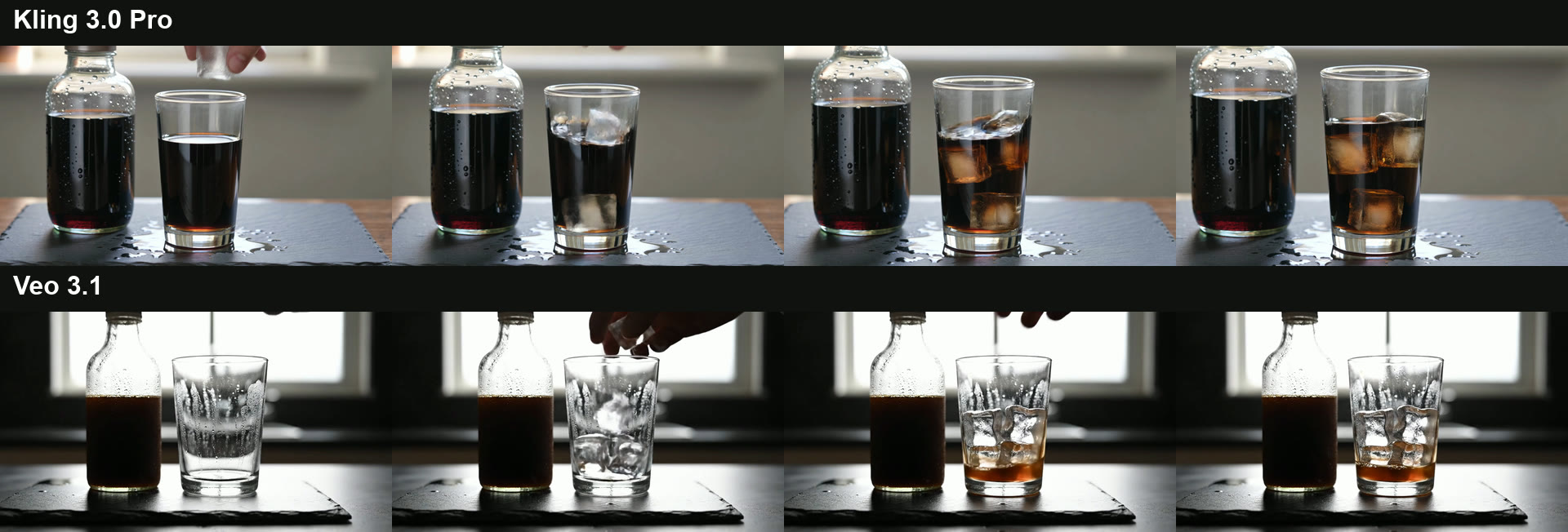
Kling 3.0 Pro matched the prompt closely. The glass starts full, the ice drops in, coffee splashes up the sides and settles, and the camera pushes in over a wet slate counter with condensation on the bottle. It could go straight into a product video edit.
Veo 3.1 chose a moodier backlit window, but the physics slipped: the glass starts empty, the hand drops ice in, and coffee appears at the bottom with nothing pouring it. There is no splash. Both clips added ice sounds. More on Veo's strengths and limits is in our Google Veo 3 review.
Winner: Kling 3.0 Pro.
Watch each clip with its own sound:
| Prompt | Kling 3.0 Pro | Veo 3.1 |
|---|---|---|
| Vendor | Watch with sound | Watch with sound |
| Product | Watch with sound | Watch with sound |
Cost and time from the run record
These figures come from the run records of this test. Both models bill per second of output, and the quote before each run matched the charge.
| Clip | Model and setting | Time | Credits | Output |
|---|---|---|---|---|
| Vendor | Kling 3.0 Pro, 4 s, sound on | 87 s | 108 | 1920x1080 |
| Vendor | Veo 3.1 Standard, 4 s, 720p, sound on | 55 s | 256 | 1280x720 |
| Product | Kling 3.0 Pro, 4 s, sound on | 95 s | 108 | 1920x1080 |
| Product | Veo 3.1 Standard, 4 s, 720p, sound on | 111 s | 256 | 1280x720 |
| Side by side grid | Video Editor, 1920x1080 | 62 s | 0 | 1920x1080 |
| Total | 728 |
Per second, Kling 3.0 Pro cost 27 credits and Veo 3.1 Standard 64. On the Professional plan (4,300 credits for $45), a 4-second clip is about $1.13 on Kling and $2.68 on Veo. Speed was a draw: Veo was faster on the vendor, Kling on the product, and every clip was back in under 2 minutes. Plans are on the pricing page.
Direct API prices show the same gap. Google charges $0.40 a second for Veo 3.1 Standard at 720p or 1080p, and $0.10 for Fast and $0.05 for Lite at 720p, sound included (Gemini API pricing page, 19 October 2026). Kling 3.0 Pro at 1080p with sound is $0.168 a second, per our Kling AI pricing guide, so Veo 3.1 Standard costs about 2.4 times as much per second either way.
Kling AI vs Veo 3 side by side
| Kling 3.0 Pro | Veo 3.1 | |
|---|---|---|
| Maker | Kuaishou | Google DeepMind |
| Clip length | 3 to 15 seconds | 4, 6 or 8 seconds |
| Output in our run | 1920x1080, 24 fps | 1280x720 at our 720p setting, 24 fps |
| Sound | Optional, on in our run | Included in every Gemini API price |
| Aspect ratios | 16:9, 9:16, 1:1 | 16:9, 9:16 |
| Start and end frame | Yes | Yes |
| API price, 1080p with sound | $0.168 per second | $0.40 Standard, $0.12 Fast per second |
| Credits per second in our run | 27 | 64 (Standard) |
| Newest version | Kling 4.0, API coming soon | Veo 3.1 |
Veo 3.1 buys better timing on dialogue at a higher price per second; Kling 3.0 Pro buys longer clips, 1080p by default and better physics on our liquid shot. To call Veo from code, see how to access Google Veo via API.
Verdict: which model suits which job
Pick by the shot, not the brand. Neither model won both tests, which is why many teams keep both inside one AI video generator setup and choose per shot.
- Choose Veo 3.1 for talking heads, UGC-style ads and any line that has to land on camera.
- Choose Kling 3.0 Pro for product b-roll, liquids, action, clips over 8 seconds and tight budgets.
- Choose Veo 3.1 Fast or Lite for drafts and volume.
- Watch Kling 4.0 if you need 30-second clips and can work in Kling's app until the API opens.
Conclusion
Kling AI vs Veo 3 has no single winner. In our run, Veo 3.1 was better for a line spoken to camera, and Kling 3.0 Pro was better and cheaper for a product shot with moving liquid. Test your own prompts on both before you commit a budget, and check again when Kling 4.0 reaches the Kling AI API.
Try it yourself: Open this Kling vs Veo 3.1 workflow in Wireflow. The prompt, video and Video Editor nodes are set up exactly as in this test; swap in your own prompts and run.
FAQ
Is Kling better than Veo 3?
Neither is better at everything. In our test Veo 3.1 handled a spoken line better and Kling 3.0 Pro handled a liquid product shot better. Our Kling Video 3 review compares Kling with more models.
Which is cheaper, Kling or Veo 3.1?
Kling 3.0 Pro: $0.168 against $0.40 a second for Veo 3.1 Standard on the official APIs at 1080p with sound. Veo 3.1 Fast and Lite undercut both, as our Veo 3.1 video API page shows.
Does Kling make sound like Veo 3?
Yes. Kling 3.0 generates sound with the video as a toggle, while Veo 3.1 includes sound in every Gemini API price. See how to generate videos with Kling AI via API.
How long can Kling and Veo videos be?
Kling 3.0 makes 3 to 15 second clips and Kling 4.0 lists 3 to 30 seconds. Veo 3.1 makes 4, 6 or 8 second clips, so longer Veo pieces are built from several clips in an AI video pipeline.
Is Veo 3 still available, or is it Veo 3.1 now?
Google's Gemini API price list now covers only Veo 3.1 models: Standard, Fast and Lite. When people say Veo 3 today, they usually mean Veo 3.1. Our Veo 3 page has more on the model family.
Can I use Kling 4.0 through an API?
Not yet. Kling 4.0 opened to everyone in Kling's app on 15 October 2026, but the developer platform still lists its API as coming soon. If Kling 3.0 does not fit, compare these Kling AI alternatives.

Co-Founder & Operations at Wireflow
Runs client operations and content strategy at Wireflow. Works directly with creative teams and agencies to build production AI workflows.
- Content Strategy
- Client Operations
Get unlimited ad creatives today.
One call to see if we are a fit and scope the first ad. If it fits, your first batch lands inside week one.