 Andrew Adams · Co-Founder & Operations at Wireflow ·
 Ad Creative AI
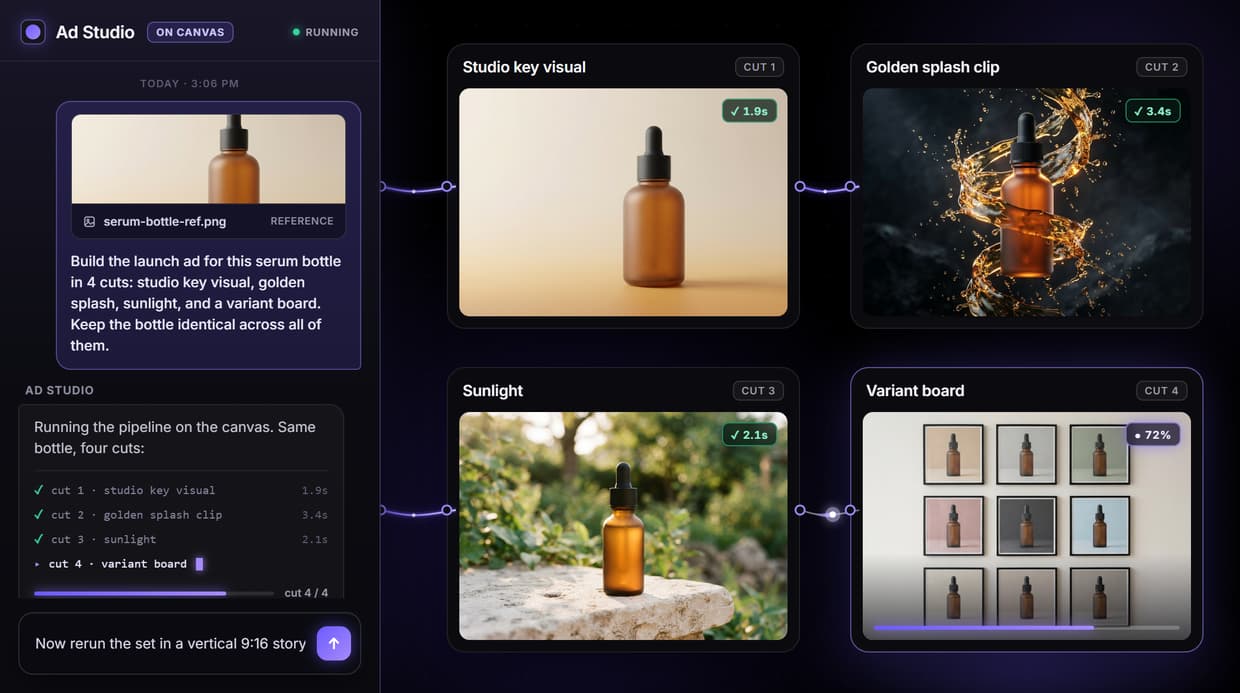
Ad creative AI on Wireflow is a node pipeline you build once and rerun: a brief becomes a key visual, a video clip, and a composed ad, with the model at every step yours to pick and the product held consistent across the whole variant set.
Free to build · no credit card · See how it works ↓
How to Use Ad Creative AI
Steps to get you started in Wireflow.
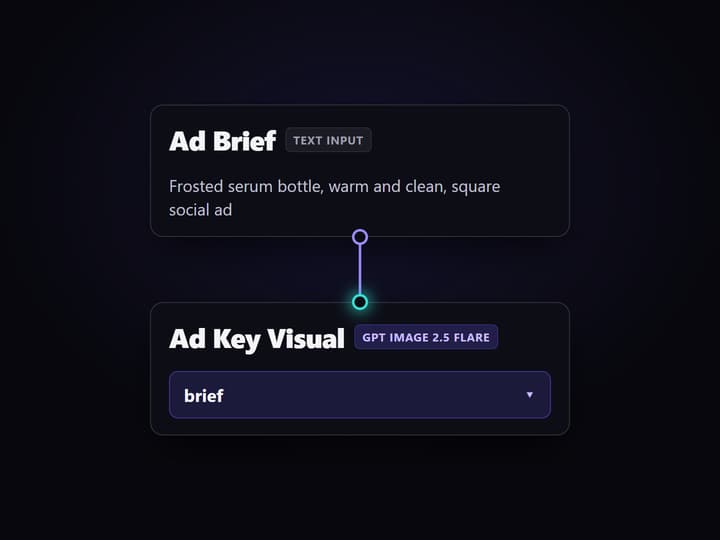
Write the ad brief
Open the flow and click the Ad Brief node. One line about product, tone, and placement is enough; every node downstream reads from it, so this is the only part you have to write by hand.
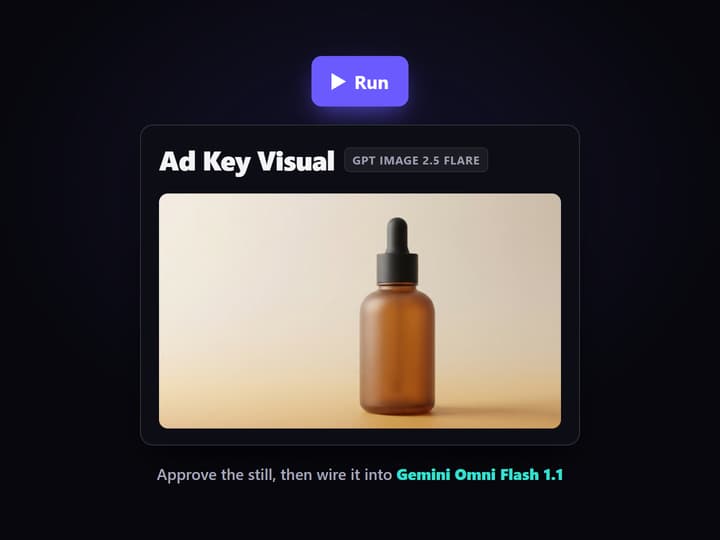
Render the key visual, then the clip
Run GPT Image 2.5 Flare for the hero still and approve the look. Wire that still into Gemini Omni Flash 1.1 to animate it into a short clip, then let Video Editor cut the composed ad inside the same graph.
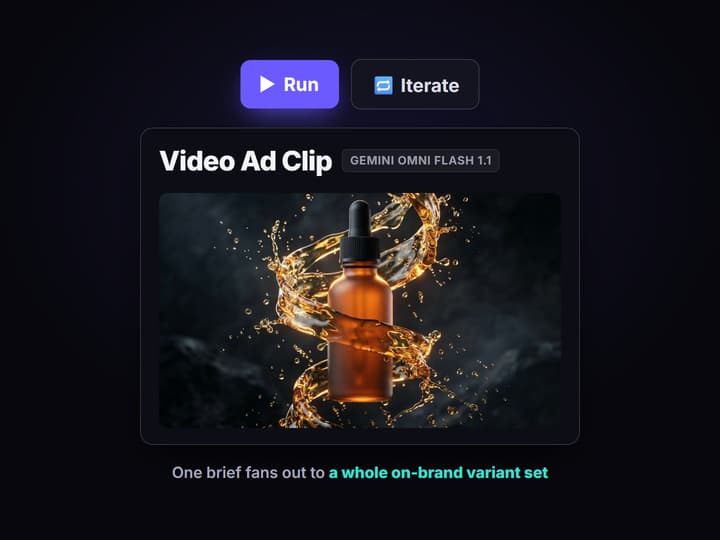
Fan out the variant set
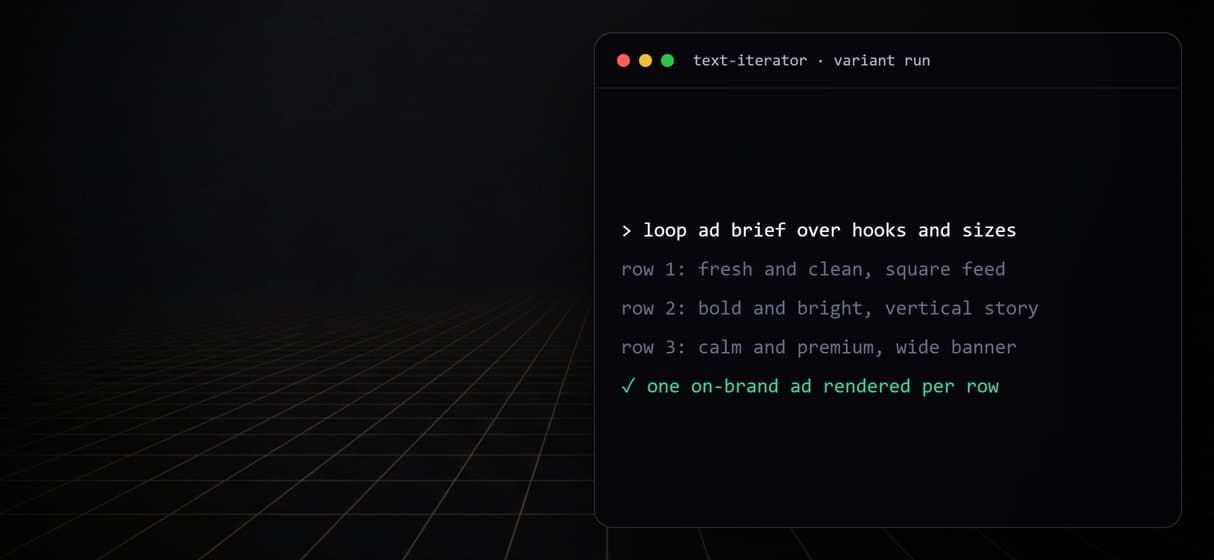
Add a Text Iterator over hooks, sizes, or audiences and rerun. The saved graph renders one on-brand ad per row, with the product held consistent across every cut and every campaign after.
Ad creative that is a pipeline, not a prompt
Search ad creative AI and every result is the same shape: a single box where you type a line and one ad comes out. It looks fast until you need the next size, the next hook, or a video version of the still, and there is no pipeline to rerun, just the box again from scratch.
Wireflow treats ad creative as a node graph you build once and keep. An Ad Brief input feeds an image model for the key visual, that still flows into a video model for a clip, and a Video Editor node composes the finished ad. It runs on hosted compute in the browser, no GPU and no install, and because the steps are wired and visible you can see exactly how a brief became an ad, then rerun the same graph for the whole campaign.
What the ad-creative pipeline does
Brief as an input node
An Ad Brief text node holds the campaign: product, tone, and placement in one line the whole graph reads.
Key visual in seconds
GPT Image 2.5 Flare renders the hero still fast, so you iterate the look before any video credit is spent.
Still into motion
Gemini Omni Flash 1.1 takes the approved key visual and turns it into a short ad clip on the next node.
Composed to a master
Video Editor cuts the clip into the finished ad, so the whole spot lands inside one graph.
Swap any model
Trade GPT Image 2.5 Flare for Flux 2 or Seedream V4.5, and Gemini Omni Flash 1.1 for Veo 3.1 or Sora 2, no rewiring.
Fan out on brand
Add a Text Iterator over hooks or sizes and one brief renders a whole variant set, product held consistent.
The ad-creative pipeline, node by node
Open the flow and the whole ad is laid out as connected steps, nothing hidden.
- Ad Brief holds the campaign. A Text Input node with one line: product, tone, and placement. This is the part a human writes, and everything downstream reads from it.
- GPT Image 2.5 Flare renders the key visual. The brief drives a fast image render, so you approve the hero shot before spending a video credit, and swap in Flux 2, Seedream V4.5, or GPT Image 2 if the look calls for it.
- Gemini Omni Flash 1.1 turns the still into motion. The approved key visual wires straight into the video node, which animates it into a short ad clip. Veo 3.1, Kling, or Sora 2 drop in as the video step instead.
- Video Editor composes the ad. The clip flows into a Video Editor node that cuts the finished spot, and you can add ElevenLabs TTS, Sound Effects, and Merge Captions for voiceover, music, and captions in the same graph.
The point is that every step is a node you can inspect and rerun, not a prompt lost in a chat scroll. Feed one reference render into each step and the product stays identical across every cut. The honest tradeoff: a video node like Gemini Omni Flash 1.1 costs real credits per run, so it ships ungenerated on purpose, and you press it when the still is approved, not before. When the exact shot is already locked in your head, prompt one model directly instead of building the graph.
When ad creative AI is the wrong tool
Wireflow is the creative production layer, not the media buyer. It does not connect to ad accounts, place bids, manage budgets, choose targeting, or measure performance, and it has no attribution or analytics dashboard. If what you need is a tool that logs into your ad platform, watches spend, and moves budget between campaigns, that is a different class of product and you should reach for it; this page will not pretend to be it. Strategy, audiences, and channel mix stay with your team.
What it is: the layer that produces the actual ad, reproducibly. The output is finished images and video, not editable layered ad files or a design system, and it does not write your brand strategy. Every generation costs credits, so a big variant loop is a spend decision to cap deliberately. If your advertising is one-off creative with no repeatable shape, a pipeline has nothing to automate. If the same ad structure ships every week with fresh hooks and placements, a saved graph is exactly what does the repeating.
Ad creative automation: many variants from one brief
A single ad creative generator gives you one ad. Ad creative automation is the step past that: the same brief fans out into a whole variant set in one flow run. Because this pipeline is a saved node graph, you drop a Text Iterator in front of the image and video steps, hand it a list of hooks, sizes, or backgrounds, and one Ad Brief renders every cut without rewiring anything.
- Many hooks, one brief. List the angles you want to test and the graph renders a key visual and a clip for each, so creative testing starts with a full batch instead of a single guess.
- Every placement size. Run the same brief through square, vertical, and landscape outputs in one pass, so a campaign ships in the shapes each channel needs.
- Fresh backgrounds, same product. Change the scene per variant while one reference render holds the product, color, and shape identical across the set.
Video ad creative automation works the same way: the video node runs once per variant inside the loop, so a batch of motion cuts comes out of the one graph. This is the same saved flow behind create ads with AI, run as a batch so one brief becomes a tested set of ai creatives, not a single render you redo by hand. Each variant still spends its own generation, so cap the loop to the cuts you actually plan to test.
More Than Just Ad Creative AI
Build the ad once, rerun it forever
Ad creative AI here is a saved node graph, not a one-off render: wire the brief, image, and video steps once on the AI workflow builder, then rerun it for every campaign.
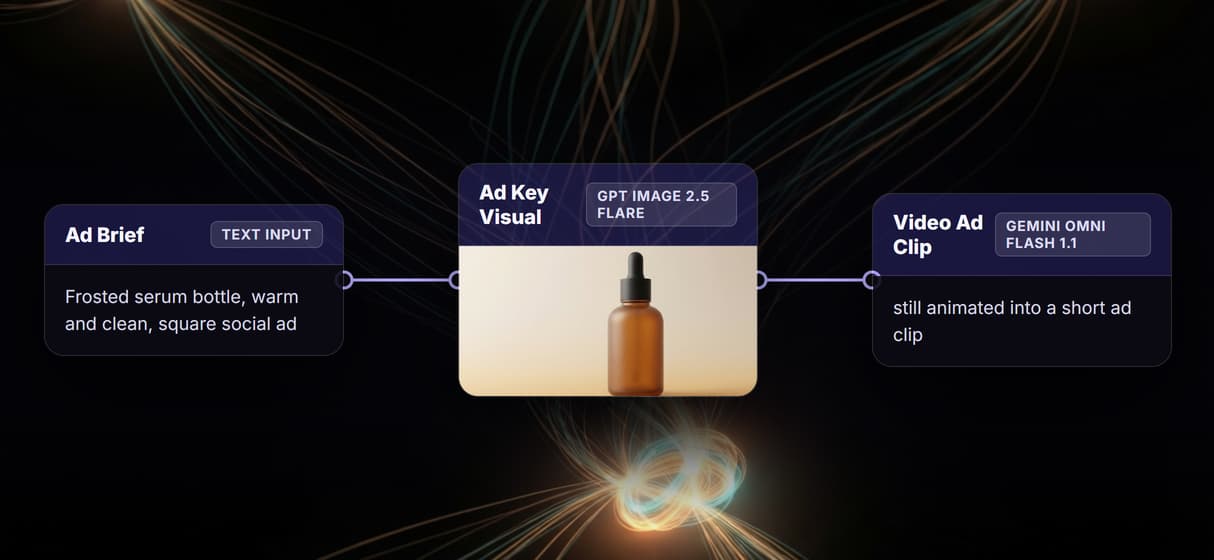
Still to motion to master in one graph
GPT Image 2.5 Flare renders the key visual, Gemini Omni Flash 1.1 turns it into a clip, and Video Editor cuts the ad: image to video ai as visible, connected steps you can inspect.
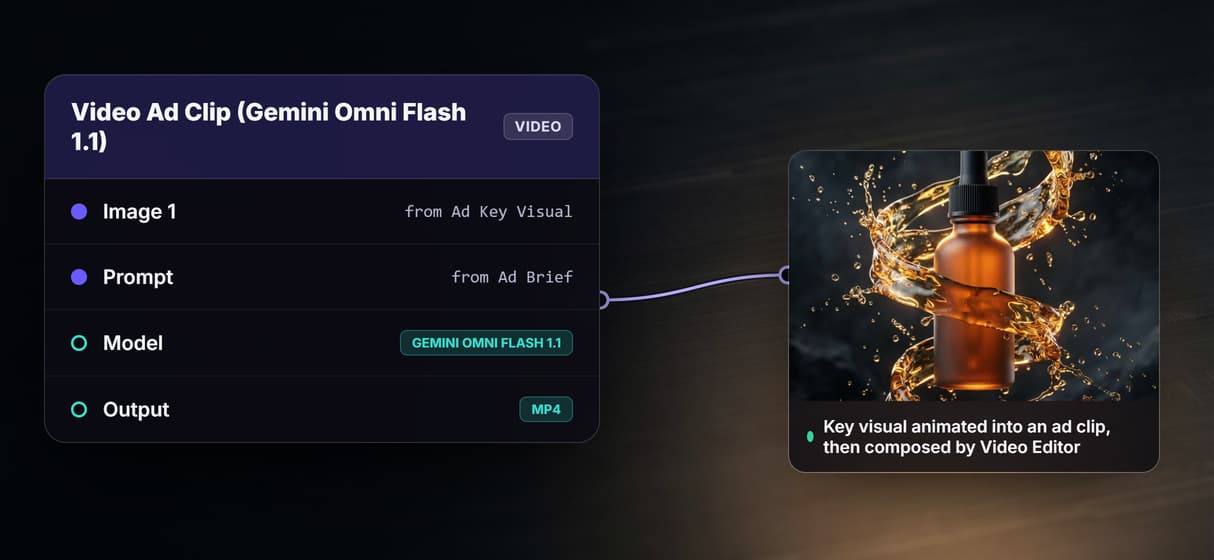
The same product across every variant
Feed one reference render into each step so the product, color, and shape stay identical across dozens of cuts, the AI product photography lock applied to a whole ad set.
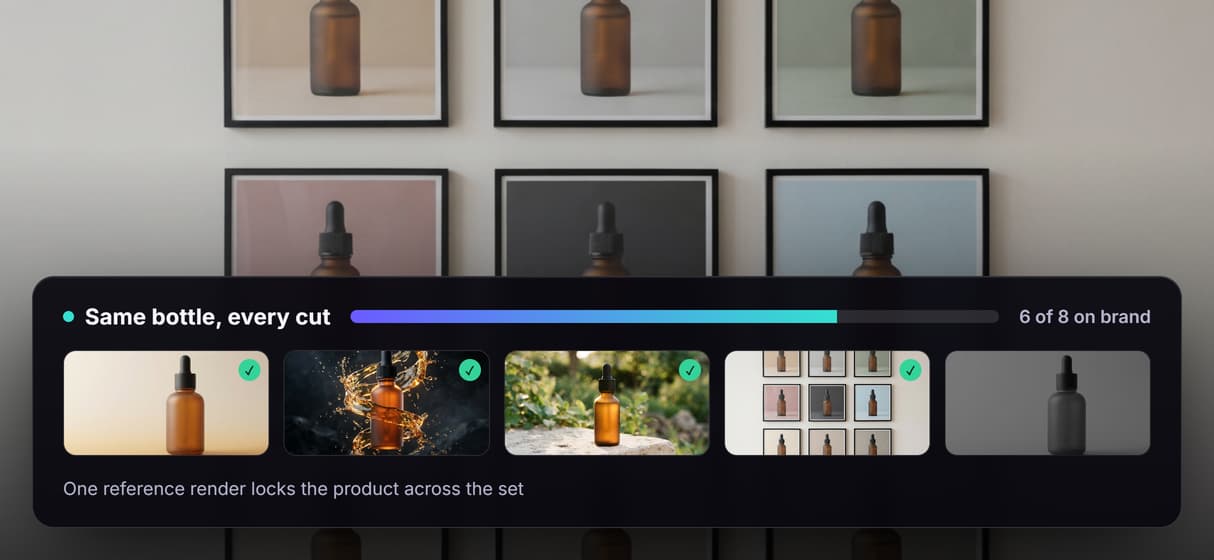
Pick the model at every node
Swap GPT Image 2.5 Flare for Flux 2 or Seedream V4.5, and Gemini Omni Flash 1.1 for Veo 3.1 or Sora 2, without rewiring, or clone a starting point from AI workflow templates.
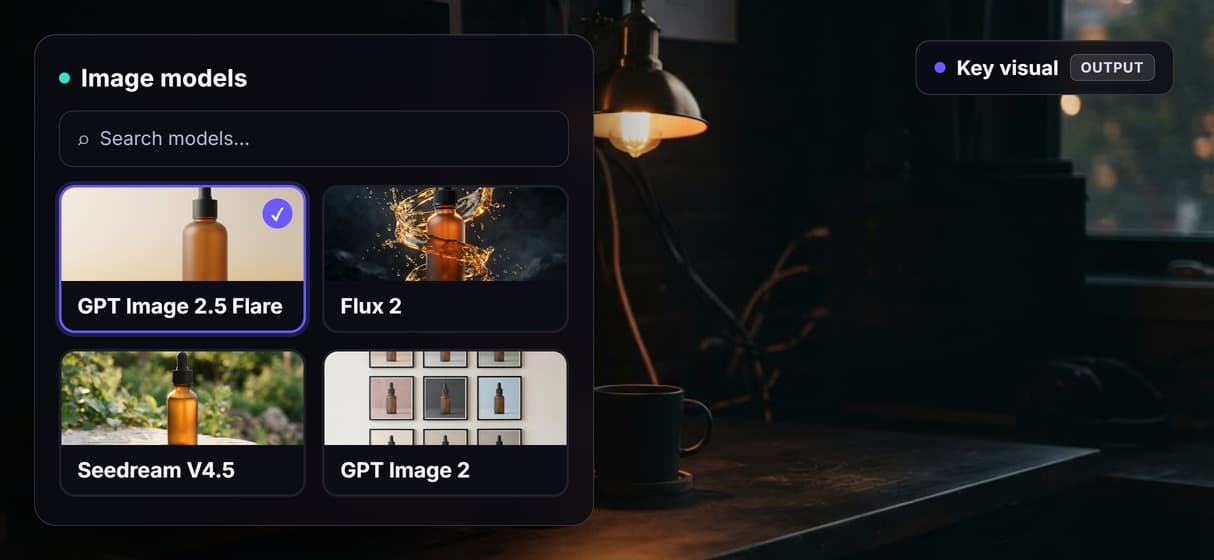
One brief, a whole variant set
Drop a Text Iterator over hooks, sizes, or audiences and the graph renders one on-brand variant per row, the loop behind the bulk video ad API.
AI Models Available
Automate Any Workflow
Included in Every Plan
FAQs
Ad creative AI turns a campaign brief into finished ad assets, usually images and short video. On Wireflow it is a visible node pipeline: an Ad Brief node, a GPT Image 2.5 Flare key visual, a Gemini Omni Flash 1.1 clip, and a Video Editor that composes the ad, all saved so the graph reruns for the next campaign.
Discover related AI tools
- AI Pipeline Automation
- AI Workflow Templates
- AI Video Pipeline: Build One on a Node Canvas
- Batch AI Generation: Many Assets, One Run
- AI Model Chaining
- AI Asset Pipeline
- AI Workflow Builder
- AI Content Generation API
- AI Workflow API
- AI Orchestration API
- Headless AI Workflow Platform
- Krea AI API Alternative: Image and Video From One REST Endpoint
More From Wireflow
Written by
Andrew Adams · Co-Founder & Operations at Wireflow
Runs client operations and content strategy at Wireflow. Works directly with creative teams and agencies to build production AI workflows.
Run the ad-creative pipeline yourself
The flow behind this page is public: an Ad Brief, a GPT Image 2.5 Flare key visual, a Gemini Omni Flash 1.1 clip, and a Video Editor in one graph. Write one line, render the still, then animate and compose the ad. The canvas is free to explore; generations are pay per run.