 Andrew Adams · Co-Founder & Operations at Wireflow ·
 AI Movie Poster Generator
Most AI movie poster generators are a single prompt box and a lucky render.
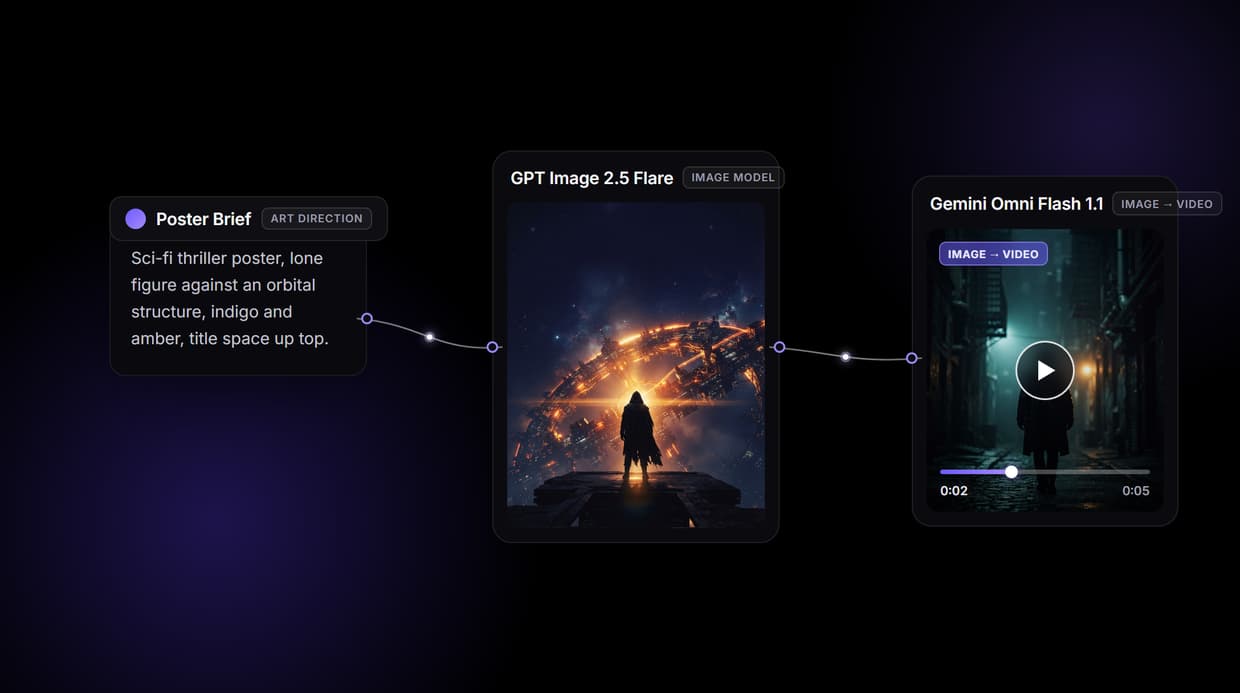
Wireflow hands you the pipeline: a brief becomes cinematic key art with GPT Image 2.5 Flare, then the same art restages into a vertical social cut and a short motion teaser. Free to build, pay per generation.
Free to build · no credit card · See how it works ↓
How to Use AI Movie Poster Generator
Steps to get you started in Wireflow.
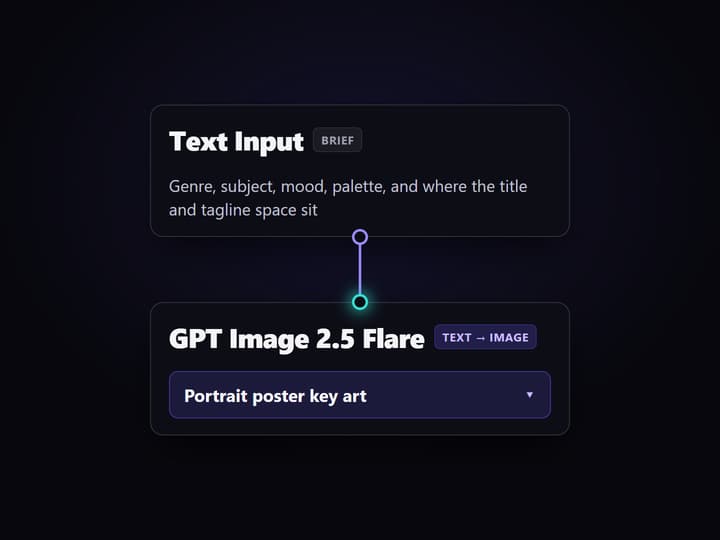
Write the poster brief
Open the flow and click the Text Input node. One paragraph covers it: the genre, the central subject, the mood, the color palette, and where the title and tagline space should sit.
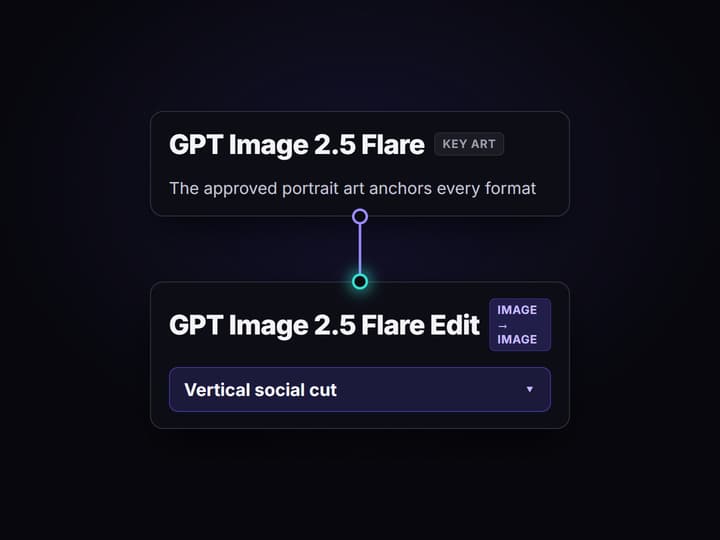
Run the graph once
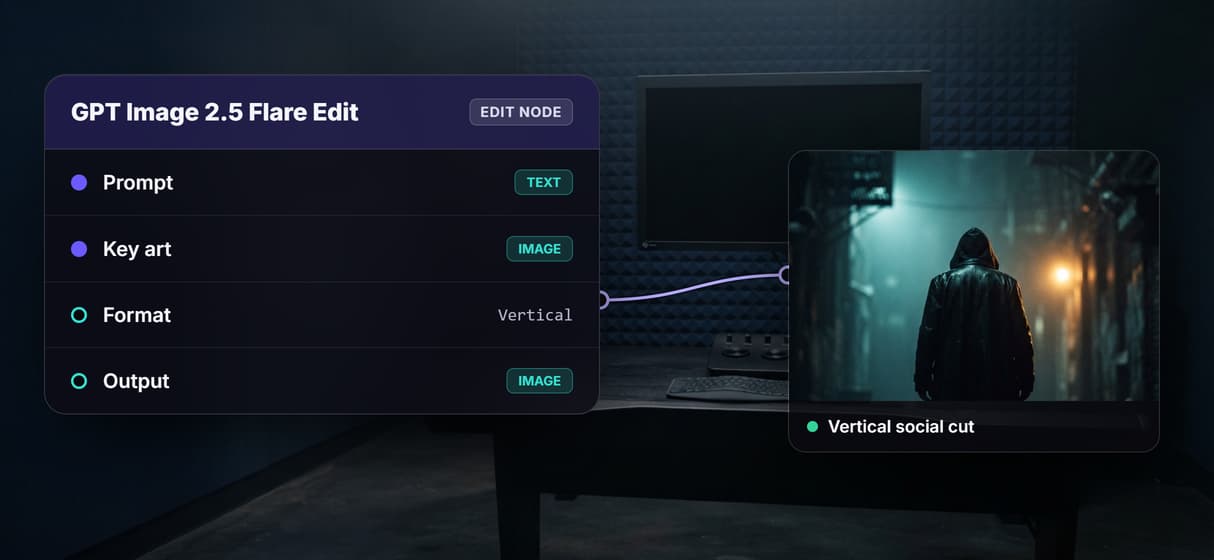
GPT Image 2.5 Flare renders the portrait key art, then GPT Image 2.5 Flare Edit restages that same art into a vertical social cut so casting and framing stay consistent across both.
Change the brief, keep the pipeline
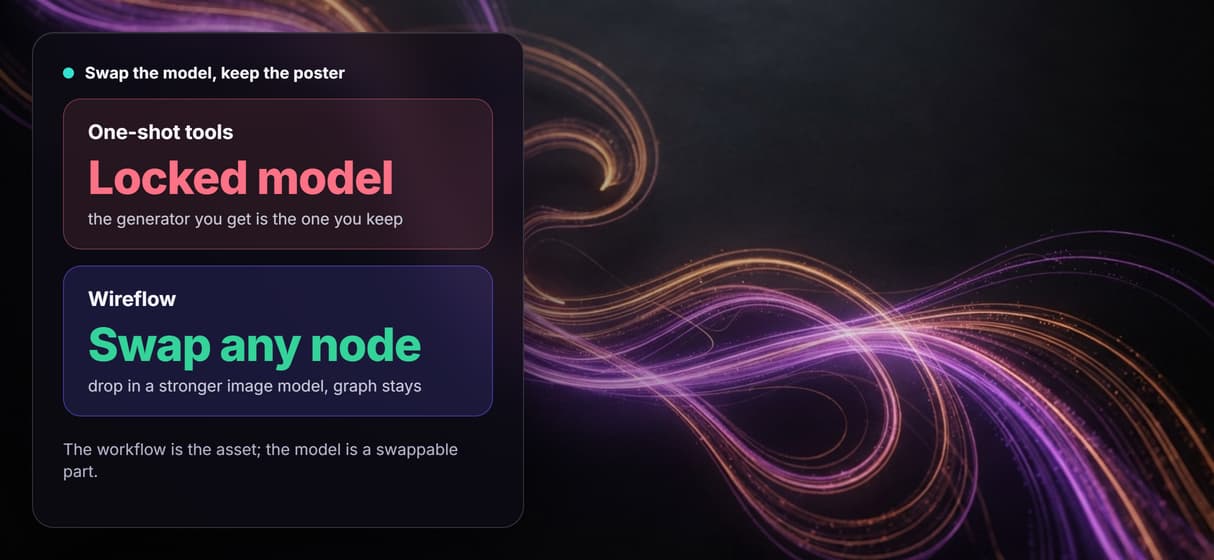
Edit the text and run again for a new direction, or swap the image node for another hosted model. Share the flow link and the whole team runs the exact same graph.
Why most AI movie poster generators stall at one render
Type a logline into a single box, pick a style, and hope the render lands. That is the shape of most AI movie poster generators, and it works right up until you need a second format, a consistent face across variants, or a small change that does not reroll the whole image. The output is a one-off, not a process you can repeat.
Wireflow answers with a different shape. A movie poster is a small workflow you own on a node canvas: a Text Input holds the brief, GPT Image 2.5 Flare renders the portrait key art, and GPT Image 2.5 Flare Edit restages that same art into other formats. It runs on hosted compute in the browser, nothing to install, and the same canvas drives every other AI flyer maker job your team has, from event one-sheets to launch key art.
What replaces the single prompt box
Brief intake
A Text Input node holds the art direction. Change the words and rerun; the graph never moves.
Key art render
GPT Image 2.5 Flare turns the brief into portrait poster key art with composition and mood.
Format restage
GPT Image 2.5 Flare Edit reframes the approved art into a vertical social cut without redrawing.
Motion teaser
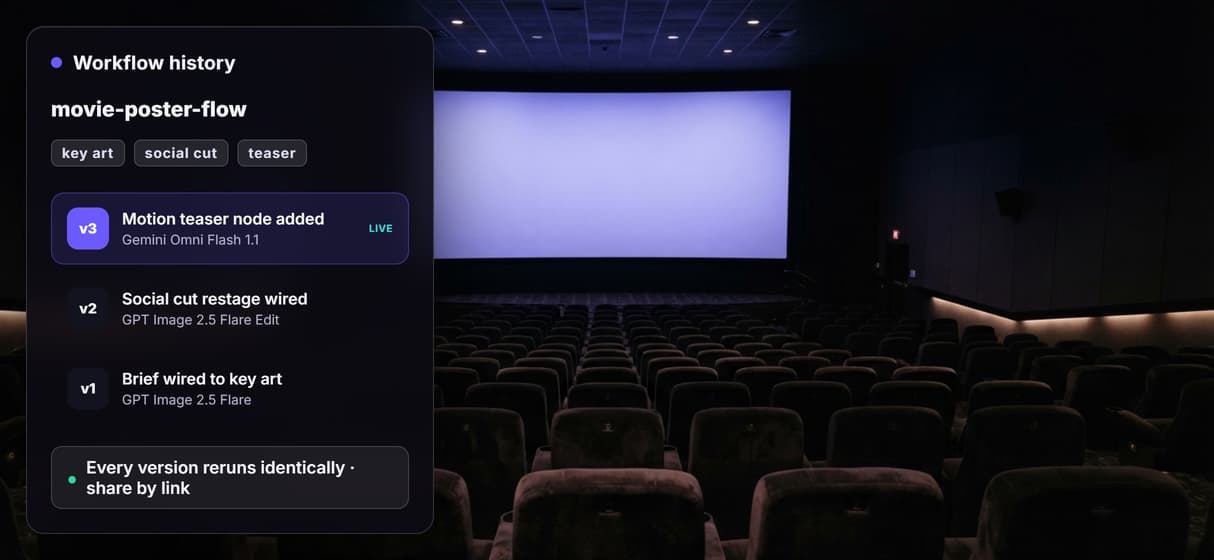
A Gemini Omni Flash 1.1 node animates a short teaser from the poster concept on demand.
Swap and rerun
Every generator is a swappable node; flows are versioned and shareable by link.
Print-scale polish
Add a Topaz image upscaler node when a one-sheet needs more pixels for print.
How the poster workflow actually runs
The workflow behind this page's button is deliberately small: a brief, two image nodes, and a teaser.
- Text Input holds the brief. One paragraph on the genre, the subject, the mood, and where the title and tagline space should sit; a sticky note in the flow walks a first run through it.
- GPT Image 2.5 Flare renders the key art. The brief becomes portrait poster art, so you approve the look before adapting it.
- GPT Image 2.5 Flare Edit restages it. The node takes the approved art plus a short instruction and returns a vertical social cut, because the key art wires straight into it.
That wiring is the detail worth copying: the approved art feeds the restage, so the one-sheet and the social cut stay the same poster instead of drifting into two different images. Because the graph lives among 79 hosted model nodes, the poster can roll straight into AI ad creative workflows for the campaign, and a Gemini Omni Flash 1.1 node turns the still into a short animated teaser without leaving the browser.
When a template tool or a designer is the better call
If you need exact typeset title treatments, legal billing blocks, and festival laurels placed to spec, a poster template editor or a hired designer is built for that finishing work, and this page will not pretend otherwise. Wireflow generates the art; it does not typeset credit blocks or lay out lettering, so clean title text is a design step you add after the key art is approved.
Wireflow is the generation layer, not the layout suite: it will not write your logline, set type, or export a press-ready PDF. What it offers instead is ownership of the pipeline, dozens of hosted image models to swap between, and per generation pricing. If a poster is one asset inside a bigger campaign, build it here, and pair the flow with the rest of a full AI movie toolkit when the project grows.
More Than Just AI Movie Poster Generator
A pipeline you own, not a lucky render
The whole poster job sits in the open on a canvas: brief in, key art, social cut, teaser out. Rewire any hop in the visual node editor instead of rerolling one prompt box.
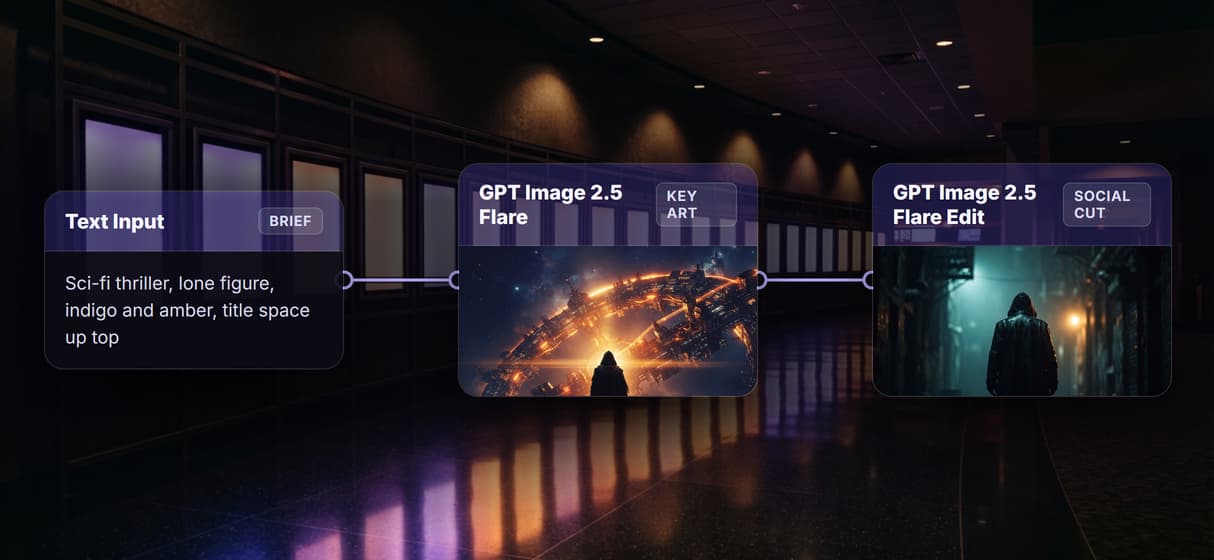
Cinematic key art from one brief
GPT Image 2.5 Flare reads your art direction and returns portrait key art with real composition, mood, and lighting, the same groundwork behind designing posters with AI.
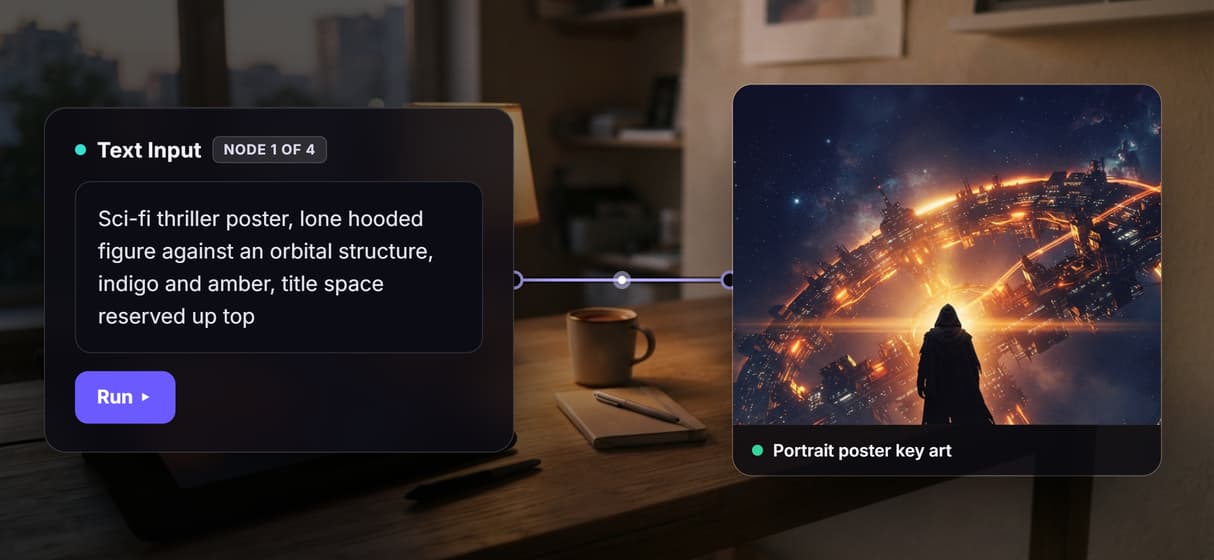
One key art, every format
GPT Image 2.5 Flare Edit reframes the approved art into a vertical social cut, so the one-sheet and the feed post stay one poster, like an AI cover image maker keeps a set.
Swap the model, keep the poster
The generator is a node, not a lock-in. Drop in another hosted model when a stronger one ships, the same freedom you get from the text to image API, and the graph survives.
Per generation pricing, reruns identical
Building on the canvas is free and runs are metered, so a whole team iterating costs no more than one person; versioned flows make bulk image generation reproducible.
Movie poster Workflows
No Code Required
API & Batch Processing
FAQs
It depends on what you need. For a one-off image, any single prompt tool works. To own a repeatable process, Wireflow turns a poster into a node workflow: brief in, key art out, restaged into other formats, priced per generation.
Discover related AI tools
- AI Image Upscaler: Upscale to 4K in a Visual Workflow
- AI Background Remover
- AI Image Generator: Flow-Based Canvas, 31 Models
- ComfyUI Alternative
- AI Face Swap Online: Photos and Video in Your Browser
- Virtual Try On
- AI Thumbnail Generator
- AI Photo Generator
- AI Image Editor
- AI Art Generator
- Midjourney Alternative
- AI Headshot Generator
More From Wireflow
Written by
Andrew Adams · Co-Founder & Operations at Wireflow
Runs client operations and content strategy at Wireflow. Works directly with creative teams and agencies to build production AI workflows.
Own the poster pipeline, not one render
Open the flow, write the brief, and run it: cinematic key art, a vertical social cut, and a motion teaser from one graph. Building is free; you pay per generation.