 Andrew Adams · Co-Founder & Operations at Wireflow ·
 Grok Imagine API
Most Grok Imagine API pages hand you one endpoint and a code snippet.
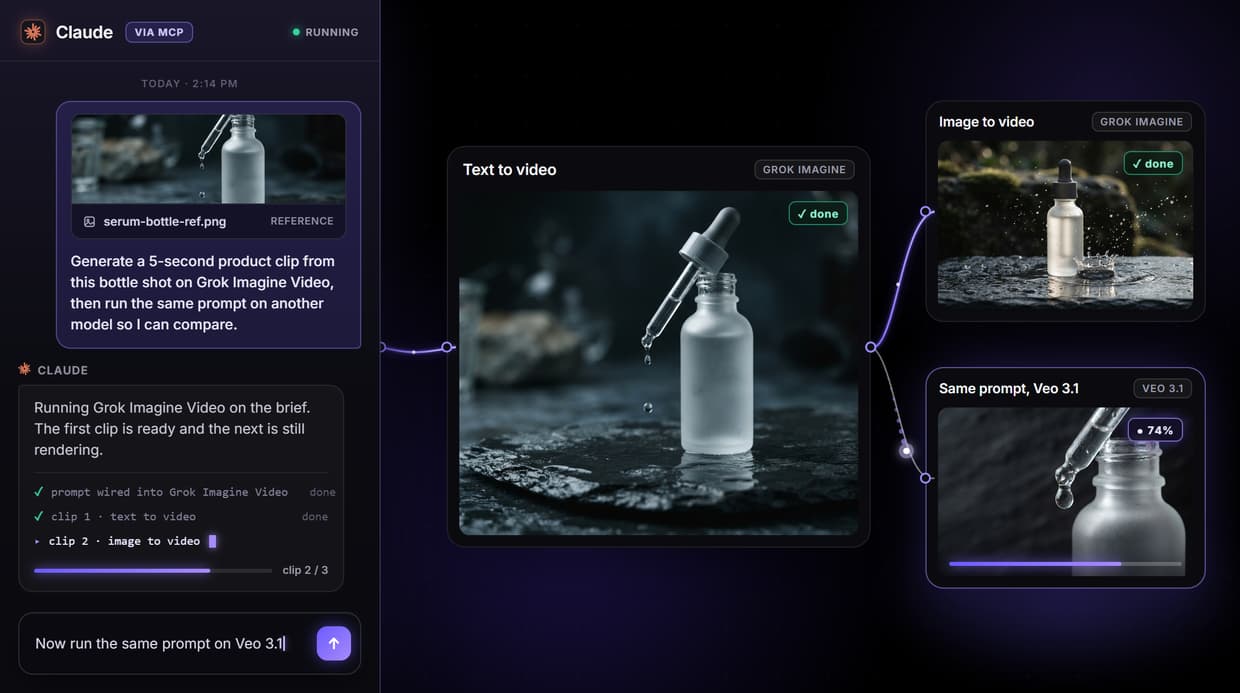
This one is a runnable graph: a prompt wired into the Grok Imagine Video node, published as a REST and MCP endpoint, with Veo 3.1, Kling and Seedance one swap away on the same canvas.
Free to build · no credit card · See how it works ↓
How to Use Grok Imagine API
Steps to get you started in Wireflow.
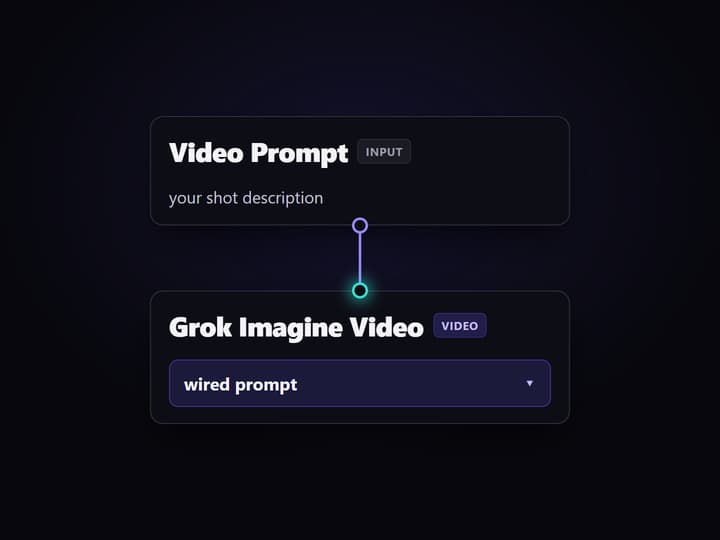
Open the flow and edit the prompt
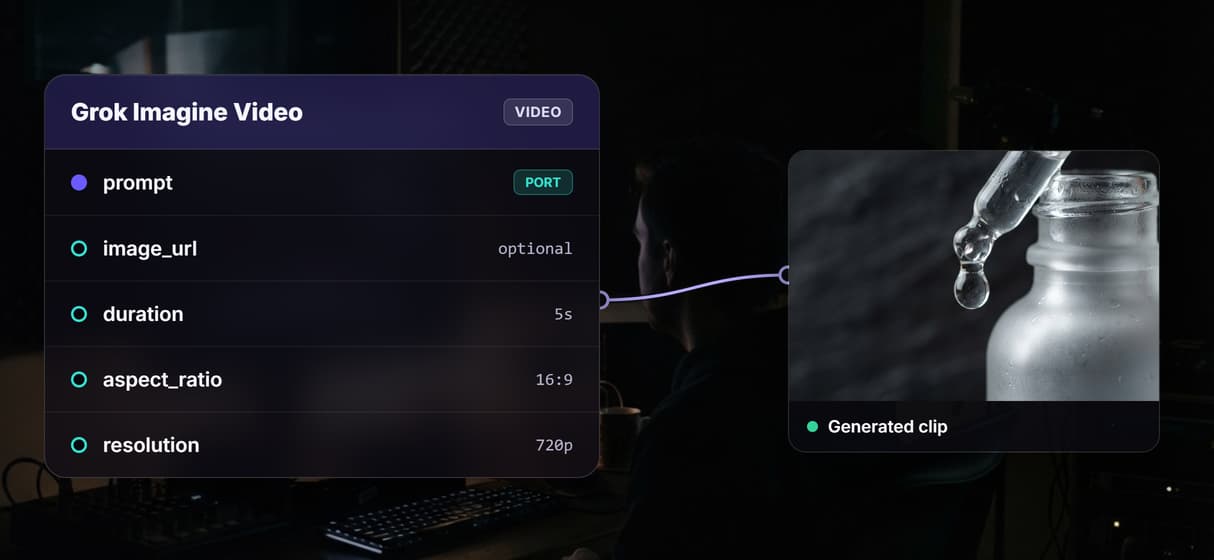
Open the published Grok Imagine Video flow and change the Video Prompt input. Set the duration, aspect ratio and resolution on the node if you want a different clip shape.
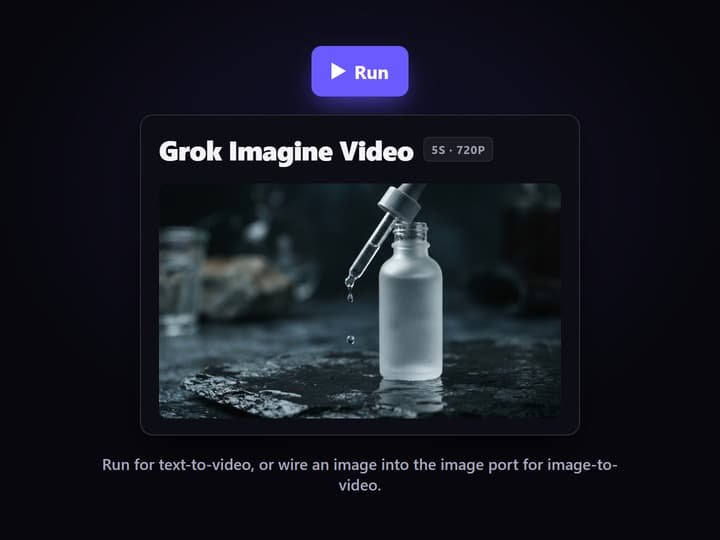
Run text to video, or wire a start image
Run the Grok Imagine Video node to get a clip from your text. To animate an existing frame instead, wire an image into the image port and the same node switches to image-to-video.
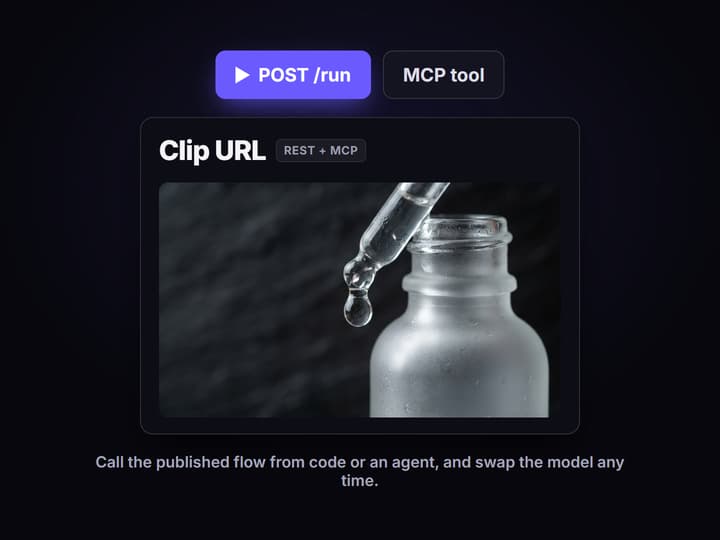
Call it from code or an agent
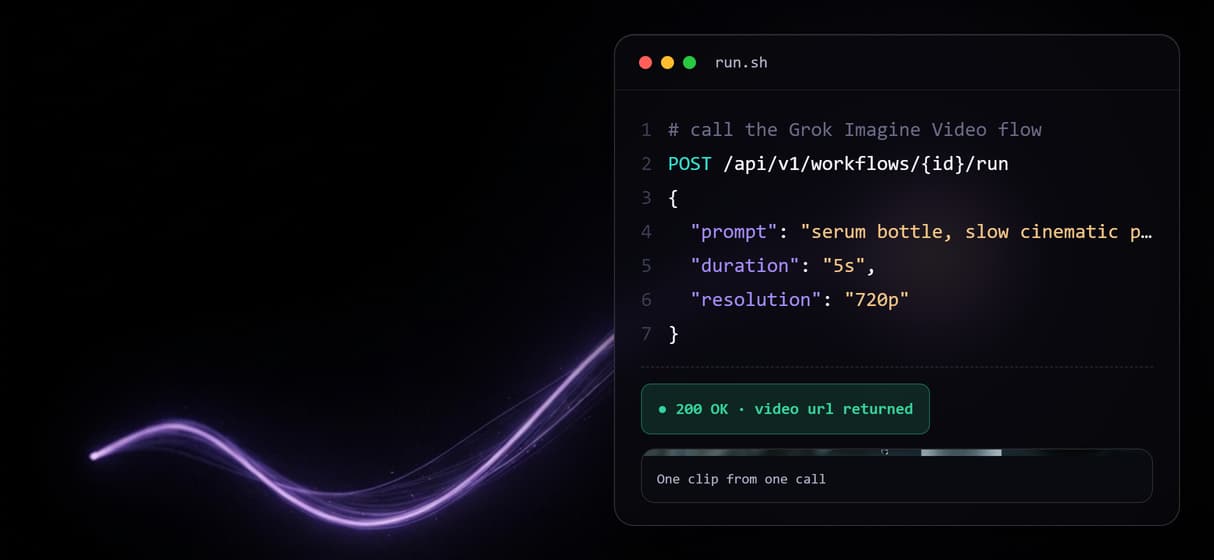
Use the published flow as a REST endpoint from your backend, or let an agent run it as an MCP tool. Swap the node for Veo 3.1, Kling or Seedance any time without changing the call.
What you actually get when you open the flow
The reseller pages that rank for this keyword give you an endpoint and a snippet. The flow published on this page is the thing itself: a Video Prompt input node wired into the Grok Imagine Video node, with one edge carrying the prompt. Open it and you can read every setting rather than guess at it: duration, aspect ratio, resolution, and the optional image port that turns text-to-video into image-to-video.
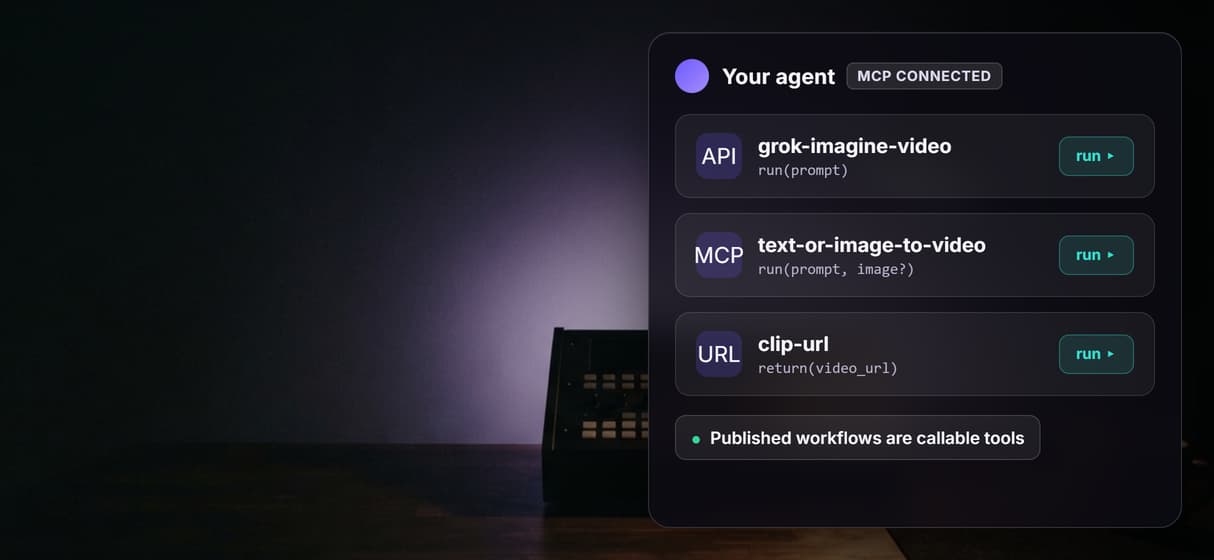
Publishing that graph gives you two call surfaces at once. It is a REST endpoint your code can POST a prompt to, and it is an MCP tool an agent can list and run. The video node is left unexecuted on purpose, because video generation spends credits and expensive video nodes are never auto-run, so what you see is the real wiring, not a pre-baked demo clip.
What the Grok Imagine Video node does
Text to video
A text prompt feeds the Grok Imagine Video node and comes back as a short clip at your chosen resolution and aspect ratio.
Image to video
Wire a start image into the same node and it switches to image-to-video, animating your frame instead of generating from text.
Priced per second
Grok Imagine Video bills per second of video. Wireflow shows the credit cost before you run, so a clip is never a surprise charge.
One key, many models
Your Wireflow key runs Grok Imagine Video and every other hosted model, so a swap is a canvas change, not a new provider account.
REST and MCP
Publishing the flow exposes it as a REST endpoint and an MCP tool, callable by your backend or by an agent with typed inputs.
Batch over a feed
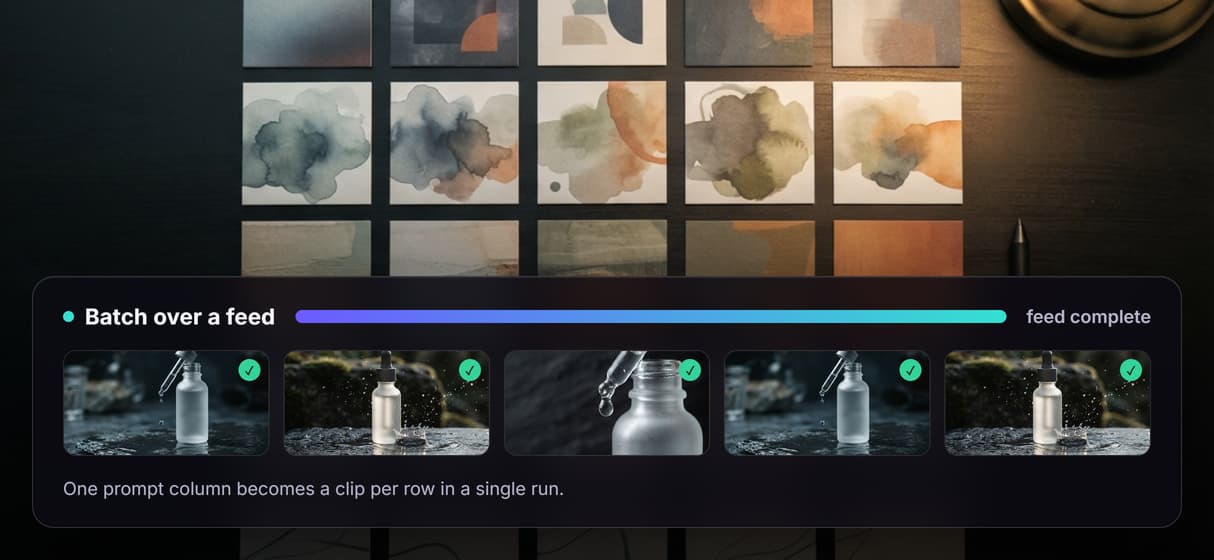
Loop the published flow over a CSV or feed so one prompt column turns into dozens of clips in a single run.
Grok Imagine next to Veo 3.1, Kling and Seedance
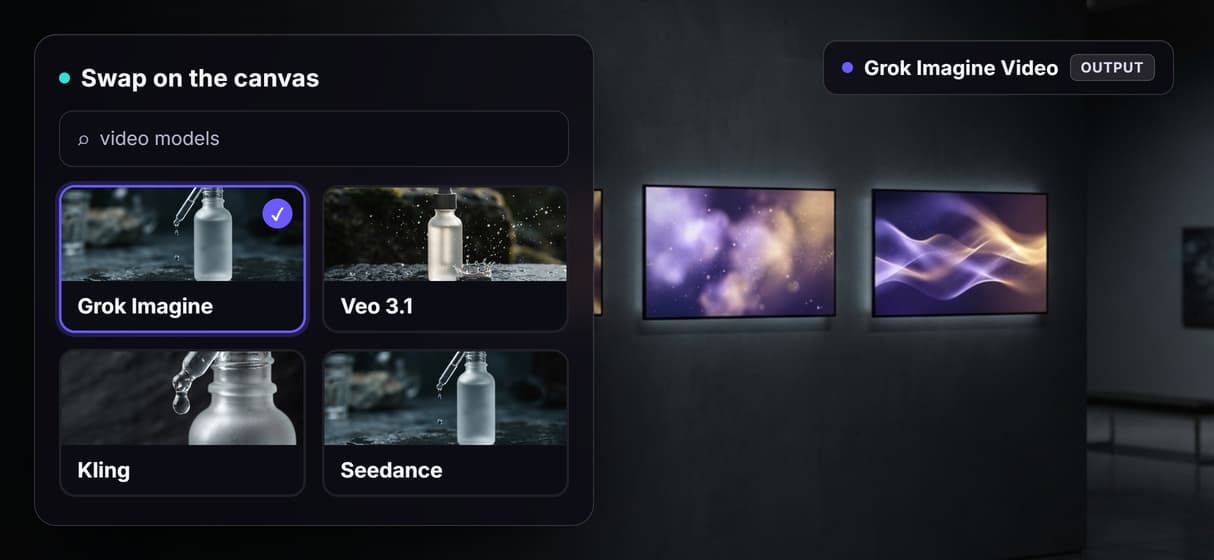
Grok Imagine Video is fast and good at motion, but no single video model wins every shot. Because it is one node on a canvas, switching it for Veo 3.1, Kling or Seedance is a swap, not a rewrite: the prompt wiring stays, you change the node, and you run the same brief through a different model to compare. All of them run under one Wireflow key, which is the point of a hosted video generation API instead of four separate provider integrations.
That is the honest trade. A reseller gives you Grok Imagine behind a thin wrapper; Wireflow gives you Grok Imagine Video plus the room to move off it the moment a different model renders your shot better, without touching your calling code.
When Wireflow is not the right Grok Imagine route
Wireflow runs Grok Imagine's video model, not its still-image model. If you specifically need Grok Imagine stills, or you need xAI-native features, rate limits and billing exactly as xAI ships them, then xAI's own API or a direct reseller is the right tool, and this page will not pretend otherwise.
Wireflow is also the generation layer, not the reasoning brain. It does not write your prompts or decide your creative, and every clip spends credits, so a large batch is a real spend decision. If you only ever call one fixed model from one place, a plain integration is simpler. The canvas earns its keep the moment you want swaps, chains, batches, or an agent that can run the model as a tool.
More Than Just Grok Imagine API
A working call, not a listing
Open the published flow, see Grok Imagine Video wired to a prompt, and run it. A graph you can read, not a snippet from a video API tools roundup.
Text or image to video, one node
Run text-to-video from a prompt, or wire a start image into the same node to animate images via API with synced motion.
Swap the model, keep one key
Grok Imagine not right for a shot? Switch the node to the Google Veo API, Kling or Seedance and run the same prompt, no second provider signup.
Batch a whole feed in one run
Loop the flow over a CSV or feed so one prompt column becomes dozens of clips, the batch pattern behind a video API for coding agents.
Agents call it as a tool
Every published flow is a REST endpoint and an MCP tool, so an agent runs Grok Imagine Video through a hosted video API for agents and gets a URL back.
Grok imagine api Workflows
No Code Required
API & Batch Processing
FAQs
No. Wireflow is not xAI and not the official Grok Imagine API. It runs xAI's Grok Imagine Video model as a hosted node inside workflows you can publish as REST endpoints and MCP tools. For xAI-native features, rate limits and billing, use xAI's own API.
Discover related AI tools
- AI Pipeline Automation
- AI Workflow Templates
- AI Video Pipeline: Build One on a Node Canvas
- Batch AI Generation: Many Assets, One Run
- AI Model Chaining
- AI Asset Pipeline
- AI Workflow Builder
- AI Content Generation API
- AI Workflow API
- AI Orchestration API
- Headless AI Workflow Platform
- Krea AI API Alternative: Image and Video From One REST Endpoint
More From Wireflow
Written by
Andrew Adams · Co-Founder & Operations at Wireflow
Runs client operations and content strategy at Wireflow. Works directly with creative teams and agencies to build production AI workflows.
Open the Grok Imagine Video flow
The flow is published and wired: a prompt into the Grok Imagine Video node, ready to run as a REST endpoint or an MCP tool. Open it, edit the prompt, and swap the model whenever you want.