 Andrew Adams · Co-Founder & Operations at Wireflow ·
 Remotion Alternative
Remotion makes you author video as React code and run the render pipeline yourself.
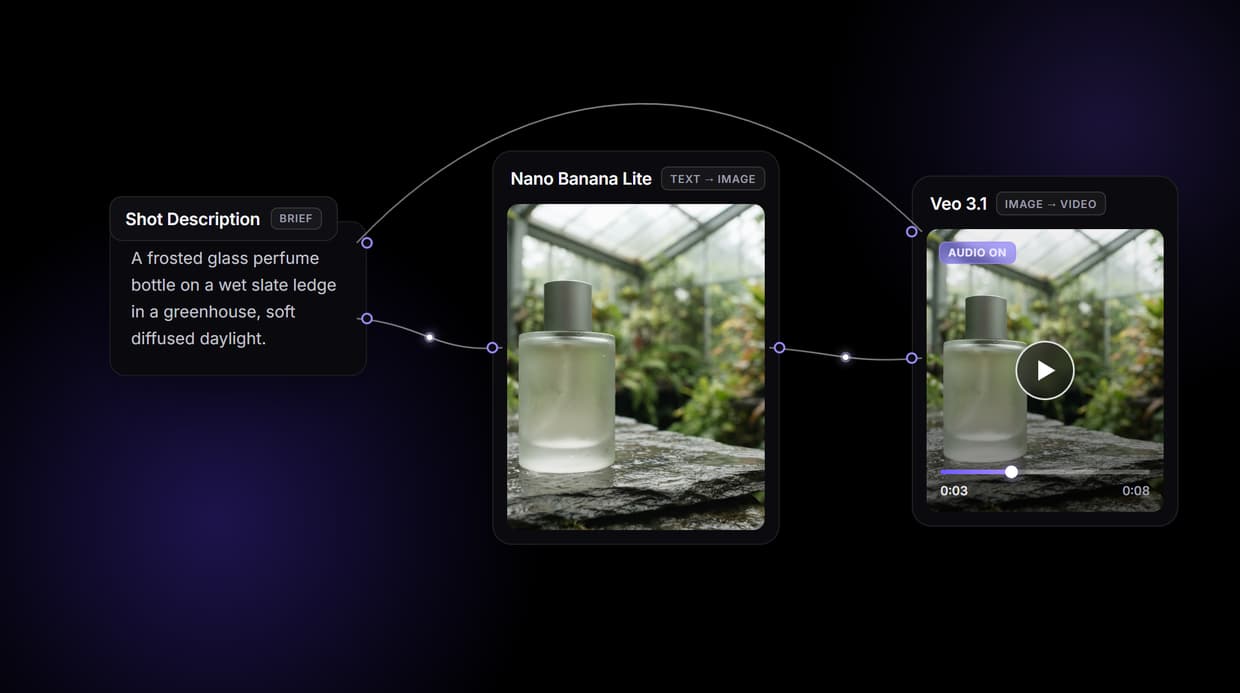
Wireflow generates the footage instead: describe a shot on a node canvas, Nano Banana Lite renders a 16:9 source frame, and Veo 3.1 animates it into an 8 second clip with audio. Design it visually, call it via REST. Free to build, pay per generation.
Free to build · no credit card · See how it works ↓
How to Use Remotion Alternative
Steps to get you started in Wireflow.
Describe the shot you want
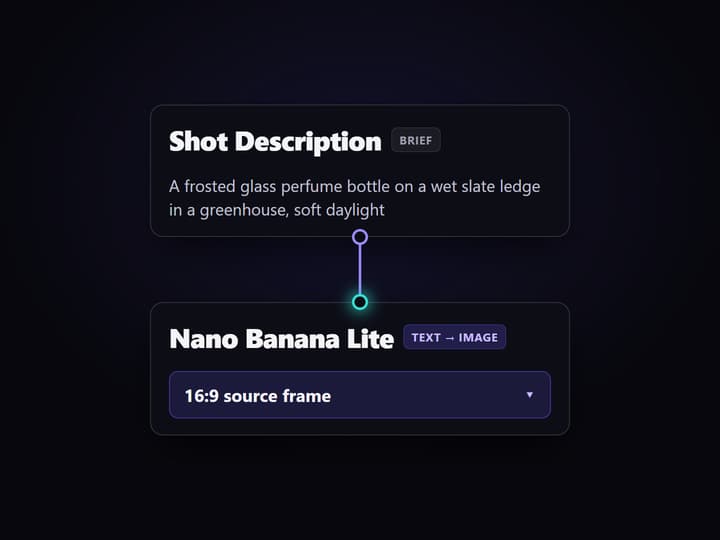
Open the flow and click the Shot Description node. One line covers it: the subject, the setting, and the mood, for example a frosted glass perfume bottle on a wet slate ledge in a greenhouse, soft diffused daylight.
Run the graph once
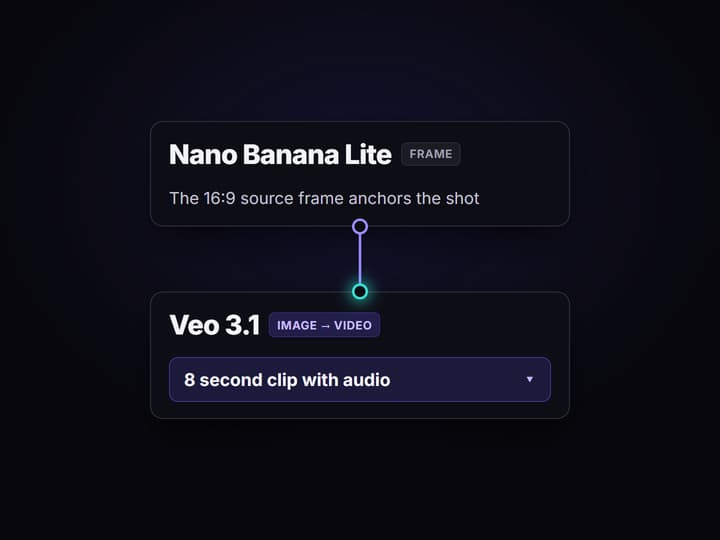
Nano Banana Lite turns the description into a 16:9 source frame, then Veo 3.1 animates that frame into an 8 second clip with audio. No React code and no source footage needed.
Ship it as a REST endpoint
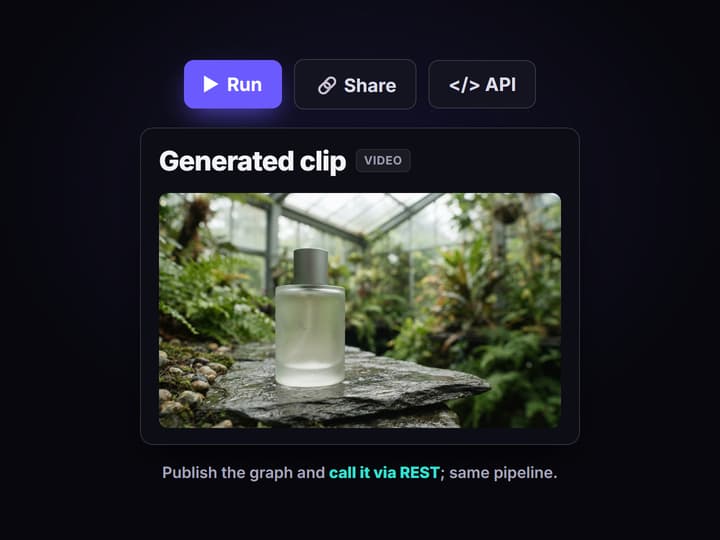
Every published Wireflow workflow is also a REST endpoint and an MCP tool. Send the shot description from code and get the finished clip URL back, or swap the video node for another of the 70+ hosted models.
Why teams look for a Remotion alternative
Remotion earned its following: video as React components, driven by props and data, rendered deterministically. When the video IS the data, an animated dashboard, a chart that counts up, thousands of personalized clips from one template, that model is hard to beat. The ceiling shows up when the footage does not exist yet. A code framework animates the assets and data you feed it; generating the source imagery and motion is a separate problem, on separate tools, glued together with more code and a render pipeline you run yourself.
Wireflow answers with a different shape. Instead of authoring frames in code, the pipeline generates them: a Shot Description node holds the brief, Nano Banana Lite renders a 16:9 source frame, and Veo 3.1 animates that frame into footage with audio. It runs on hosted compute in the browser, nothing to install and no render farm to operate, and every graph you build is callable as a REST endpoint. The same canvas drives every other AI video generator job your team needs, from product clips to social cutdowns.
What replaces the render pipeline
Shot intake
A Shot Description node holds the brief. Change the words and rerun; the graph never moves.
Source frames
Nano Banana Lite renders the 16:9 still that anchors the shot, generated from text.
Motion with audio
Veo 3.1 turns the frame into an 8 second clip with audio, no source footage required.
REST and MCP
Publish the graph and it becomes a REST endpoint and an MCP tool with typed inputs.
No build step
No React project, no bundler, no render farm or Lambda for you to run and pay to keep warm.
Rerun and swap
Workflows are versioned and shareable by link; swap any model node as better ones ship.
How the pipeline actually runs
The workflow behind this page's button is deliberately small: three nodes routed in a line.
- Shot Description holds the brief. One sentence about the subject, the setting, and the mood is enough; a sticky note in the flow walks a first run through it.
- Nano Banana Lite renders the source frame. The description becomes a 16:9 still, so you approve the look before paying for motion.
- Veo 3.1 animates it. The node reads both the shot description and the approved frame and returns an 8 second clip with audio as the final output.
Because the graph lives among 70+ hosted model nodes, the clip can roll straight into a longer AI video pipeline, Topaz upscaling and ElevenLabs narration included, without writing a line of React. And because every published graph is a REST endpoint, the same pipeline you previewed on the canvas is the one your code calls in production. If you are moving off self-hosted rendering, the Remotion without self-hosting path shows the same idea from the infra side.
When Remotion is the better call
If your video is driven by structured data, a chart that animates from your numbers, a personalized clip rendered thousands of times from one template, or a layout where every frame and pixel must be deterministic and controlled in code, a React based framework like Remotion is built for exactly that and this page will not pretend otherwise. Wireflow generates the footage, which is the wrong tradeoff when you already know every element and just need frame-exact, repeatable rendering from your data.
Wireflow is the generation layer, not a reasoning brain: it will not write your script, decide your edit, or author a React component. What it offers instead is generating the imagery and motion before you assemble anything, a canvas you can preview before writing a request, 70+ hosted models to swap between, and per generation pricing with no infrastructure to run. If your source footage does not exist yet, build here, and reach for a video generation API node when a specific model fits the shot.
More Than Just Remotion Alternative
Generate the footage, do not author it in code
A React framework needs components and your own data. This graph makes the clip from a sentence, so a text to video AI run starts from a prompt.
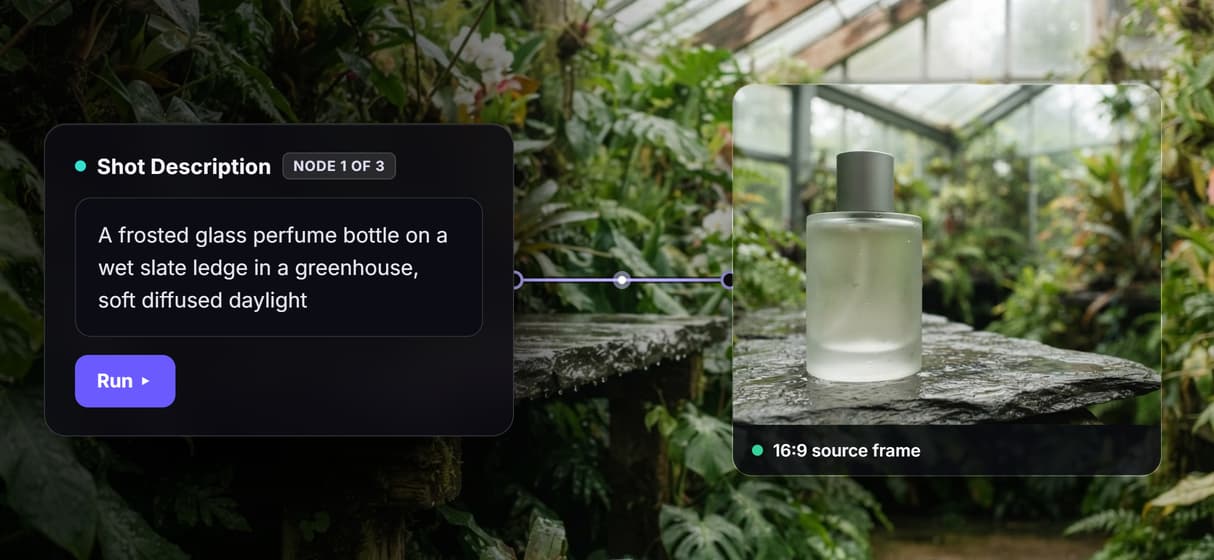
One canvas, then one REST call
Wire the pipeline visually, watch it run, then call the same graph from code. The AI canvas with REST API lets you preview before writing the request.
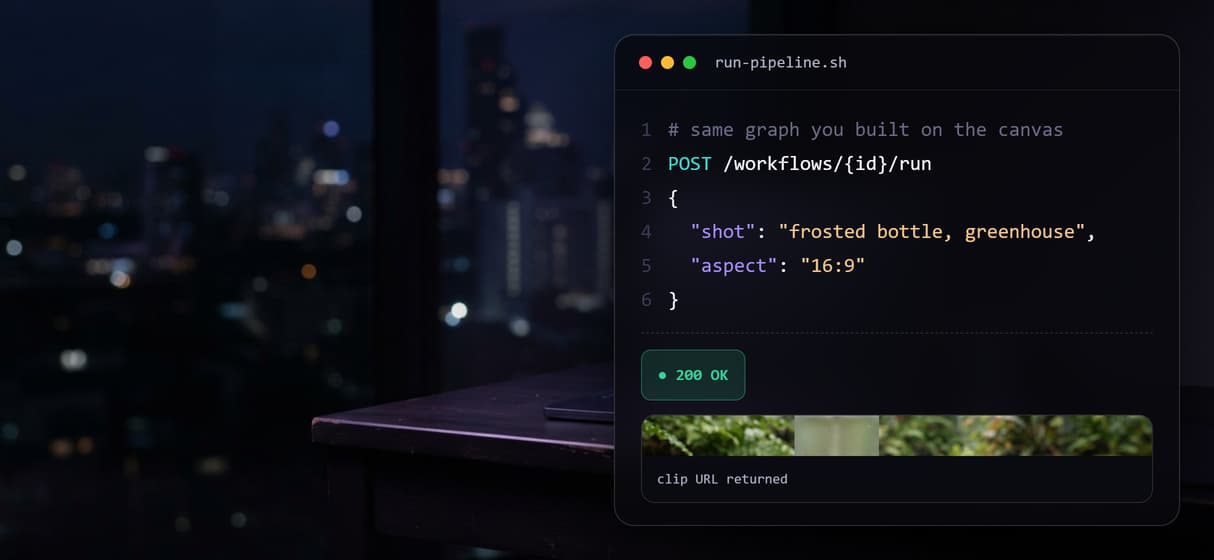
Chain models across one pipeline
Frame and motion are separate nodes routed in sequence. Chain AI models so an image model feeds a video model, all inside one run.
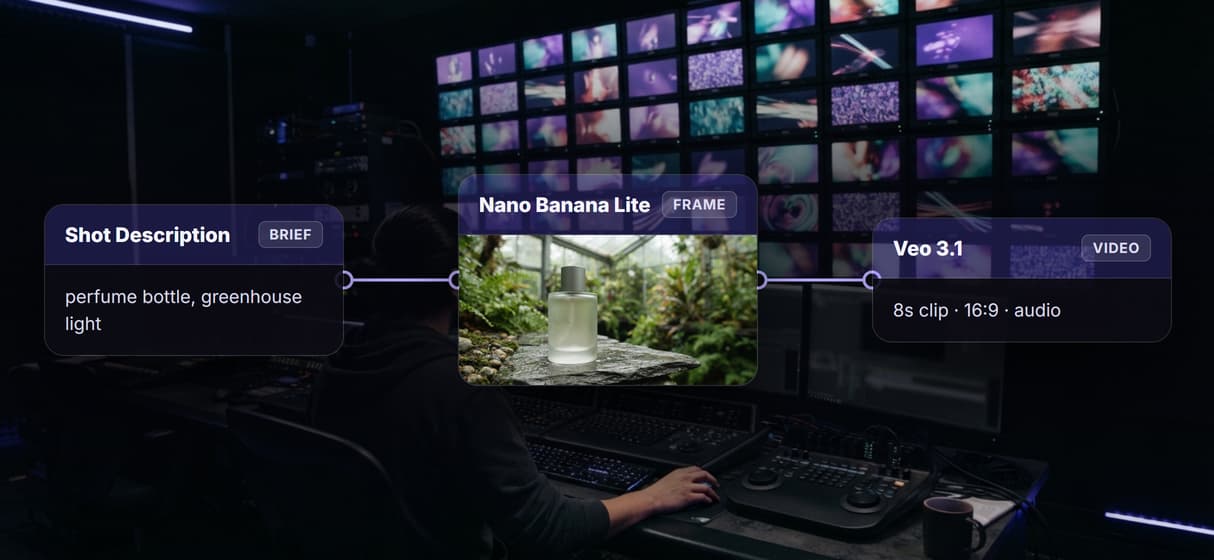
Nano Banana Lite frames it, Veo 3.1 animates it
Nano Banana Lite renders the 16:9 still, then Veo 3.1 turns it into an 8 second clip with audio. It is image to video AI with the wiring done for you.
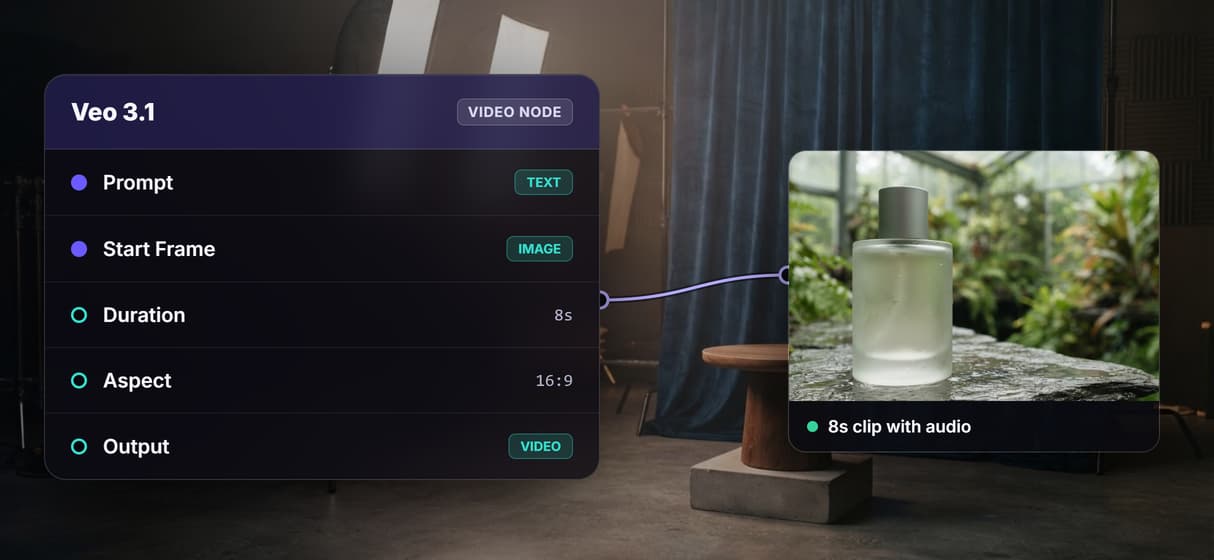
Per generation pricing, no render infra
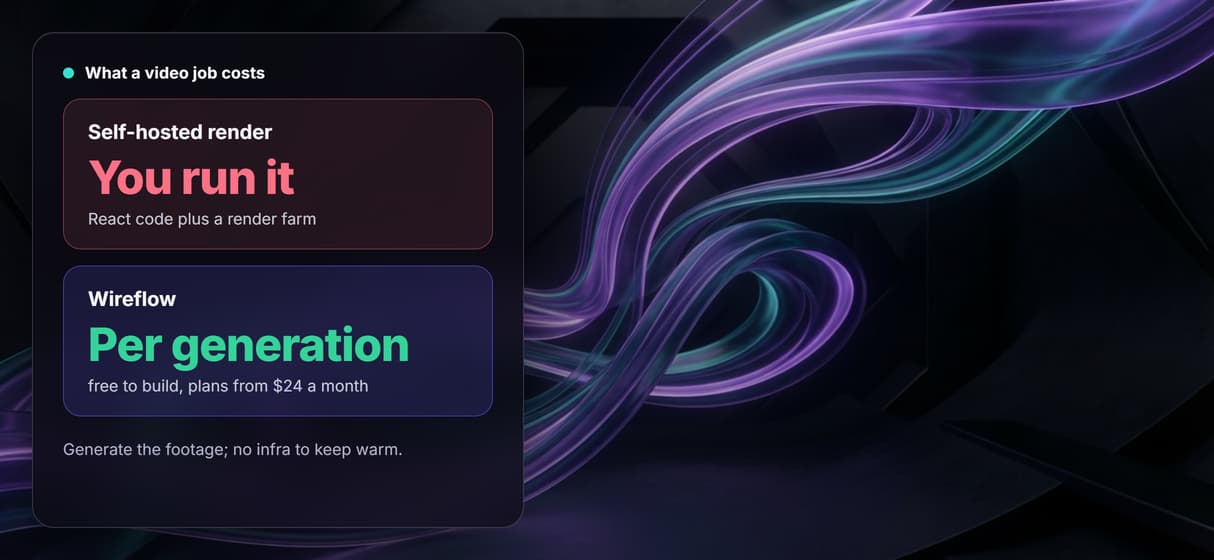
Building is free and generations are metered, with nothing to self-host. Try the free AI video generator online and pay only when you run.
Remotion alternative Workflows
No Code Required
API & Batch Processing
FAQs
It depends on what you need. If your video is driven by structured data and must be frame-exact and deterministic, a code framework like Remotion is the closest match. If you need to generate the source footage itself, Wireflow replaces React authoring with a node canvas that renders the frame and animates it in one run, priced per generation and callable via REST.
Discover related AI tools
More From Wireflow
Written by
Andrew Adams · Co-Founder & Operations at Wireflow
Runs client operations and content strategy at Wireflow. Works directly with creative teams and agencies to build production AI workflows.
Generate the shot, skip the render code
Open the flow, describe a shot, and run it: a 16:9 source frame and an 8 second clip from one graph. Building is free; you pay per generation, and the same pipeline is your REST endpoint.