Features
Training Video Maker
A training video maker you run, not an avatar you pick from a gallery: send a training doc or a short script and get a 16:9 video where an AI presenter reads it, with step titles and captions.
It does not record your screen. One run is 85 credits, about $1.15 on Starter. New accounts get a free video.
Free to build · no credit card · Read the agent docs · See how it works ↓
 Andrew Adams · Co-Founder & Operations at Wireflow ·
How to Use Training Video Maker
Steps to get you started in Wireflow.
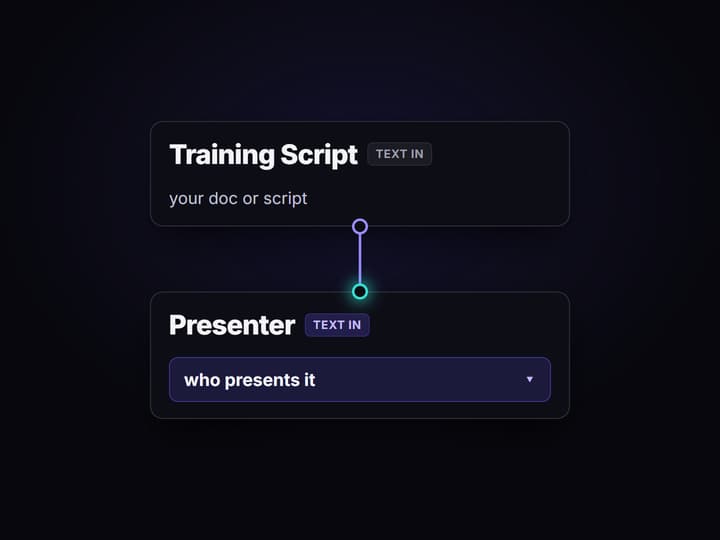
Add your script and a presenter
Open the flow and type a short script or paste your policy notes into the Training Script node, then describe who presents it in the Presenter node: their look, dress and the room behind them.
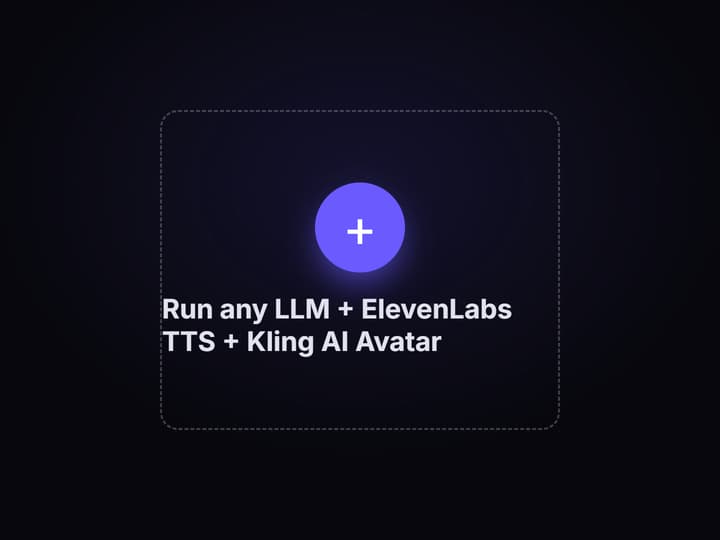
The flow writes, voices and films it
Run any LLM tightens your text into short steps, ElevenLabs TTS reads it aloud, GPT Image 2.5 Flare draws the presenter, and Kling AI Avatar lip-syncs her to the voiceover.
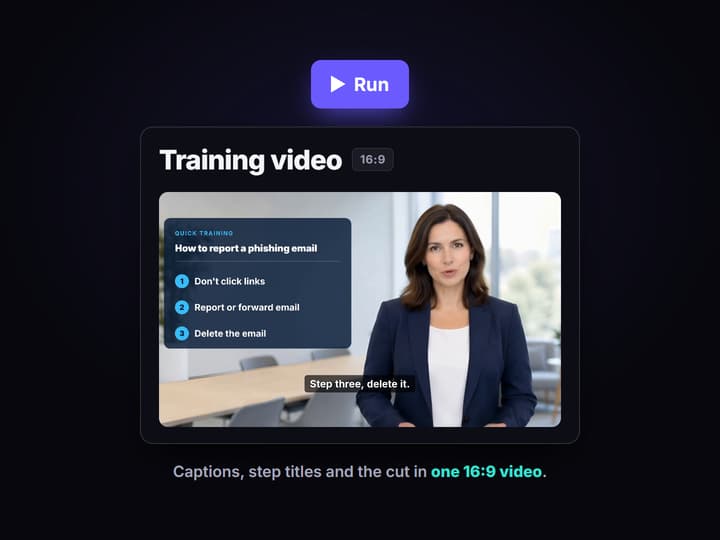
Captions, step titles and the cut
Speech to Text times the captions, the Video Editor lays in the step titles and renders the 16:9 video. Open the board to watch it, then copy the flow to rerun it on your next topic.
More Than Just Training Video Maker
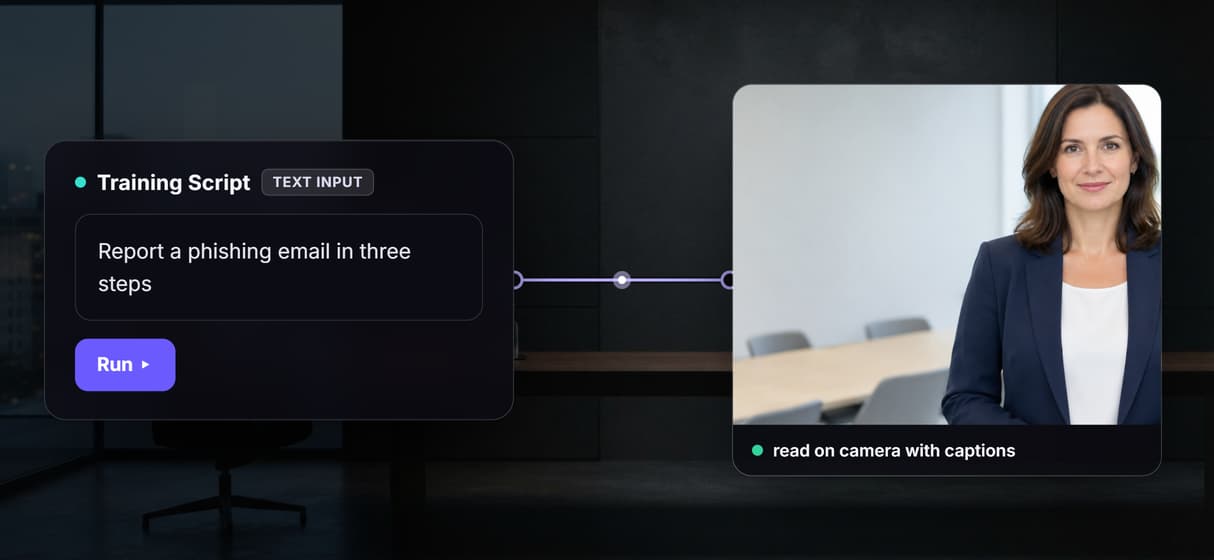
Your script, read on camera
Drop in a training doc or a short script and get a 16:9 video of an AI presenter reading it, captions and all, like an AI product explainer video.
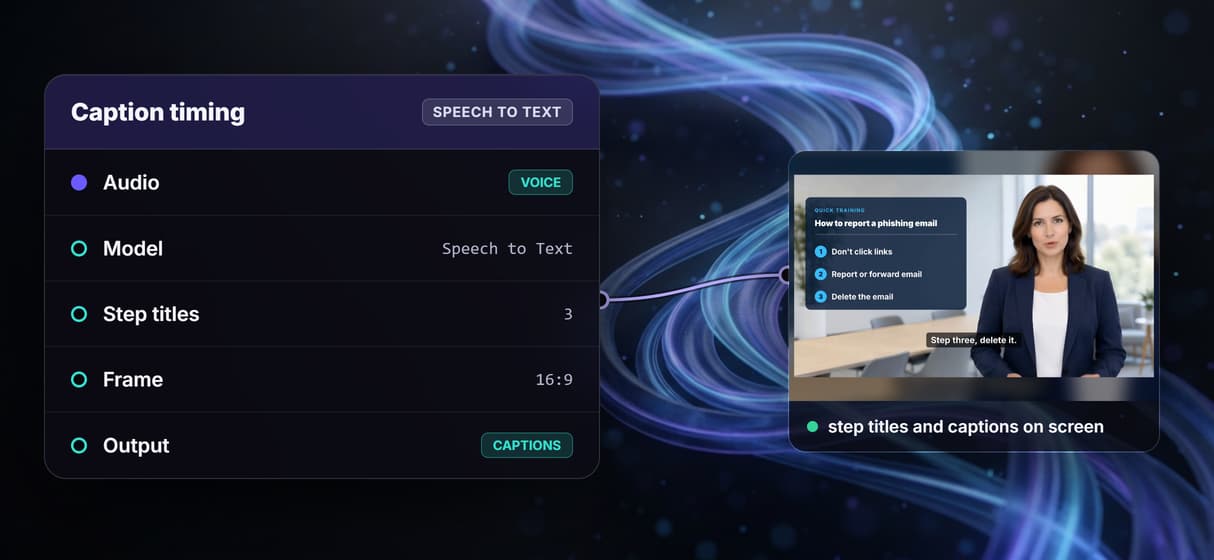
Step titles and captions on screen
Step titles appear at set times and captions come from the words spoken, so every point lands on screen without a separate AI voiceover generator pass.
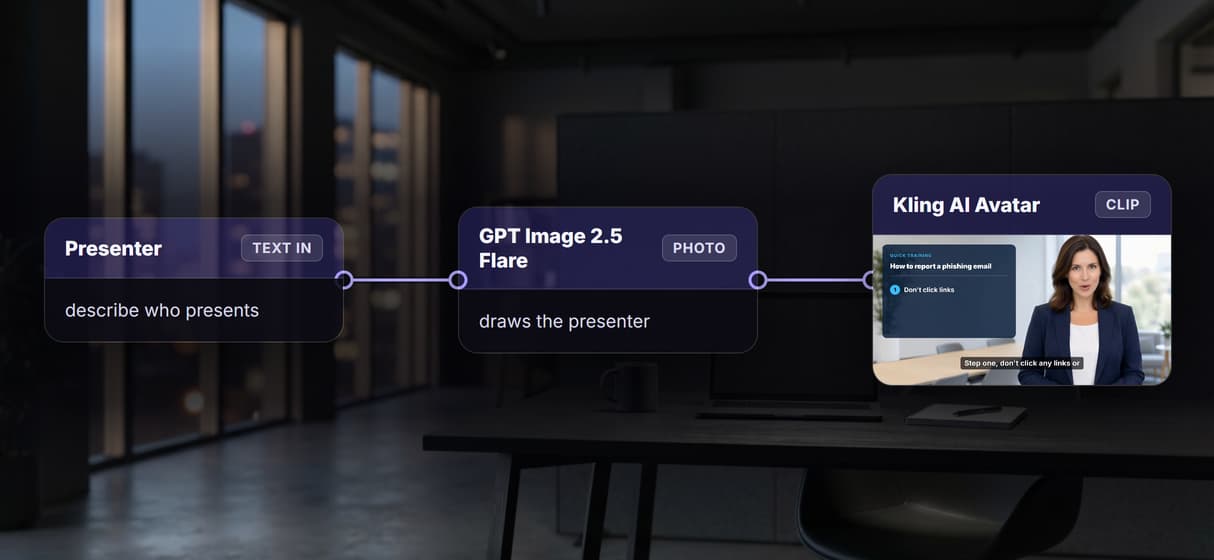
A presenter made on the spot
No casting and no camera: the presenter is drawn from your text prompt and lip-synced to the voice, like a UGC video generator building a face from a brief.
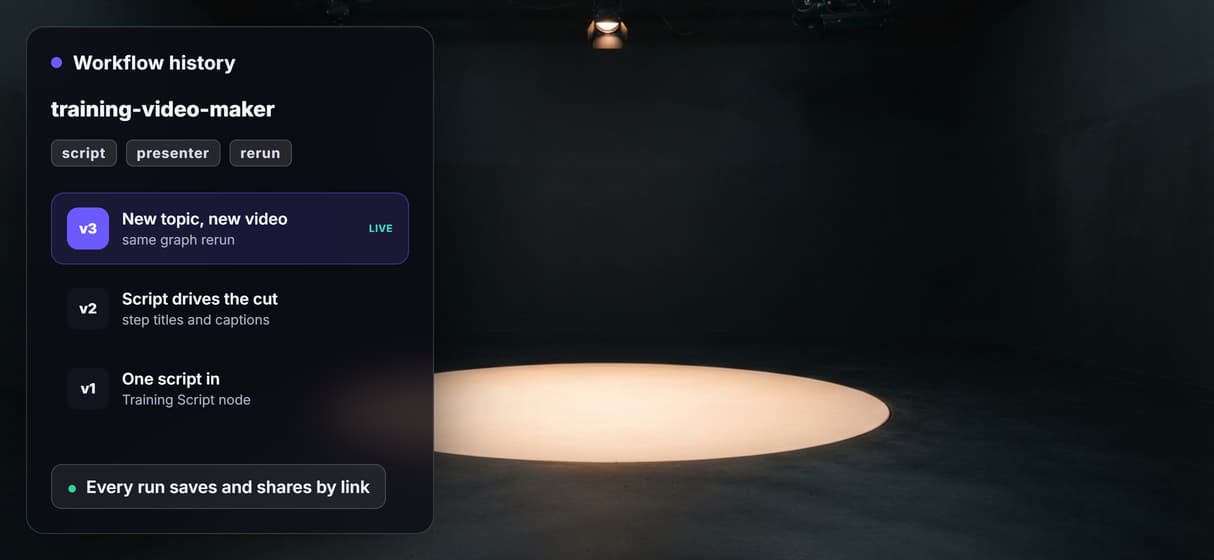
Rerun it for the next topic
Swap the script and run the same graph again for your next policy or lesson; every run saves and shares by link, so it sits in your wider AI video workflow.
Pay per run, not per seat
Building on the canvas is free and each run is metered at 85 credits, so a whole team pays the same per run as one editor running an AI video pipeline.
Build Any AI Workflow
AI Models Integrated
Full Commercial License
One script, one finished training video
Here is one real run of this flow. The script was a made-up, three-step note on how to report a phishing email, and the presenter is a made-up person drawn from a text prompt; no company is named and no real person appears. The site strips video, so this is a silent loop of the finished cut. The board plays the clip with sound.
From that script the flow wrote the title and the step titles word for word:
How to report a phishing email
Don't click links
Report or forward email
Delete the email
You can also hear the voiceover on its own, the ElevenLabs TTS stock voice reading the same script.
What goes in and what comes out
A training doc or a short script and a line about the presenter go in, and a finished 16:9 video comes out, with every step built on the same canvas. These are the nodes, in order:
- Training Script. A text input node that holds your doc, your notes or a short script.
- Presenter. A text input node that describes who presents the video, a made-up person.
- Write the script (Run any LLM). Tightens your text into a title and a few short steps, kept word for word when the script is already short.
- Presenter photo (GPT Image 2.5 Flare). Draws the presenter from your description, with no name or logo on screen.
- Voiceover (ElevenLabs TTS). Reads the script aloud in a stock voice.
- Presenter speaks (Kling AI Avatar). Lip-syncs the presenter to the voiceover.
- Caption timing (Speech to Text). Times the captions to the words spoken.
- Training video (Video Editor). Lays in the step titles and renders the 16:9 cut.
Because every step is a node, this flow drops into a wider setup: send the same script into an AI talking head video for a spokesperson intro, or into a larger AI content automation run on the same canvas.
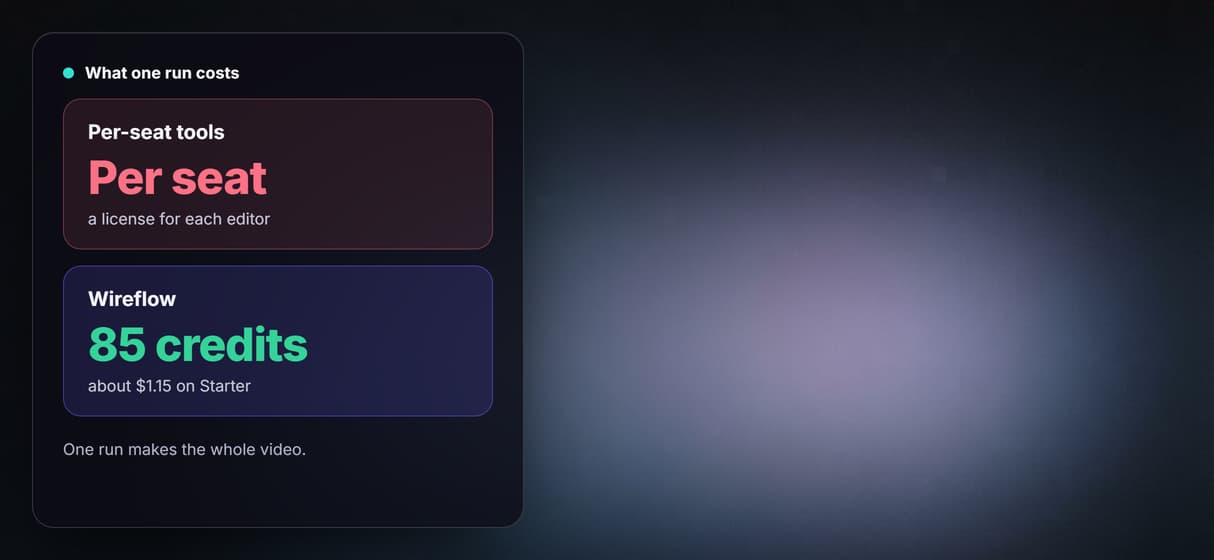
What one run costs
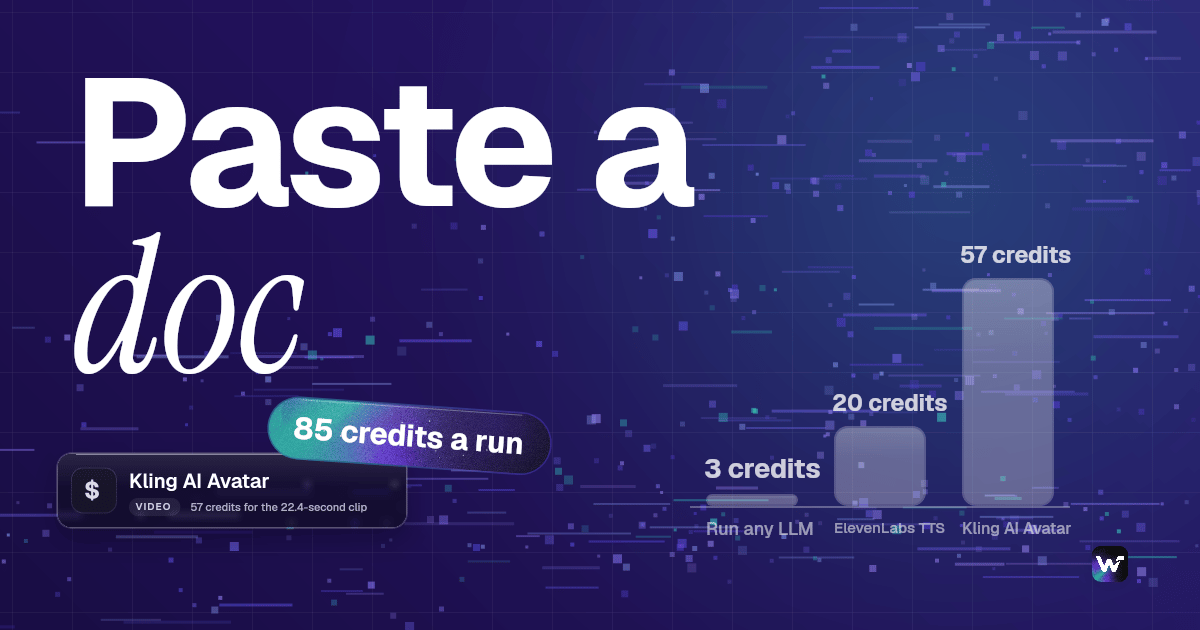
One full run of this flow is 85 credits: Run any LLM is 3, GPT Image 2.5 Flare is 5 for one medium presenter photo, ElevenLabs TTS is 20, and Kling AI Avatar (Standard) was 57 for the 22.4-second presenter clip. Speech to Text and the Video Editor render are 0. The number is from run receipts, not a list price.
On Starter, which is $36 a month for 2,660 credits, that is about $1.15 a run, roughly 31 runs a month. On Professional, which is $59 a month for 4,370 credits, it is about $1.15 a run, roughly 51 runs a month. Kling AI Avatar (Standard) charged the same 57 credits for this clip as for a shorter one, so check the price Claude shows before a longer run. Building on the canvas is free, and new accounts get a free video.
Open the flow
Open the workflow here: the training video maker board. It opens logged out, with the finished video and every saved output from the run above, so you can see each node before you sign in. Copy it to your account to run it on your own script.
Run it from Claude
You can run this flow from Claude through the Wireflow connector. In Claude, open Customize, then Connectors, then Add custom connector, paste the address https://www.wireflow.ai/api/mcp, and sign in. The setup steps are in the Claude app docs.
Then give Claude this prompt:
Use Wireflow to make a short training video with an AI presenter. Use run_app on the published app training-video-maker-doc-or-script-to-an-ai-presen-cmw02fdz00 (flow cmw02fdz0002ejv08shb6vz3a): put my training script or policy notes in training_script: <your script of about 50 words, or your notes>, and this in presenter: a friendly corporate trainer in her early 40s with shoulder-length dark brown hair, wearing a navy blazer, in a bright modern office meeting room. Send me the finished video. Tell me the credit cost and wait for my yes before you run it.
With that last line, Claude looks up the price and waits for your yes before it spends any credits.
Run it from the API
Every published Wireflow workflow is also a REST endpoint, so a script or an agent can send a training script and a presenter line and get the finished video back:
curl -X POST https://www.wireflow.ai/api/v1/workflows/cmw02fdz0002ejv08shb6vz3a/run \
-H "Authorization: Bearer $WIREFLOW_API_KEY" \
-H "Content-Type: application/json" \
-d '{"inputs":{"training-script":"Your training script or policy notes","presenter":"Who presents the video, a made-up person"}}'
The run route works on workflows you own: open the flow, copy it to your account, and use your copy's id. The POST returns 202 with an executionId; poll GET /api/v1/workflows/executions/{executionId}/poll, or pass a webhook. Full reference is in the run API docs.
What each node does
Training Script
A text input node that holds your doc, notes or short script.
Write the script (Run any LLM)
Tightens your text into a title and a few short steps.
Presenter photo (GPT Image 2.5 Flare)
Draws the made-up presenter from your description.
Voiceover (ElevenLabs TTS)
Reads the script aloud in a stock voice.
Presenter speaks (Kling AI Avatar)
Lip-syncs the presenter to the voiceover.
Training video (Video Editor)
Adds step titles and captions and renders the 16:9 cut.
When another tool is the better fit
This makes a presenter video, it does not record your screen and it has no slides, so a screen recorder is the better fit for a software walkthrough. The cut is a fixed 22 seconds and the step titles land at set times tuned to the sample script, so a longer voiceover is cut off at the end and another script's titles can sit a little early or late; set those times in the Video Editor for your script. A script of about 55 words or fewer is kept word for word, while a longer doc is rewritten into five short sentences, so read the script on the board before the voice and the presenter run.
Each run draws a new presenter, so the face changes between videos; to keep one presenter across a series, put the saved photo in an Import node in place of the photo node. Captions come from Speech to Text, so they can differ from your punctuation, and there is one presenter per video. Build here when you want a doc or a script turned into a presenter video on a canvas you can rerun; pick a dedicated recorder when the lesson is really a capture of your screen.
FAQs
It means a graph you run, not an avatar you pick from a gallery. A training doc or a short script goes in, and a 16:9 video of an AI presenter reading it, with step titles and captions, comes out on one canvas you can rerun. It does not record your screen.
Discover related AI tools
- Weavy AI Alternative (Weavy.ai Is Now Figma Weave)
- Flora AI Alternative
- Freepik Spaces Alternative
- RoboNeo AI Alternative: 79 Models in Your Browser
- Sotatech AI Alternative
- Pletor AI Alternative: 79 Models, No Black Box
- Fuser Studio AI Alternative
- AI Creative Workflows
- Visual Node Editor
- No Code AI Canvas
- Reusable AI Templates
- AI Pipeline API
Written by
Andrew Adams · Co-Founder & Operations at Wireflow
Runs client operations and content strategy at Wireflow. Works directly with creative teams and agencies to build production AI workflows.
Run the training video maker on your script
Open the flow, drop in a training doc or a short script, describe a presenter, and get a 16:9 video with step titles and captions from one graph you can rerun. Building is free, and new accounts get a free video.