Figma Weave Pricing (Formerly Weavy): Plans and Credits

In this article▾
- Figma Weave plans and prices at a glance
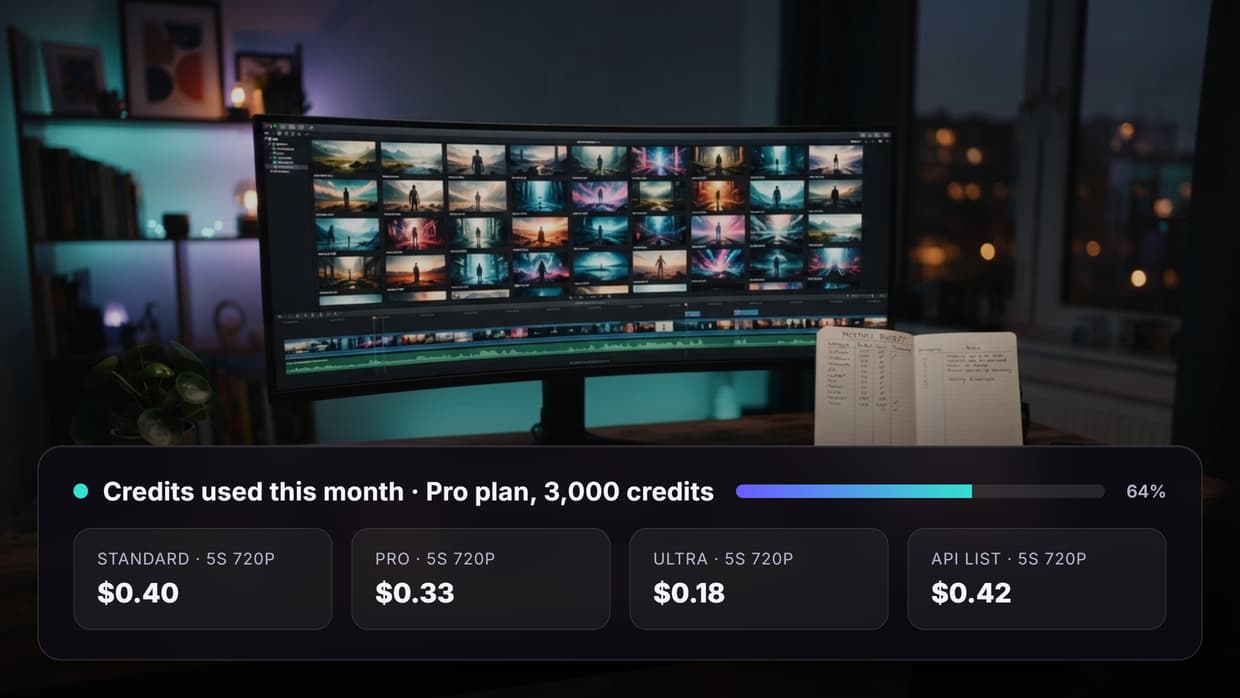
- What one Weave credit costs in dollars
- What Weave credits cost per image and per second of video
- What a real job costs once retries are counted
- Rollover, top-ups and other rules that change the bill
- Which Figma Weave plan fits which team
- Bottom line on Figma Weave pricing
- Frequently asked questions about Figma Weave pricing
Figma Weave pricing starts free, then costs $24 a month for Starter, $45 for Professional and $60 per user for Team, with 1,500 to 4,500 credits included. Figma Weave is the new name for Weavy, and this guide turns those credits into a cost per image and per second of video, using Figma's own pages as read on 11 October 2026. We build Wireflow, a node-based AI canvas that competes with Figma Weave, so read this as a buyer's guide from a competitor and confirm prices on Figma's page before you pay.
The plan grid is the easy part. The harder question is what a credit buys: on Figma's own model list one image run costs from 0.1 to 37 credits and one video run from 2 to 857. If you know the product by its old name, our Weavy AI alternative page explains what the rename changed.
Figma Weave plans and prices at a glance
Figma Weave sells a free tier, three self-serve paid plans and Enterprise. These are the prices on its pricing page on 11 October 2026; our Figma Weave vs ComfyUI comparison covers the canvas itself.
| Plan | Monthly price | Billed annually | Credits per month | Top-up price | Notable limits and features |
|---|---|---|---|---|---|
| Free | $0 | n/a | 150 | Not offered | All AI image models, 5 workflows, commercial license |
| Starter | $24 | $202 a year (about $17 a month) | 1,500 | $10 per 1,000 credits | All AI models, unlimited workflows, no rollover |
| Professional | $45 | $378 a year (about $32 a month) | 4,000 | $10 per 1,200 credits | Base credits roll over, up to 3x the monthly amount |
| Team | $60 per user | $504 per user a year (about $42 a month) | 4,500 per user | $10 per 1,200 credits | Shared credit pool, per-user allocation, unified billing |
| Enterprise | Custom | Custom | Custom allocation | n/a | Your own API keys, API workflow runs, Slack support, team training |
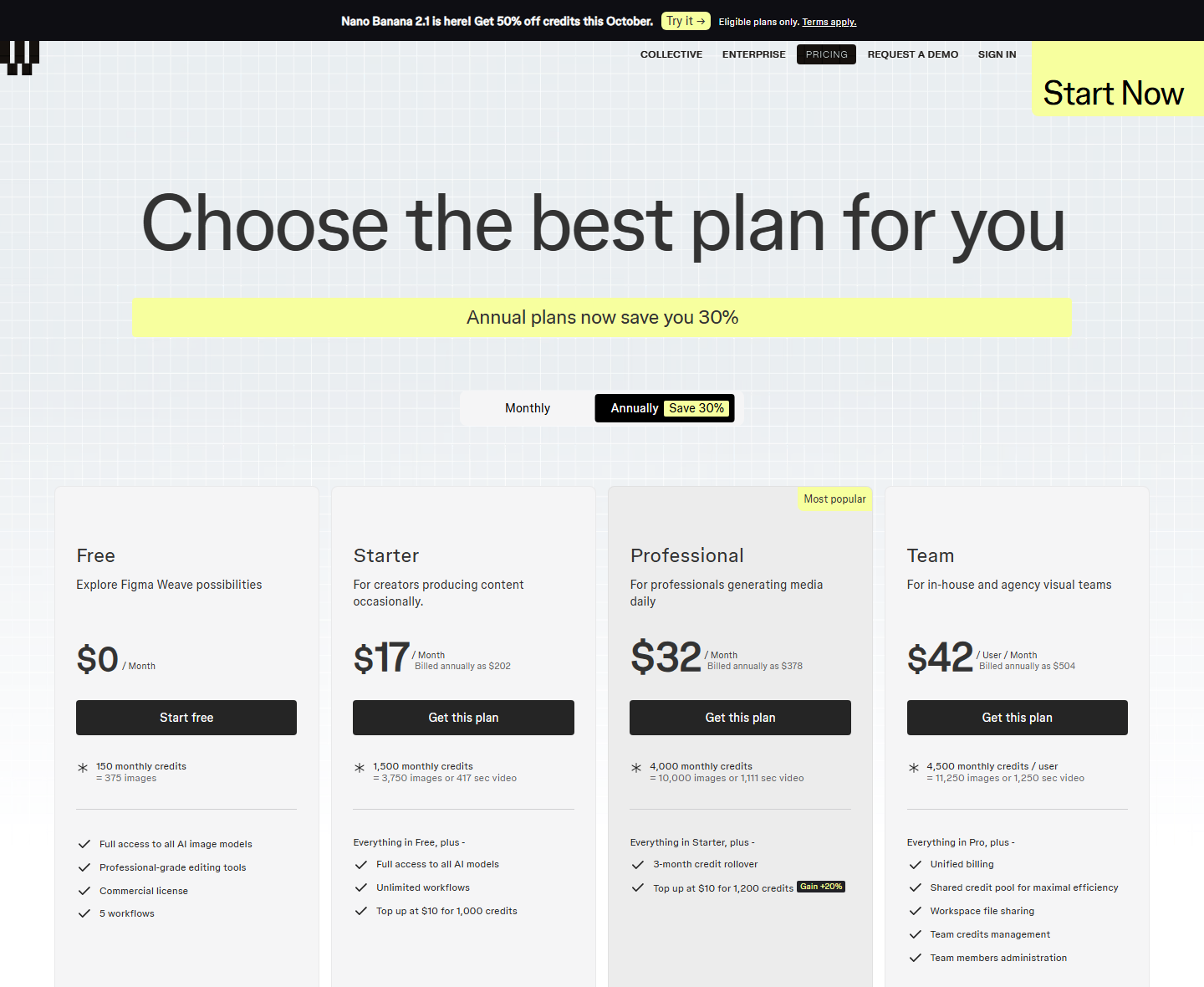
Two notes. Annual billing now saves 30%, and third-party trackers we checked the same day still showed older annual prices of $228 and $432, so trust the live page. The banner offering 50% off credits this October applies to one model, Nano Banana 2.1, on paid plans until 31 October 2026. Budget on list prices, as we also suggest in our Flora AI pricing breakdown.
Build this in Wireflow
Make the same kind of asset on a canvas you control, with a free account and no credit card.
What one Weave credit costs in dollars
Every conversion below starts with the price of one credit: the plan price divided by its monthly credits. Annual billing lowers the price while the plan cards show the same credits, so each credit costs 30% less, the same sum we use for other usage-based AI pricing models.
| Plan | Per credit, monthly billing | Per credit, annual billing | Per credit, top-up |
|---|---|---|---|
| Starter | 1.60 cents | 1.12 cents | 1.00 cent |
| Professional | 1.13 cents | 0.79 cents | 0.83 cents |
| Team (per user) | 1.33 cents | 0.93 cents | 0.83 cents |
Professional is the cheapest way to buy plan credits; Team costs more per credit because it adds the shared pool and admin controls. On monthly billing, top-up credits are cheaper than plan credits on every tier, and they last 12 months. Keep these figures next to any other credit pricing you compare.
What Weave credits cost per image and per second of video
Figma publishes a Models Pricing List with the credit cost of one run of each model, about 250 entries when we read it. The tables multiply those credits by the monthly-billing cost per credit. For a second set of numbers to hold these against, our page on a Figma Weave alternative covers a canvas that shows each node's cost before a run.
Cost per image
| Model | Credits per image | On Starter | On Professional |
|---|---|---|---|
| Flux Fast | 0.4 | $0.0064 | $0.0045 |
| Seedream V5 Edit | 4 | $0.064 | $0.045 |
| Flux 2 Pro | 5 | $0.08 | $0.056 |
| GPT Image 1.5 Edit | 7 | $0.112 | $0.079 |
| Nano Banana 2 | 8 to 18 | $0.128 to $0.288 | $0.09 to $0.203 |
| Recraft V4 Standard | 9 | $0.144 | $0.101 |
| Nano Banana Pro | 15 to 30 | $0.24 to $0.48 | $0.169 to $0.338 |
| Topaz Upscale | 19 | $0.304 | $0.214 |

Images are cheap on every plan, but the spread is wide: one Nano Banana Pro image at its top setting costs as much as 75 Flux Fast images. Figma Weave's knowledge center says settings such as resolution change a model's credit cost, which is why some rows are ranges; our overview of node-based image generation shows how these models chain together.
Cost per second of video
| Model | Credits on Figma's list | Credits per second | On Starter, per second | On Professional, per second |
|---|---|---|---|---|
| Kling Video 1.6 Standard | 18 for 5 s | 3.6 | $0.058 | $0.041 |
| Seedance 1.5 Pro | 25 to 74 for 4 to 12 s | About 6.2 | $0.10 | $0.07 |
| Kling Video 2.5 Turbo Pro | 35 for 5 s | 7 | $0.112 | $0.079 |
| Runway Gen-4.5 | 70 for 5 s | 14 | $0.224 | $0.158 |
| Kling 3 Standard | 60 to 300 for 3 to 15 s | 20 | $0.32 | $0.225 |
| Seedance 2 Standard | 102 to 381 for 4 to 15 s | About 25.5 | $0.41 | $0.29 |
| Kling 3 Pro | 80 to 440 for 3 to 15 s | 26.7 to 29.3 | $0.43 to $0.47 | $0.30 to $0.33 |

Veo 3.1 is listed per run with no clip length: 120 credits for Fast and 320 for Standard, which is $1.92 or $5.12 on Starter and $1.35 or $3.60 on Professional. For how Google's model is priced elsewhere, see our Veo 3.1 pricing guide.
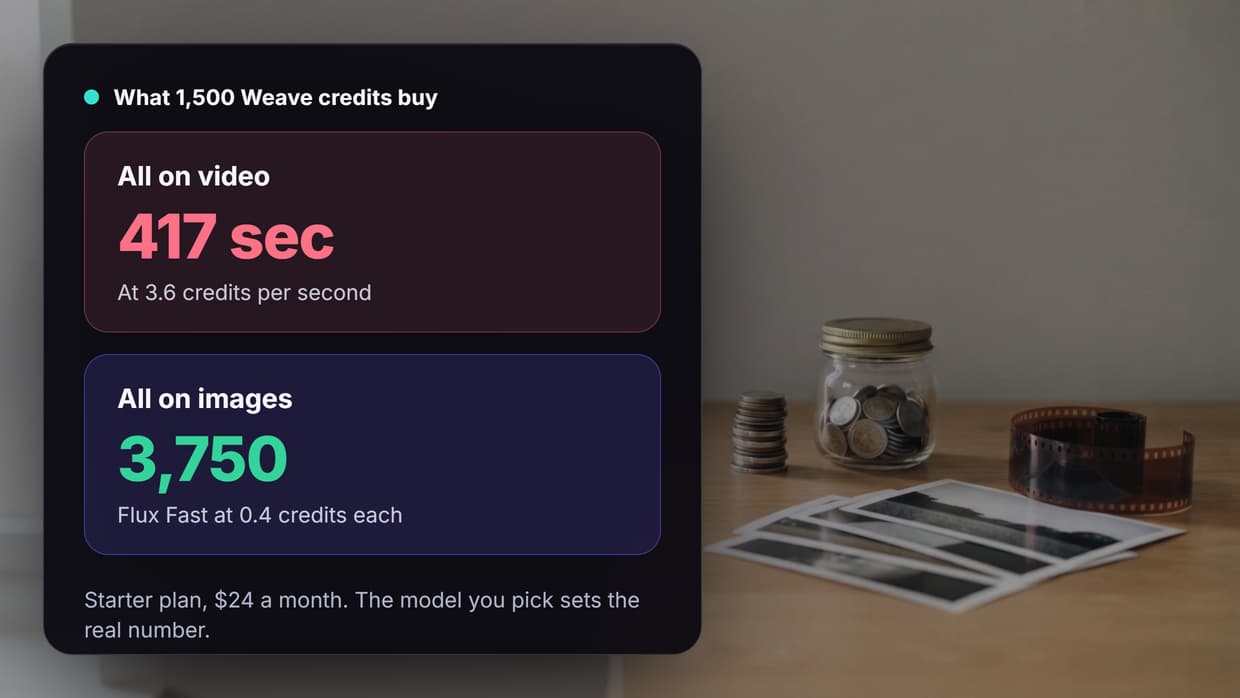
Figma's plan cards say Starter's 1,500 credits equal 3,750 images or 417 seconds of video. Both are best cases: Flux Fast at 0.4 credits, and 3.6 credits per second, which matches the 18-credit, five-second entry for Kling Video 1.6 Standard. Spend the same credits on Kling 3 Standard and you get 75 seconds, not 417.
One caution: Figma's two pages do not always agree. Dividing Starter's credits by the pricing page's output table gives about 6 credits per Nano Banana 2 image and 88 per Veo 3.1 clip, while the model list shows 8 to 18 and 120 to 320. Budget with the higher figure and confirm on the canvas, where the credit cost appears when you click a model's node, a good habit in any visual node editor.
What a real job costs once retries are counted
Example 1: a product image set. A store needs 40 final images and generates three options for each: 120 runs. On Flux 2 Pro that is 600 credits, about $9.60 of Starter's allowance. On Nano Banana Pro at 15 credits it is 1,800 credits, more than Starter includes, so add a $10 top-up. Our guide to generating AI product images for an online store covers that kind of job.
Example 2: ten short video ads. Each ad uses three 5-second clips, with two attempts per clip you keep: 60 video runs, plus 30 keyframe stills on Nano Banana 2 (240 credits). The model decides the bill, as our Seedance pricing comparison also found:
- Seedance 1.5 Pro, about 31 credits a clip: 2,100 credits. It fits inside Professional, or costs $34 on Starter with one $10 top-up.
- Kling 3 Standard, 100 credits a clip: 6,240 credits. That is $65 on Professional with two $10 top-ups, or $74 on Starter with five.
- Veo 3.1 Standard, 320 credits a run: 19,440 credits. That is $175 on Professional with thirteen $10 top-ups.
Starter has the lowest price, but for steady video Professional plus top-ups costs less. If you bill clients, build the retry rate into the quote, as we explain in how much to charge clients for AI UGC ads.
Rollover, top-ups and other rules that change the bill
- Rollover is Professional and Team only. Base credits roll over up to 3x the monthly amount while you stay subscribed. Starter and Free credits reset monthly.
- Top-ups last 12 months, even if you change plan. The Free plan cannot buy them.
- Free has no video. The output table shows a dash for every video model on Free.
- Team credits are pooled. Each user adds 4,500 credits, and admins can set an allocation per user.
- A Figma plan does not cover it. Figma and Figma Weave have separate plans and credits, and Weave tools inside Figma Design use Figma AI credits.
- No refunds. Fees are non-refundable, and cancelling takes effect at the end of the term.
Automation is the other limit. The pricing page lists "Run workflows through API" and your own API keys only under Enterprise, so self-serve plans run by hand on the canvas. Our Figma Weave API page covers what that means if a workflow must run from code.
Which Figma Weave plan fits which team
- Free: a first look with image models. Its 150 credits cover about 30 Flux 2 Pro images.
- Starter: a solo creator who mostly makes images. Its 1,500 credits cover 15 five-second Kling 3 Standard clips.
- Professional: steady video volume. It has the lowest cost per credit, and its credits roll over.
- Team: studios that need a shared pool and per-user limits, at a higher cost per credit.
- Enterprise: API runs, your own API keys and custom credit allocation.
Bottom line on Figma Weave pricing
Figma Weave's plan prices are simple and its model list is public, so the real cost is easy to work out: about 1.1 to 1.6 cents a credit on monthly billing, under a cent for a draft image, and from about 4 to 47 cents for each second of video in the table above. Check the credit number on the node, budget for retries, and pick the plan by your video volume. For a wider view, see our guide to AI creative workflow platforms.
Try it yourself: Open this prompt-to-image workflow in Wireflow - the text input and Recraft V4 image nodes are pre-configured, and the node shows its credit cost before you run it.
Frequently asked questions about Figma Weave pricing
How much does Figma Weave cost per month?
$0 on Free, $24 on Starter, $45 on Professional and $60 per user on Team, with custom Enterprise pricing. Billed annually, the paid plans cost $202, $378 and $504 per user a year. Our Weavy vs Flora comparison sets these against a seat-based rival.
Is Weavy pricing the same as Figma Weave pricing?
Yes. Figma's help center calls Figma Weave the new name for Weavy, and weavy.ai/pricing redirected to weave.figma.com/pricing on 11 October 2026, so there is one price list. Our notes on Weavy workflows still apply to the canvas.
Is Figma Weave free?
There is a Free plan with 150 credits a month, all AI image models, 5 workflows and a commercial license. It has no video models and no top-ups. For other no-cost options, see our comparison of free AI image generators.
How much does one Figma Weave credit cost?
On monthly billing, 1.6 cents on Starter, 1.13 cents on Professional and 1.33 cents on Team. Annual billing lowers each by 30%, and top-ups cost 1 cent on Starter or 0.83 cents on Professional and Team. Pay-per-run platforms price differently, as our fal.ai pricing page shows.
Do Figma Weave credits roll over?
Only on Professional and Team, where base credits roll over up to 3x the monthly amount. Starter and Free credits reset each month. Top-up credits last 12 months on any paid plan, which helps if you run batch AI generation in bursts.
Is Figma Weave included in a paid Figma plan?
No. Figma lists them as separate products with separate plans, and Figma credits cannot be used in Figma Weave or the other way round. To compare other canvases, see our Weavy alternatives roundup.
Does Figma Weave pricing include API access?
Not on self-serve plans. The pricing page lists API workflow runs and your own API keys only under Enterprise, which means contacting Figma. If that is why you are comparing prices, see our page on a Weavy alternative with an API.

Co-Founder & Operations at Wireflow
Runs client operations and content strategy at Wireflow. Works directly with creative teams and agencies to build production AI workflows.
- Content Strategy
- Client Operations
Get unlimited ad creatives today.
One call to see if we are a fit and scope the first ad. If it fits, your first batch lands inside week one.