Higgsfield Genjutsu Alternative: 7 Tools for Swapping Objects in Real Video (2026)

In this article▾
- Quick summary
- What Higgsfield Genjutsu does and costs
- 1. Wireflow: Best overall
- The same Object Swap job, run on Wireflow
- 2. Runway Aleph: Best for broad in-context edits
- 3. Kling AI Motion Control: Best for motion transfer
- 4. Luma Ray3.2 Modify Video: Best for longer takes
- 5. Viggle AI: Best for character swaps
- 6. Pika: Best for quick app edits
- 7. Wan-Animate: Best open-weights option
- Comparison table
- Which tool suits which job
- FAQ
- Conclusion
Looking for a Higgsfield Genjutsu alternative? Genjutsu edits a clip you already shot, keeping the motion, camera and timing while it swaps a person, product or setting from your reference images, at 104 credits for 15 seconds of 720p. We read its limits and prices from Higgsfield's own pages on 13 October 2026, compared seven tools, and ran the same object swap on Wireflow, the node-based AI canvas we build. We compete with Higgsfield, so read this as a competitor's guide.
The short version: our 5 second, 720p product swap cost 102 credits ($1.07 to $1.53 by plan) and took 2.4 to 4.6 minutes, while Genjutsu takes longer clips and far more references. Its plans are in our Higgsfield AI pricing guide. If you need static product ads instead of edited video, see our Higgsfield Ads Studio alternative, which keeps every headline out of the image model so it is always spelled right.
Quick summary
- Wireflow: object swap, restyle and motion transfer as rerunnable nodes. Best overall
- Runway Aleph: adds, removes and transforms objects in a clip. Best for broad edits
- Kling AI Motion Control: copies a performance onto a character image. Best for motion transfer
- Luma Ray3.2 Modify Video: restyles footage, keeps the performance. Best for longer takes
- Viggle AI: drops a character into an existing moment. Best for character swaps
- Pika: Swap Anything and Motion Transfer apps. Best for quick app edits
- Wan-Animate: open weights for character replacement. Best open-weights option
What Higgsfield Genjutsu does and costs
Higgsfield announced Genjutsu on its blog on 31 August 2026 with two modes. Motion Transfer keeps a source clip's movement, camera and timing and rebuilds the scene from your references. Object Swap changes one named element, such as a person, outfit, product or location, and leaves the rest of the shot as filmed. The Genjutsu page and launch post do not mention API access, so our list of Higgsfield API alternatives covers routes from code.
| Setting | What Higgsfield lists |
|---|---|
| Source video | 1 clip, 4 to 30 seconds |
| Reference images | Up to 30 per generation |
| Prompt | Optional, 30+ presets |
| Output | Up to 1080p |
| 15 s at 480p / 720p / 1080p | 40 / 104 / 144 credits, about $2.00 / $5.20 / $7.20 |

Both modes cost the same, and Higgsfield notes that "credit costs may vary by generation settings". Starter ($19 for 270 credits) lists no free Genjutsu generations, while Plus ($59) and Ultra ($129) each include 3 free ones at 720p. The dollar estimates assume about 5 cents a credit; on Ultra's annual price of $99 a month, 104 credits cost about $3.43. It suits creators who want one app, long takes and many references; for agent-driven work, see our Higgsfield MCP alternatives.
Build this in Wireflow
Make the same kind of asset on a canvas you control, with a free account and no credit card.
1. Wireflow: Best overall
Wireflow puts video-to-video models on one canvas as nodes: Kling O3 Edit Video for object swaps, Kling O3 Reference V2V for restyles, Kling Motion Control, and Wan Animate Replace and Move. Each graph becomes a reusable AI video workflow.
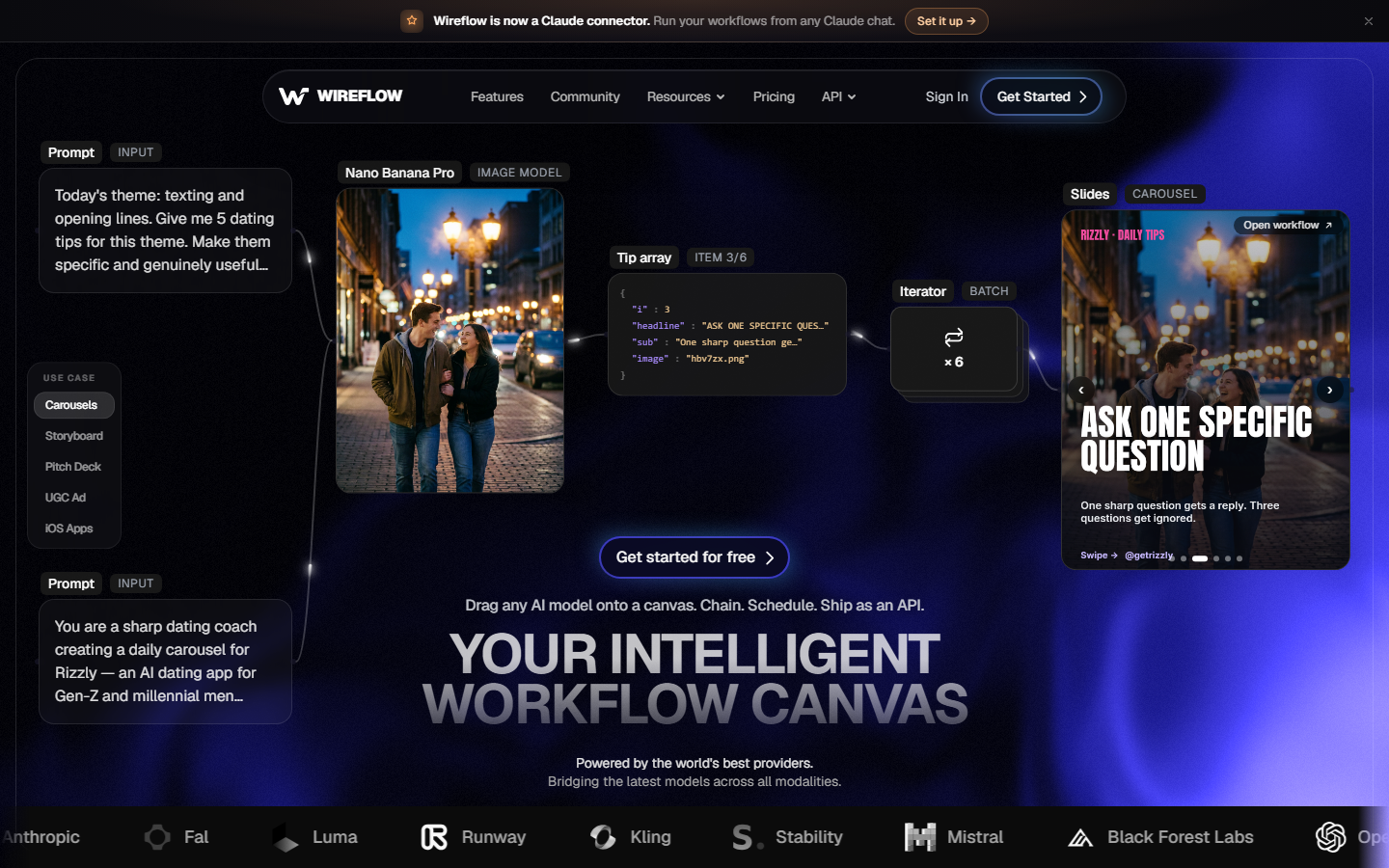
The limits are tighter than Genjutsu's. Kling O3 Edit Video takes a 3 to 15 second MP4 or MOV at least 720 px on each side, with at most 4 character elements and reference images combined. A 30 second take runs as two clips, which you can chain in one AI video pipeline.
The same Object Swap job, run on Wireflow
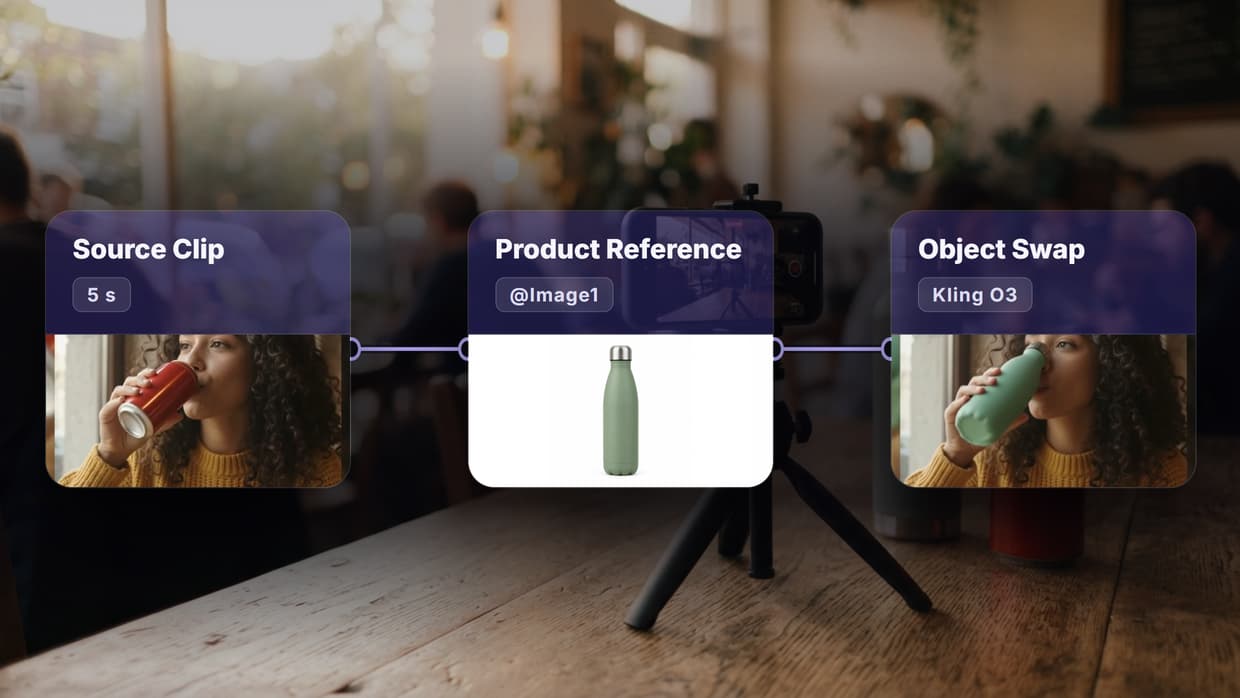
We tested an ad variation, one of Genjutsu's listed jobs: put a different product in someone's hand without a reshoot. The source was a 5 second, 720p clip of a woman at a cafe table lifting a plain red can, made with Gemini Omni Flash 1.1; the reference was a green bottle made with GPT Image 2.5 Flare. Both fed a four-node graph in the visual node editor ending in Kling O3 Edit Video at standard quality.
The exact prompt, with the clip wired in as @Video1 and the photo as @Image1:
Replace the red soda can in @Video1 with the green water bottle in @Image1. She lifts the bottle, turns it toward the camera, drinks from it and sets it back on the table, exactly as in the original clip. Keep her face, curly hair, mustard sweater, hand movements, the cafe background, the camera motion and the lighting unchanged.
| Measure | Run 1 | Run 2, same inputs |
|---|---|---|
| Credits used | 102 | 102 |
| Kling node time | 145.5 seconds | 278.8 seconds |
| Output | 5 s, 1280x720, 24 fps, audio kept | Same |
At current plan prices on 13 October 2026 ($24 for 1,600 credits on Starter, $45 for 4,300 on Professional), 102 credits cost $1.53 or $1.07. That is about 31 or 21 cents a second, against about 35 cents for Genjutsu at 720p on Higgsfield's estimate (per second, as the clips differ in length).

The swap held in every frame: her face, sweater, hands and the cafe matched the source, and the bottle kept its steel cap on the table. While she drank, it took on the can's shorter shape and the cap turned dark. Our list of AI video editing APIs covers other models for a second take.
2. Runway Aleph: Best for broad in-context edits
Runway describes Aleph as an in-context video model that can add, remove and transform objects, generate new angles and change style and lighting, on all paid plans. See our Runway Aleph competitors.

3. Kling AI Motion Control: Best for motion transfer
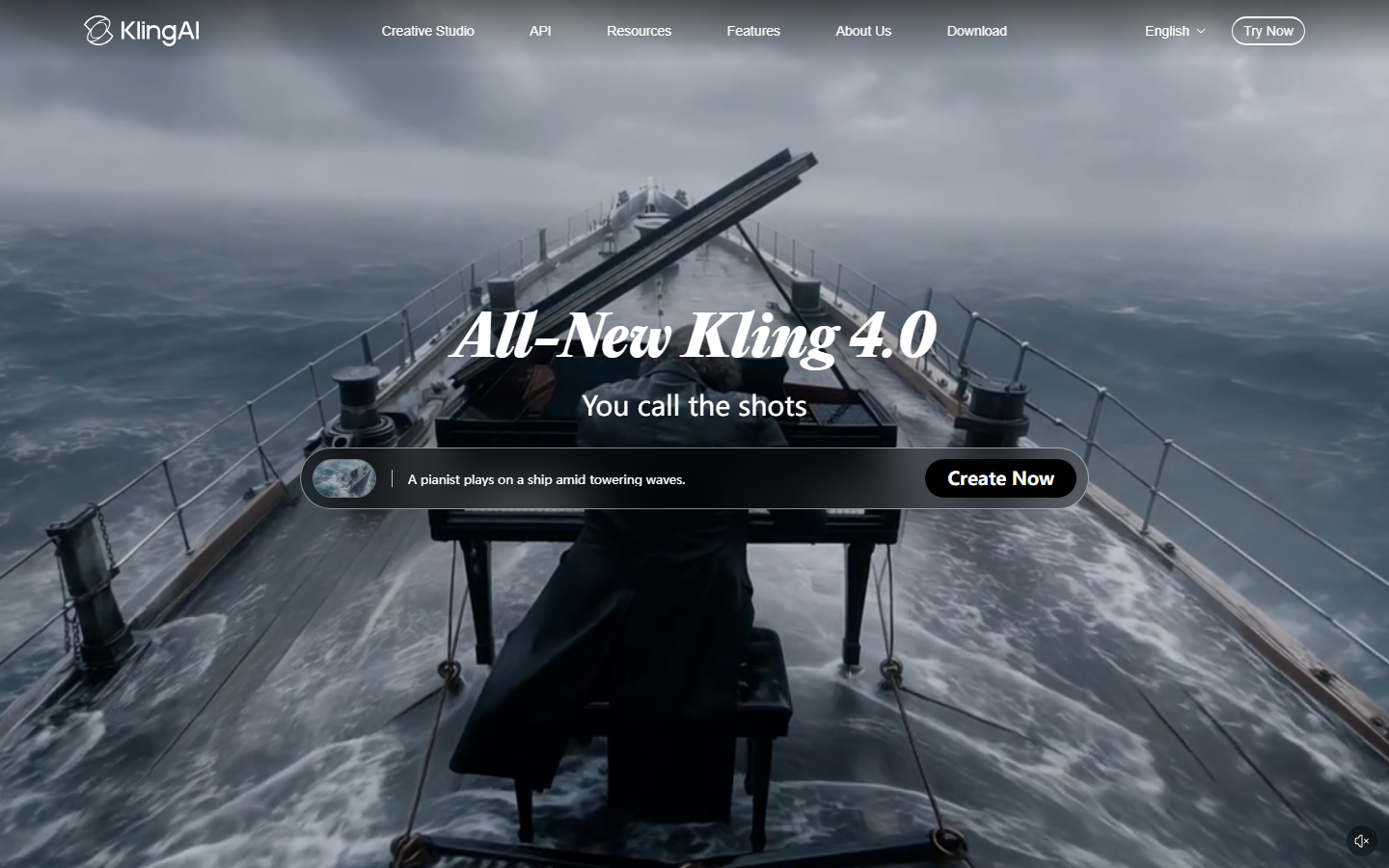
Kling AI Motion Control animates a character image with the movement and expressions from an uploaded video or its motion library. Its guide lists VIDEO 3.0 at 12 credits a second on Professional and 9 on Standard, and VIDEO 2.6 accepts 3 to 30 second motion videos. It builds a new clip from a still rather than editing your scene; see our Kling AI pricing guide.
4. Luma Ray3.2 Modify Video: Best for longer takes
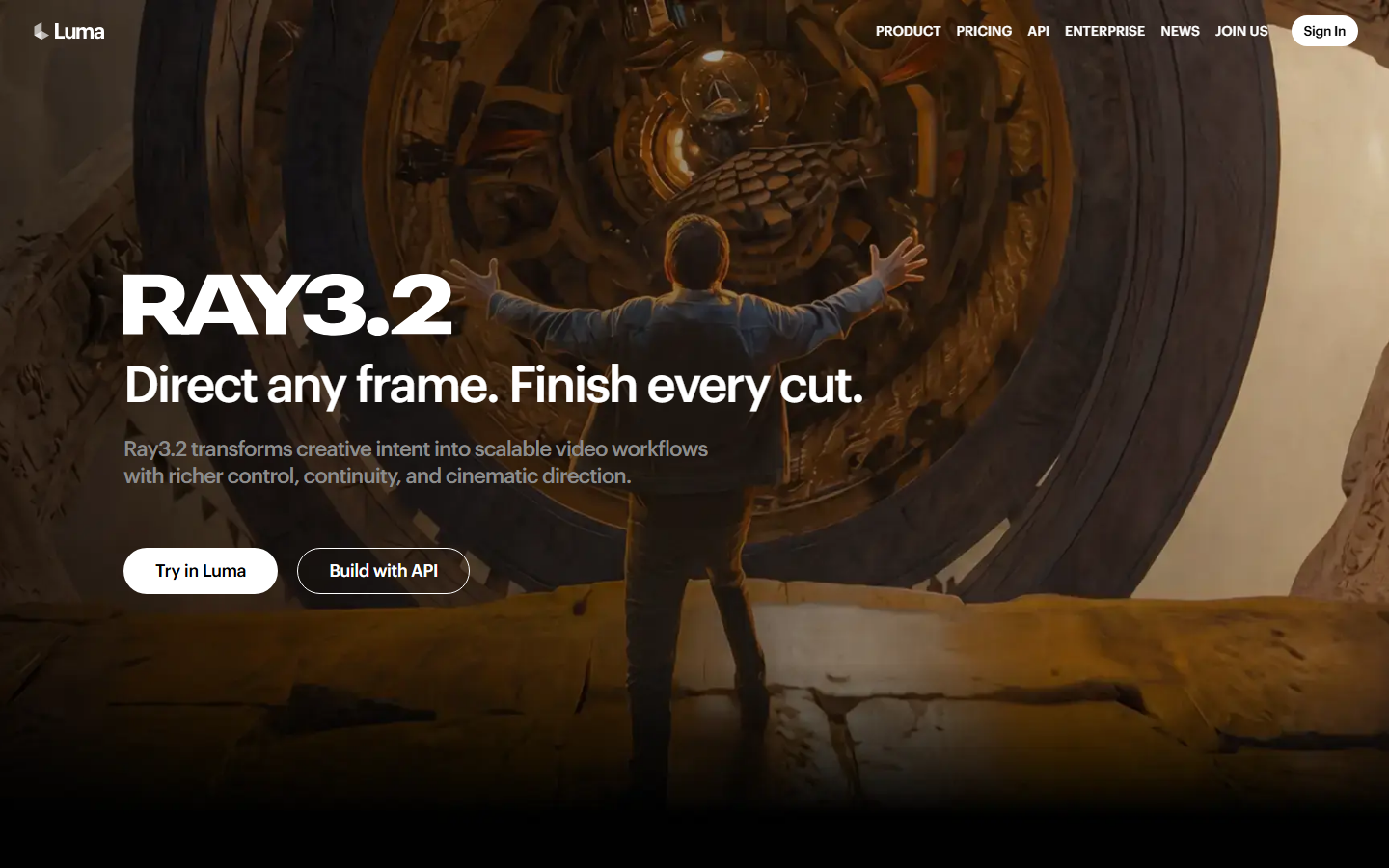
Luma says Modify Video V2 "reshapes footage you already have", swapping "the wall, the world, the wardrobe" while the performance and timing carry through. It takes up to 20 seconds at 24 fps and outputs 1080p, though shaky, fast or dark footage gives weaker results. See our Luma API tools.
5. Viggle AI: Best for character swaps
Viggle, built on its own JST model, has a Meme Maker that swaps one or several characters into an existing moment, and PINOC turns "a phone video clip into production-ready motion in minutes". It changes who is on screen rather than the props, so pair it with an AI character creator for the reference.

6. Pika: Best for quick app edits
Pika lists Swap Anything and Motion Transfer among its video apps, next to Extend Video and Pika Soundtrack. The homepage gives no limits or prices for either. See our Pika API tools for code access.

7. Wan-Animate: Best open-weights option
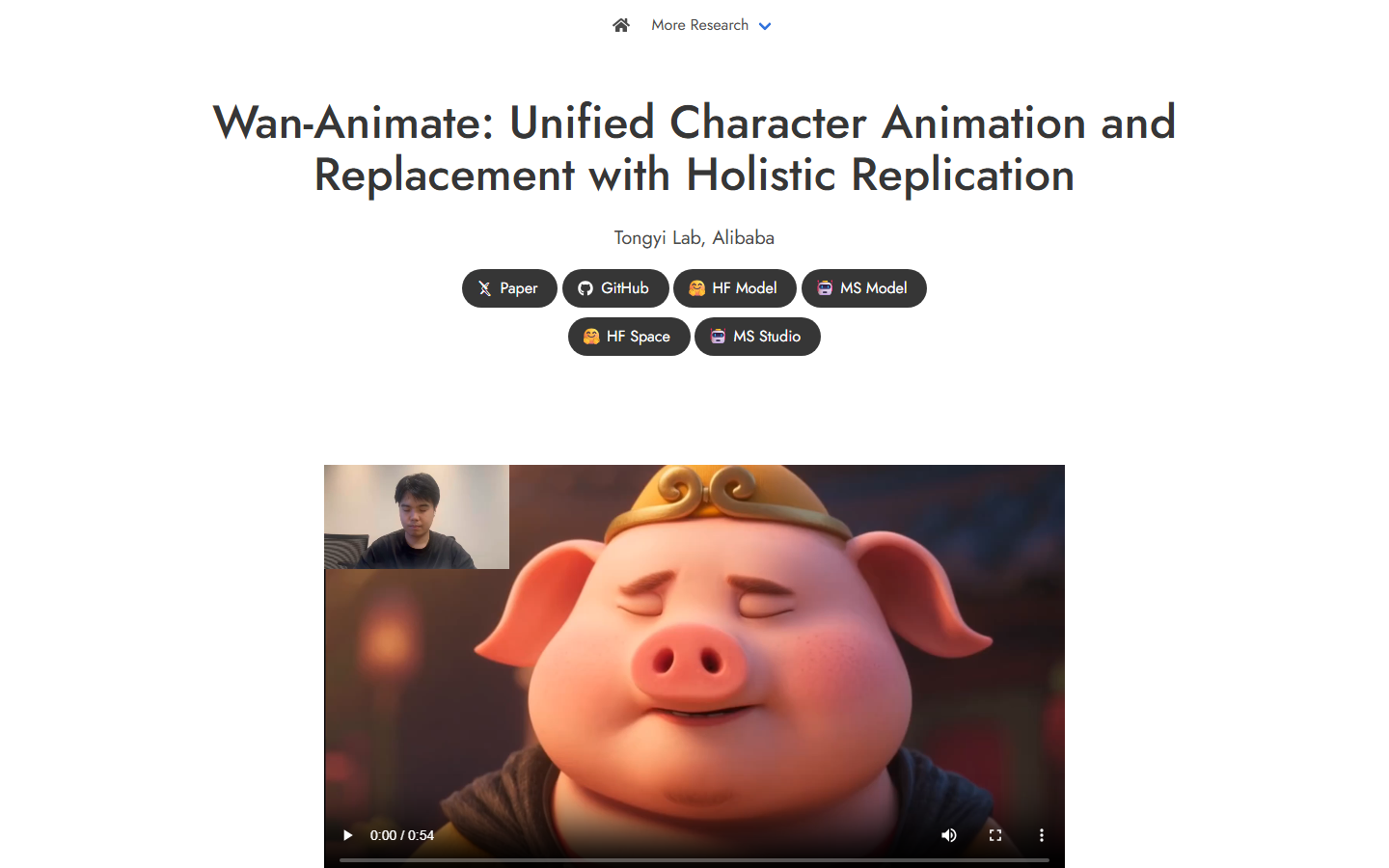
Wan-Animate, from Alibaba's Tongyi Lab, animates a character from a performer's video or replaces the person in a clip while "replicating the scene's lighting and color tone". The weights are on Hugging Face as Wan2.2-Animate-14B, but the project page calls it "intended solely for academic research and effect demonstration", so check the license. See our hosted Wan API tools.
Comparison table
Rows come from vendor pages on 12 or 13 October 2026. For agent-run edits, see our agentic video editing platform page.
| Tool | Edits the original clip | Reference input | Clip length | Price shown |
|---|---|---|---|---|
| Higgsfield Genjutsu | Yes, swap or motion transfer | Up to 30 images | 4 to 30 s | 104 credits per 15 s at 720p |
| Wireflow (Kling O3 Edit Video) | Yes, swap or restyle | Up to 4 combined | 3 to 15 s | 102 credits for 5 s on our run |
| Runway Aleph | Yes | Not stated | Not stated | Paid plans |
| Kling Motion Control | No, animates a still | 1 character image | 3 to 30 s motion video | 9 to 12 credits a second |
| Luma Modify Video | Yes, restyle | Not stated | Up to 20 s at 24 fps | Not stated |
| Viggle | Character swap | Character image | Not stated | Not stated |
| Pika | Swap Anything app | Not stated | Not stated | Not stated |
| Wan-Animate | Character replacement | 1 character image | Not stated | Free weights, your hardware |
Which tool suits which job
- One app, long takes, many outfits or products: Genjutsu.
- Swaps inside a pipeline you rerun or call from code: Wireflow, priced per run.
- Broad edits, new angles and relighting: Runway Aleph.
- A new character copying a real performance: Kling Motion Control or Viggle.
- Your own hardware, no per-clip fee: Wan-Animate.
Moving more than swaps off Higgsfield? Our page on a Higgsfield alternative for agent workflows covers the rest.
Try it yourself: Build this workflow in Wireflow. The nodes are pre-configured with the exact setup above: upload your clip and product photo, then run Kling O3 Edit Video.
FAQ
What is Higgsfield Genjutsu?
Higgsfield's video-to-video tool: Motion Transfer rebuilds a scene around a clip's motion; Object Swap replaces one element.
How much does Higgsfield Genjutsu cost?
Higgsfield lists a 15 second clip at 40 credits (about $2.00) for 480p, 104 (about $5.20) for 720p and 144 (about $7.20) for 1080p, the same for both modes.
Is Genjutsu free on any Higgsfield plan?
Plus and Ultra each include 3 free 720p generations; Starter lists none. After that, runs spend credits.
What is the cheapest alternative to Higgsfield Genjutsu?
Wan-Animate's weights are free if you have a GPU. Hosted, our Kling O3 Edit Video run cost about 21 cents a second on Professional, against about 35 for Genjutsu at 720p. See also our Kling AI alternatives.
Can I swap a product in a video without reshooting?
Yes. Genjutsu, Runway Aleph and Kling O3 Edit Video all replace a named object and keep the shot, with small shape errors near faces. A video editing API can batch it.
How long can my source clip be?
Genjutsu takes 4 to 30 seconds, Luma up to 20 at 24 fps, Kling Motion Control 3 to 30, and Kling O3 Edit Video 3 to 15.
Conclusion
Genjutsu is a strong all-in-one pick for long takes and many references. When the swap is one repeatable step in a larger job, Wireflow runs it as a node you pay for per run, 102 credits for 5 seconds on our test, next to the rest of your AI video generator setup.

Co-Founder & Operations at Wireflow
Runs client operations and content strategy at Wireflow. Works directly with creative teams and agencies to build production AI workflows.
- Content Strategy
- Client Operations
Get unlimited ad creatives today.
One call to see if we are a fit and scope the first ad. If it fits, your first batch lands inside week one.