Magnific AI Pricing in 2026: Every Plan and the Cost per Upscale

In this article▾
Magnific AI pricing starts at $20 a month for Premium with 20,000 credits, then $45 for Premium+ and $110 for Pro Starter, and a 2K Precision upscale costs 6 to 9 cents. This guide lists every plan on Magnific's pricing page, turns credits into a dollar cost per upscale, and prices Topaz upscaling per image on Wireflow, the node-based AI canvas we build. We compete with Magnific, so read this as a buyer's guide from a competitor and confirm prices on its page before you pay.
The short version: Magnific sells one pool of credits that pays for its image, video and audio tools as well as its upscalers. On monthly billing, 1,000 credits cost about $1 on every individual plan, and annual billing brings that down to between $0.63 and $0.73. A 2K Precision upscale uses 90 credits, while a large enlargement of a small image can use up to 1,620. If you knew the company under its old name, our note on Freepik Spaces becoming Magnific covers the rename.
Magnific AI pricing at a glance
Magnific is the company formerly called Freepik, and its upscaler began as the standalone Magnific.ai. Today magnific.ai/pricing redirects to the main pricing page, where the upscaler is one tool in a credit-based suite that also includes Spaces, a shared canvas we compared with another one in Weavy vs Freepik Spaces.
| Plan | Monthly billing | Annual billing, per month | Annual total | Credits |
|---|---|---|---|---|
| Premium | $20 | $14.50 | $174 | 20,000 a month, 240,000 a year |
| Premium+ | $45 | $33.75 | $405 | 45,000 a month, 600,000 a year |
| Pro Starter | $110 | $82.50 | $990 | 112,500 a month, 1.5 million a year |
| Pro | $280 | $210 | $2,520 | 300,000 a month, 4 million a year |
| Business, per seat (2 seat minimum) | $69 | $55 | $660 | 45,000 a month per seat |
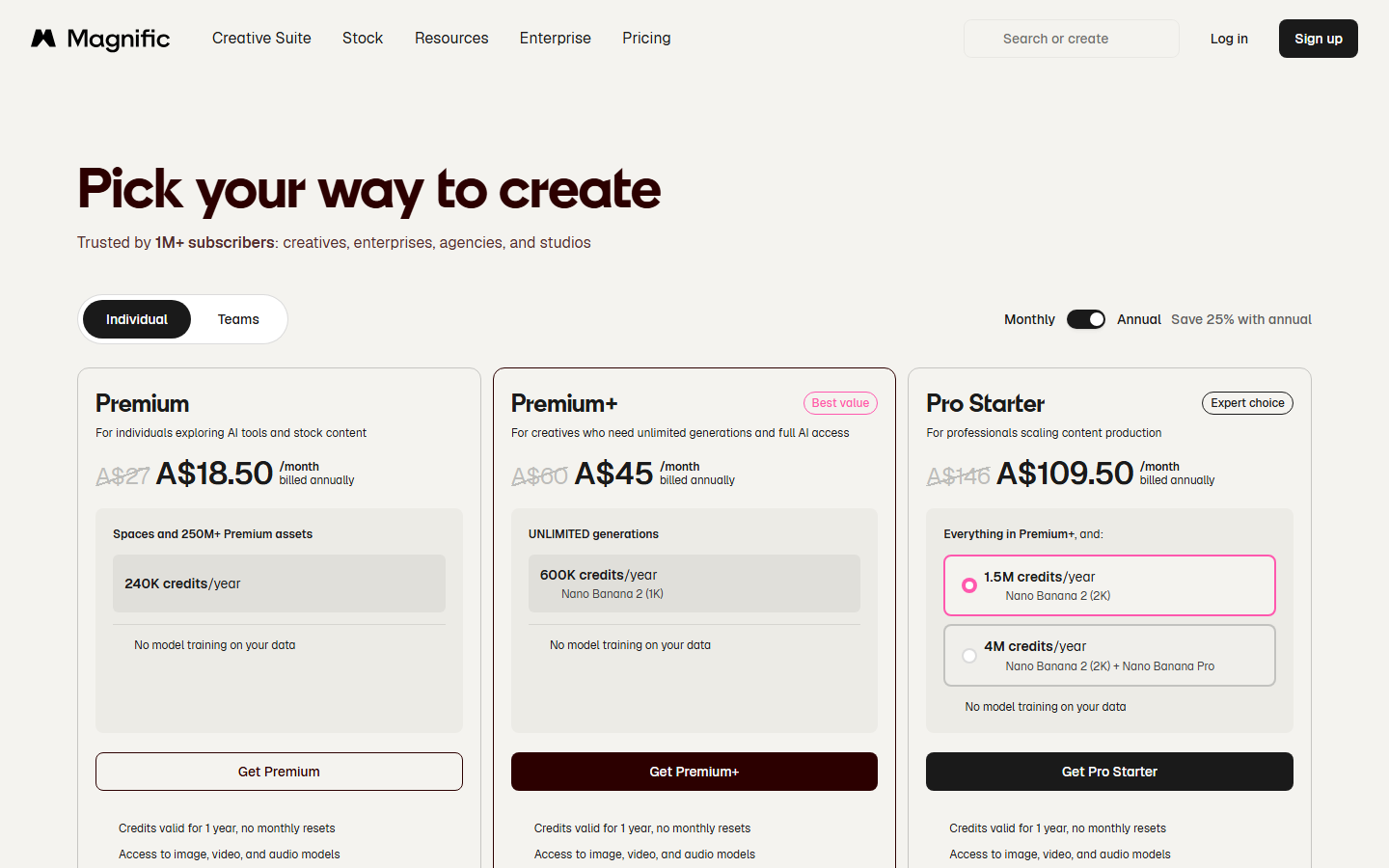
Magnific shows prices in the visitor's local currency. We read the live page on 17 October 2026 from Australia, where Premium is A$27 a month, so the US dollar figures come from the page's US version as archived on 11 October 2026. Both list the same plans and credit amounts, and prices exclude VAT and local taxes. Guides that rank for this search disagree on the US price, one listing Premium at $16, so check the page in your own currency, as we suggest in our Flora AI pricing breakdown.
Two details are easy to miss. Pro has no card of its own: it is the 4 million credit option inside the Pro Starter card. And the plan cards include no free tier, though the page promises a 30-day refund guarantee and no cancellation fees. Our roundup of free AI image generators covers tools you can try without paying.
Build this in Wireflow
Make the same kind of asset on a canvas you control, with a free account and no credit card.
How Magnific credits turn into dollars
Every AI tool on Magnific spends credits from the same balance, at a rate set for each tool. The price of 1,000 credits is the plan price divided by its credits, the same sum we use for other usage-based AI pricing models.
| Plan | Per 1,000 credits, monthly billing | Per 1,000 credits, annual billing |
|---|---|---|
| Premium | $1.00 | $0.73 |
| Premium+ | $1.00 | $0.68 |
| Pro Starter | $0.98 | $0.66 |
| Pro | $0.93 | $0.63 |
| Business | $1.53 | $1.22 |
Monthly billing gives almost no volume discount: every individual plan costs close to $1 per 1,000 credits. The saving comes from paying for a year up front, which takes 27 percent off Premium and 25 percent off the rest. Business seats cost the most per credit, which pays for shared workspaces and admin controls; agencies can weigh that against our list of AI video production software for agencies.

The credit rules on the pricing page and in its FAQ matter as much as the rate, and they are the same kind of fine print we flagged in our Figma Weave pricing guide.
- Annual credits arrive at once. Annual plans say "Credits valid for 1 year, no monthly resets."
- Monthly credits reset. On monthly billing, the FAQ says credits reset every month and unused credits do not roll over.
- Extra credits need Premium+ or Pro. They expire three years after purchase and are used only after plan credits run out. The pricing page does not list their price; its FAQ says to contact Magnific.
- Rates can change. Magnific reserves "the right to update credit costs at any time, without prior notice."
What one Magnific upscale costs
Magnific sells two image upscalers. Precision keeps the original content and sharpens it, which suits logos, product photos and text, while Creative, the original Magnific.ai upscaler, adds new detail guided by a prompt. If your photos are soft rather than small, our guide on how to sharpen blurry photos with AI may solve the problem with a lighter tool.
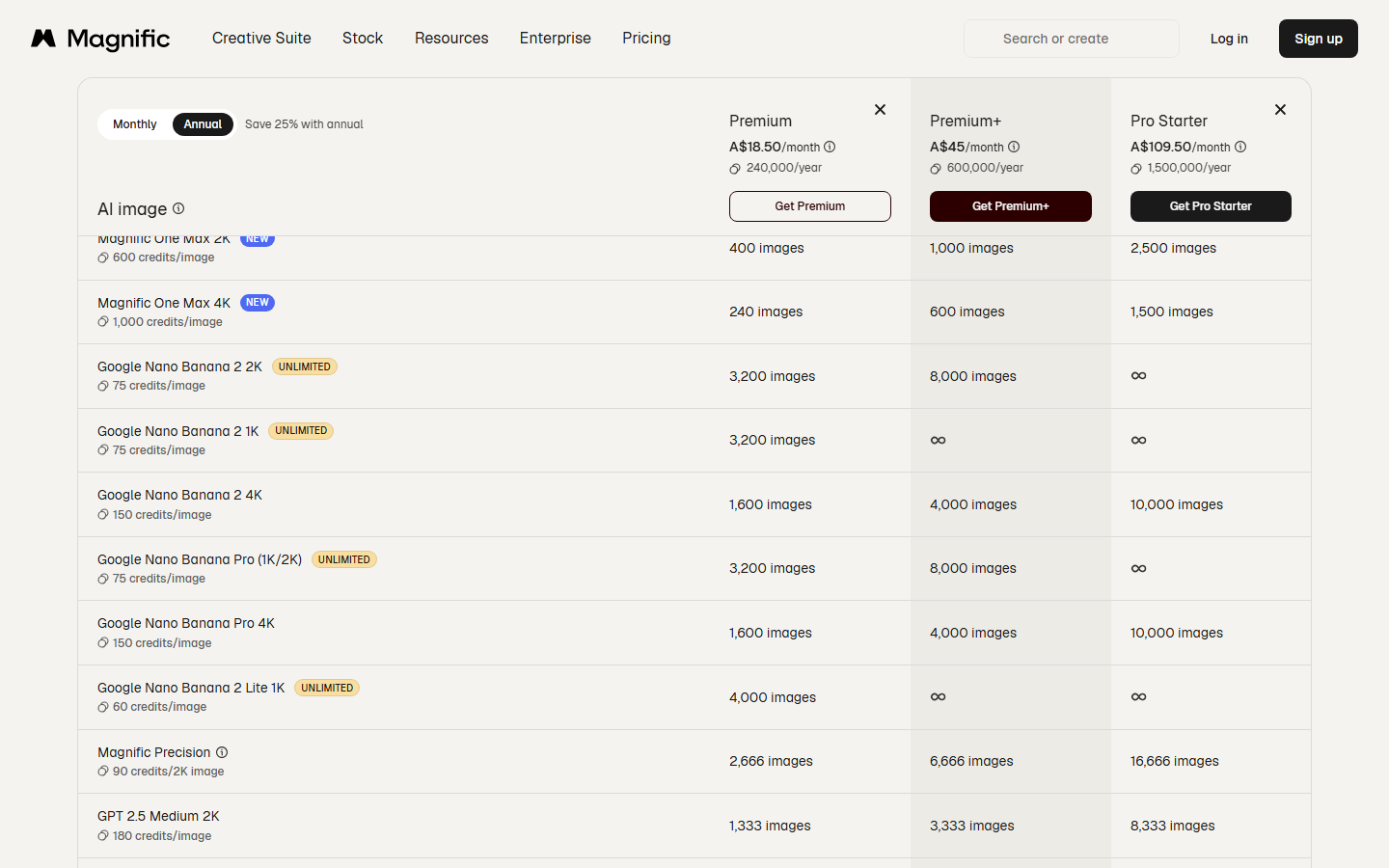
The pricing page gives a fixed figure only for Precision: 90 credits for a 2K image. A tooltip adds examples by source size, since the cost depends on the original size and the scale factor, and the table turns them into dollars. For catalogs, where upscaling follows generation, see how to generate AI product images for your online store.
| Source image | Credits listed | Premium or Premium+, monthly | Premium, annual | Pro, annual |
|---|---|---|---|---|
| Any image, upscaled to 2K | 90 | $0.09 | $0.07 | $0.06 |
| 600 x 600 | 90 to 1,620 | $0.09 to $1.62 | $0.07 to $1.17 | $0.06 to $1.02 |
| 1200 x 1200 | 180 to 1,530 | $0.18 to $1.53 | $0.13 to $1.11 | $0.11 to $0.96 |
| 2400 x 2400 | 270 to 1,350 | $0.27 to $1.35 | $0.20 to $0.98 | $0.17 to $0.85 |
A 2K Precision upscale is cheap on every plan. The range opens up when you enlarge a small image a long way: Magnific's example puts a 600 x 600 image at up to 1,620 credits, or $1.62 on a monthly plan. Small scans, like those in our guide to restoring old photos with AI, are where large factors get used, so hover over the Upscale button to see the exact charge first.
The Creative upscaler has no fixed credit figure, because the pricing page says the credits it needs depend on the image's "size, resolution, and a few other factors". Magnific's API reference for both upscalers lists example prices per upscale in euros instead, set by output size, much like the per-call tools in our list of image editing APIs:
| Input | Output | Factor | Listed API price |
|---|---|---|---|
| 640 x 480 | 1280 x 960 | 2x | €0.10 |
| 640 x 480 | 2560 x 1920 | 4x | €0.20 |
| 640 x 480 | 5120 x 3840 | 8x | €0.50 |
| 1280 x 720 | 2560 x 1440 | 2x | €0.10 |
| 1280 x 720 | 5120 x 2880 | 4x | €0.40 |
| 1920 x 1080 | 3840 x 2160 | 2x | €0.20 |
The API's own pricing page says every call deducts credits from your plan balance and that "Unlimited" allowances only cover the web app. Treat the euro table as a guide and check the charge in your dashboard, especially if you run batch image jobs through an API.
Cost per upscale is the fair way to compare Magnific with anything else, because a plan price hides what each output costs. If you use Magnific mostly for Spaces, our list of Freepik Spaces alternatives applies the same lens to other canvases; for upscaling alone, the Topaz comparison is in the last section.
What pushes the real cost higher
The tables show the best case: every credit used and every upscale kept. Three details change the real number, especially for video, where Magnific runs Topaz, a model we cover in our list of Topaz Video AI alternatives.
- Unlimited does not cover the upscaler. Premium+ and Pro include unlimited generations, but the FAQ applies them to "all image-editing tools except Upscaler", and a plan tooltip excludes Magnific from unlimited editing.
- Reruns are charged. Creative mode invents detail, so it can take more than one pass to get a result you keep, and each pass spends credits.
- Topaz video is billed per second. A plan tooltip lists the Topaz Video Upscaler at 150 credits a second for clips up to 8 seconds, so an 8 second clip uses 1,200 credits, or $1.20 at monthly rates. Topaz is included from Premium+ upward.

Which Magnific plan should you pick?
Pick by how many upscales you run each month, then by the other tools you will use, since most of each plan's price pays for the wider suite. If editing is the main job, our comparison of AI image editors covers lighter options.
- Premium ($20): 20,000 credits a month, about 222 Precision upscales at 2K. No extra credit purchases.
- Premium+ ($45): 45,000 credits, about 500 upscales, plus unlimited image generation, Topaz for video and extra credits.
- Pro Starter ($110): 112,500 credits, about 1,250 upscales, at a rate per credit barely below Premium+.
- Pro ($280): 300,000 credits, about 3,333 upscales, and the lowest annual rate per credit.
- Business ($69 a seat, two seats minimum): shared credits and admin controls at the highest rate per credit.
The bottom line
Budget 6 to 9 cents for a 2K Precision upscale on Magnific and up to $1.62 for a large enlargement of a small image, then add your reruns. Use the monthly price unless you will commit for a year, and remember that most of the subscription pays for video, audio, stock and unlimited image generation. If you also generate images by API, our Ideogram API pricing guide prices those per image.
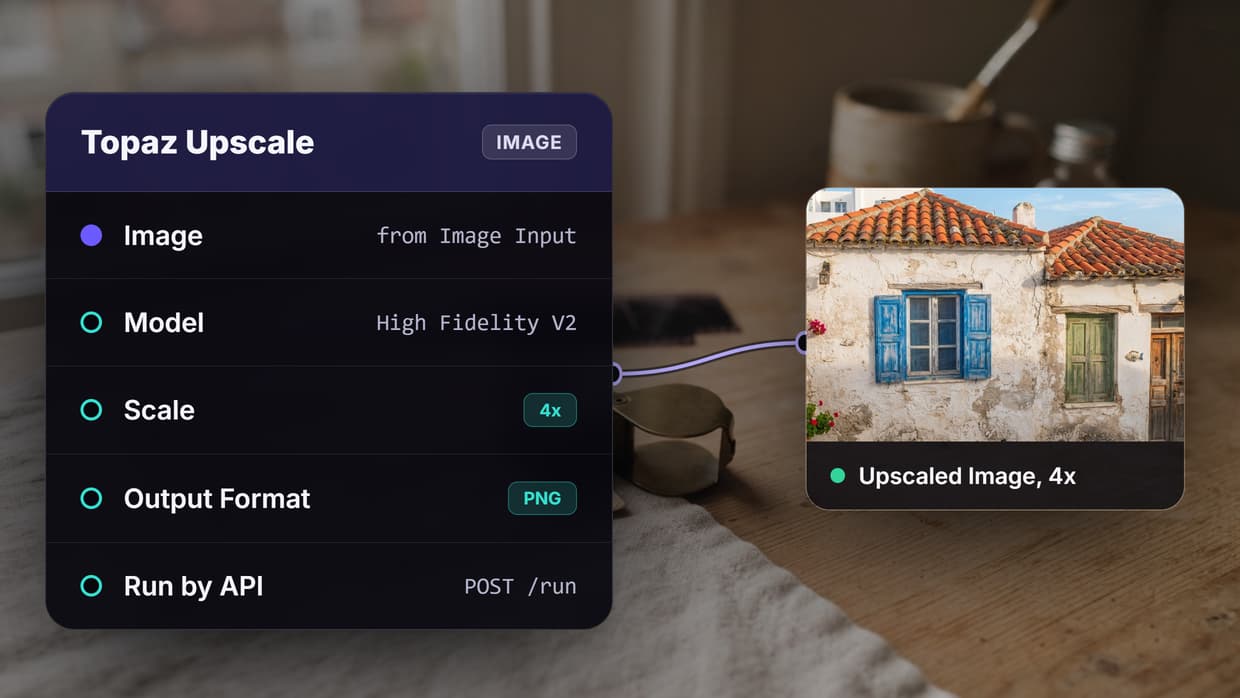
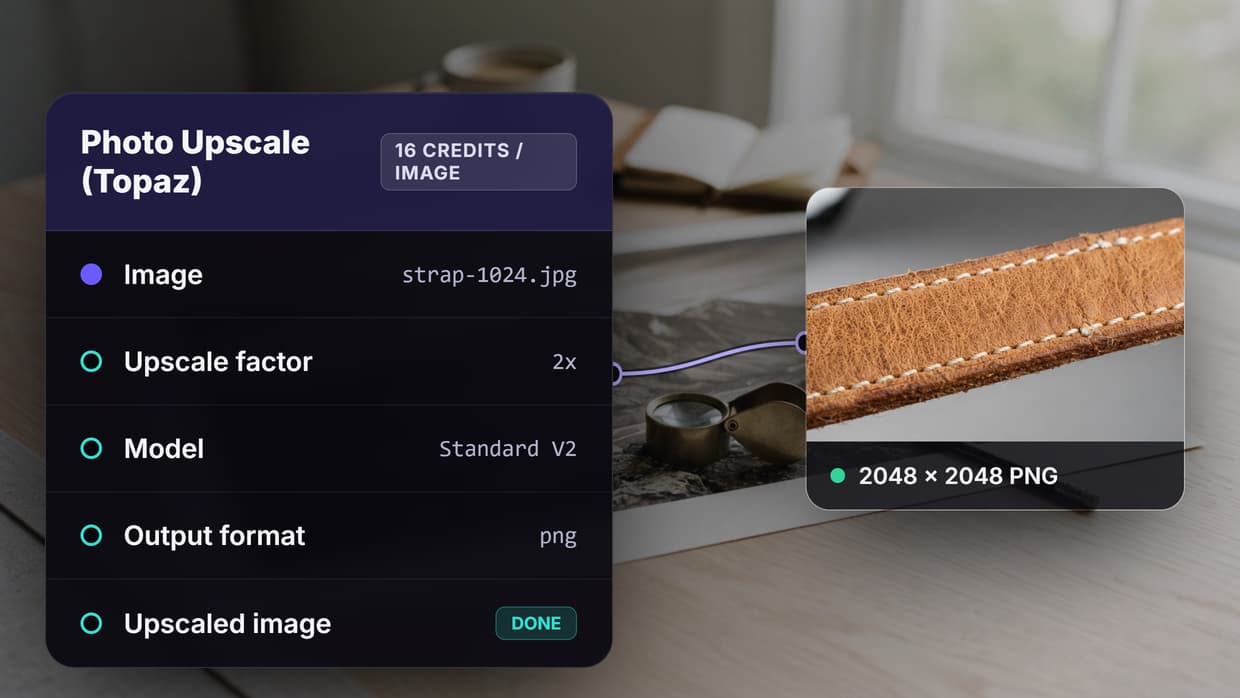
For comparison, the table below prices the same jobs per run on Wireflow, using its pricing page on 17 October 2026: Starter at $24 for 1,600 credits, Professional at $45 for 4,300, the Topaz Upscale node at 16 credits an image and Topaz Upscale Video at 4 credits a second. Magnific is cheaper for a standard 2K upscale. Wireflow lists Topaz per image rather than by output size and is cheaper for Topaz video; in our test run, a 1024 px product photo upscaled 2x by both Topaz and Crystal Upscaler used 22 credits in total. Settings differ between the two products, so check the cost shown before each run.
| Job | Magnific, monthly billing | Magnific Pro, annual billing | Wireflow Starter, $24 | Wireflow Professional, $45 |
|---|---|---|---|---|
| One image upscale to 2K (Magnific Precision, Topaz Upscale at 2x) | $0.09 | $0.06 | $0.24 | $0.17 |
| 8 second Topaz video upscale | $1.20 (Premium+ and up) | $0.76 | $0.48 | $0.33 |
Try it yourself: Run this Topaz upscale comparison in Wireflow. The nodes are pre-configured: one product photo goes into a Topaz Upscale node and a Crystal Upscaler node at 2x, so you can compare the detail and the credits each one uses.
FAQ
How much does Magnific AI cost per month?
On monthly billing in the US, Premium is $20, Premium+ is $45, Pro Starter is $110 and Pro is $280. Annual billing works out to $14.50, $33.75, $82.50 and $210 a month, before VAT and local taxes.
How many credits does a Magnific upscale use?
Magnific Precision uses 90 credits for a 2K image, which is $0.06 to $0.09 depending on plan and billing. Larger jobs cost more: Magnific's examples run up to 1,620 credits for a 600 x 600 source. The Creative upscaler has no fixed figure, and the app shows the cost before you run it.
Is Magnific AI the same as Freepik?
Yes. The pricing page is titled "Magnific (formerly Freepik)", and magnific.ai/pricing redirects to it. The upscaler draws on the same credit pool as the image, video and audio tools.
Is Magnific AI free?
The plan cards on the pricing page do not include a free tier. Paid plans come with a 30-day refund guarantee and no cancellation fees, according to the page.
Do Magnific credits roll over?
Annual plans list credits as "valid for 1 year, no monthly resets". On monthly plans, the FAQ says credits reset each month and unused credits do not carry over. Extra credits, sold to Premium+ and Pro users, expire three years after purchase.
Does the Magnific API cost extra?
API access is included in every plan "with credit-based usage". Every API call deducts credits from your balance, and unlimited allowances do not apply to the API. The API reference also lists example upscale prices from €0.10 to €0.50.
Does Premium+ include unlimited upscaling?
No. Premium+ includes unlimited image generation, but Magnific's FAQ excludes the upscaler from unlimited editing, so every upscale spends credits.

Co-Founder & Operations at Wireflow
Runs client operations and content strategy at Wireflow. Works directly with creative teams and agencies to build production AI workflows.
- Content Strategy
- Client Operations
Make AI videos and ads.
Start free, no card needed.