Veo 3 Prompts: 8 Tested on Veo 3.1 With Clips, Cost and Time

In this article▾
We ran 8 Veo 3 prompts through Veo 3.1 Fast on 20 October 2026, one run each: five passed the test they were written for, one partly passed and two failed. Below is every prompt word for word, the 8-second clip it made, what it cost and how long it took, so you can copy the patterns that held up and skip the ones that broke. We built the test on Wireflow, the node-based AI canvas we make, with each prompt feeding its own Veo 3.1 node.
A note on names: Google's Gemini API lists Veo 3.1 (Standard, Fast and Lite) and marks the original Veo 3 model IDs as deprecated, so a "Veo 3 prompt" today runs on Veo 3.1. The syntax carried over, as our Veo 3 review explains.
Results at a glance
| # | Prompt pattern | Result |
|---|---|---|
| 1 | Dialogue, line in quotes | Worked |
| 2 | Drone move with lens and light | Partly: no rise |
| 3 | Three timestamped shots | Failed: no cuts |
| 4 | Sound effect at a set moment | Worked, with an audio gap |
| 5 | 39-word line in 8 seconds | Failed: cut off, wrong speaker |
| 6 | Three lines of chalkboard text | Worked |
| 7 | Exclusions written with "no" | Worked |
| 8 | Same beach, Negative Prompt field | Worked |
All eight are plain text to video prompts with no start frame, so every result comes from the words alone.
Build this in Wireflow
Make the same kind of asset on a canvas you control, with a free account and no credit card.
How we ran the test
Each prompt fed a Veo 3.1 node set to Fast, 8 seconds, 16:9, 720p, sound on, with Auto Fix off so the model saw our exact text. All eight ran once, at the same time, with no seed and no retries, which is the kind of side-by-side setup node-based video generation makes easy.

One run per prompt is a small sample. Veo is not deterministic, and Standard quality may fix some of what Fast missed; the tiers are compared on our Veo 3.1 video API page.
The Veo 3 prompt structure we used
Google's Veo guides split a prompt into subject, action, scene, style, camera, lens, ambiance and audio, and say not every prompt needs every part. We used this order, which suits any text to video workflow:
- Shot and camera: "Medium close-up at eye level".
- Subject and action: who is in frame and the one thing they do.
- Setting, light and lens.
- Speech in quotes: the Gemini API docs say to use quotes for specific speech.
- Audio in its own sentence: Vertex AI's guide recommends separate sentences for audio, so we used "Audio:", "SFX:" and "Ambient noise:" labels.
Prompts 1 to 4: the patterns most guides recommend
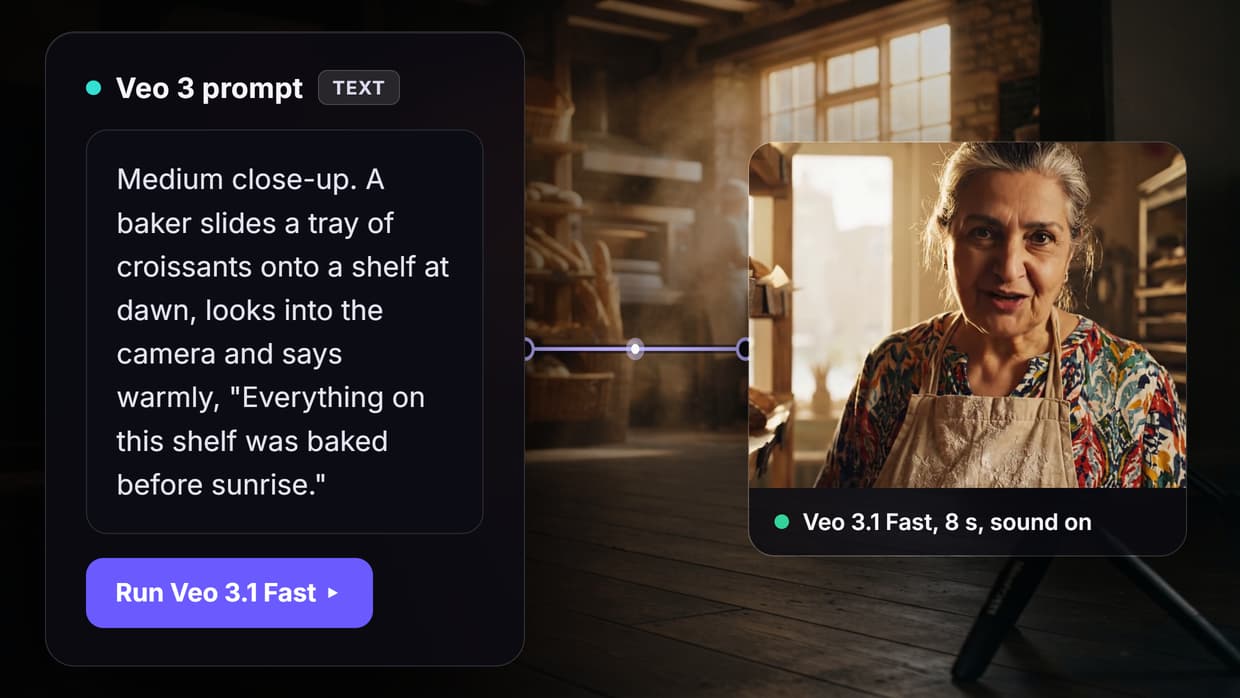
Prompt 1: dialogue with the line in quotes
Medium close-up at eye level. A baker in her sixties with a flour-dusted apron slides a tray of croissants onto a wooden shelf in a small bakery at dawn, then looks into the camera and says warmly, "Everything on this shelf was baked before sunrise." Soft window light from the left, shallow depth of field. Audio: her voice, the clink of the metal tray, a quiet radio in the back room.
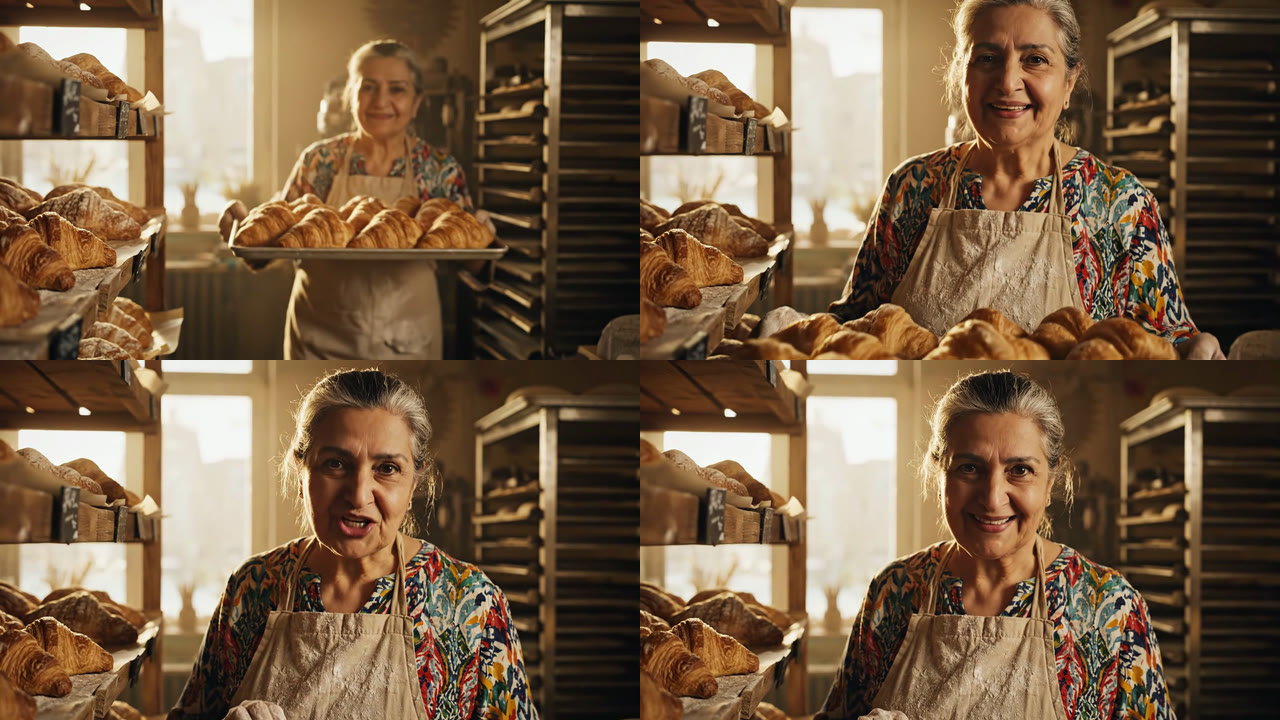
The baker said the line word for word from 2.7 to 7.0 seconds, looking into the lens: eight words in 4.3 seconds, with room on both sides. For the model itself, see our Google Veo 3 page. Watch prompt 1 with sound.
One miss: she carried the tray toward the camera and set it down out of frame instead of sliding it onto the shelf. Action first, then the line, is the shape you want for UGC-style video.
Prompt 2: a camera move with lens and light
Aerial drone shot rising slowly over a misty pine forest at sunrise, then tilting down to reveal a red wooden cabin beside a still lake. Wide 24mm lens, golden hour light, long soft shadows, natural color grade. Ambient noise: birdsong and wind moving through the trees.
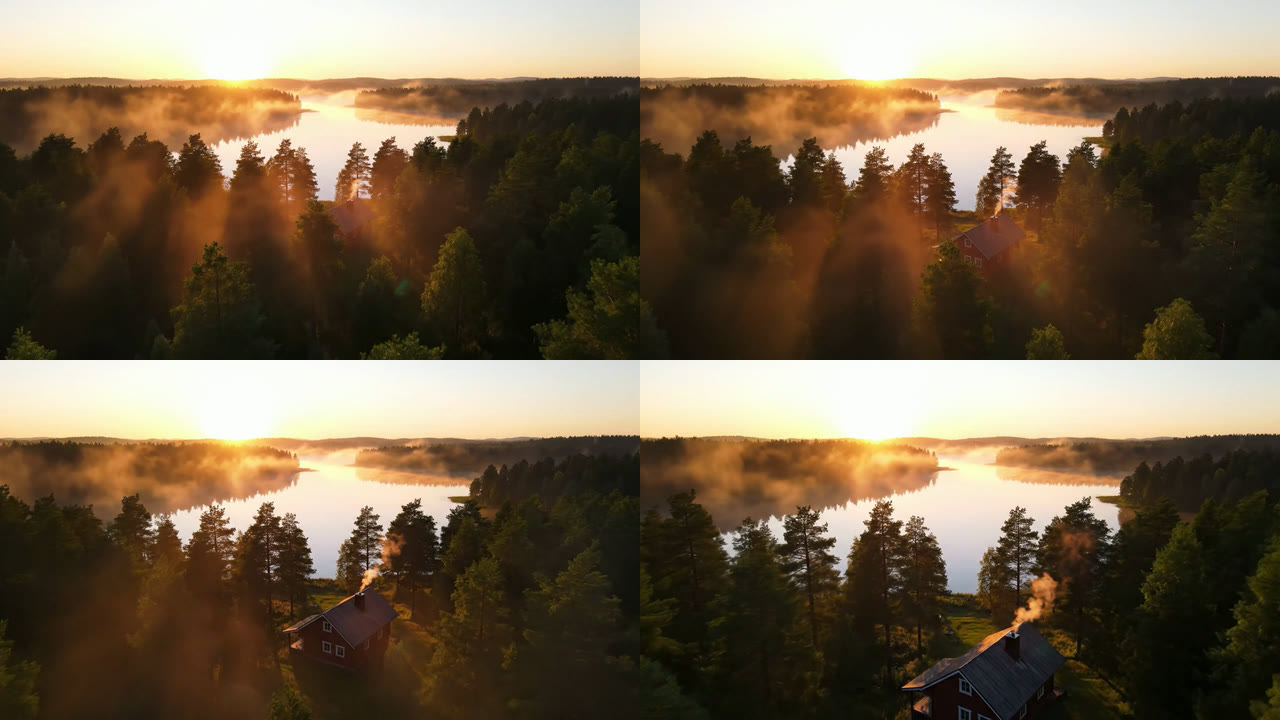
Light, mist, lake and cabin all matched, and Veo added chimney smoke we never asked for. But the camera glided forward and tilted down without rising, so half the move landed. When composition matters, give Veo a start frame through image to video and describe only the motion. Watch prompt 2.
Prompt 3: timestamped shots in one clip
[00:00-00:03] Wide shot: a cyclist in a yellow rain jacket rides down a wet city street at night, neon signs reflecting in the puddles. [00:03-00:05] Close-up of the front wheel cutting through a puddle and throwing up spray. [00:05-00:08] Low-angle shot as the cyclist passes the camera and turns the corner. SFX: steady rain, tires hissing on wet asphalt, a distant car horn.
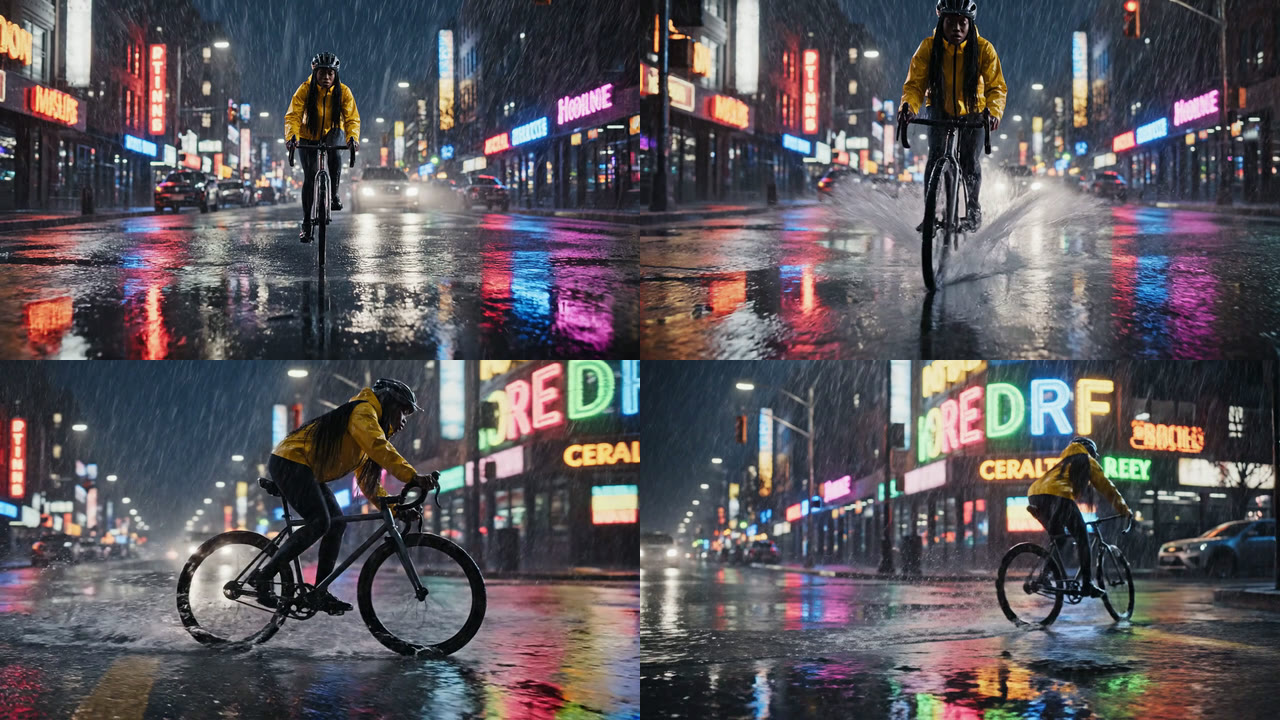
Veo kept the three beats in order and near their times, but as one continuous move: scene detection found zero cuts, so there is no wheel close-up and no low angle. Veo can cut inside a clip, as it did once in our Kling AI vs Veo 3 test, but timestamps did not force it here. Watch prompt 3.
The background holds a second lesson. We asked for neon signs with no wording, and Veo filled them with made-up words such as "CERALTER" and "REDRF". For real multi-shot sequences, make one clip per shot and join them in an AI video pipeline.
Prompt 4: a sound effect tied to a moment
Macro product shot of a tall glass of sparkling water on a white marble counter, bright studio light. At the four second mark a slice of lime drops into the glass and a burst of bubbles rises to the top. SFX: a soft plop when the lime lands, then steady fizzing.
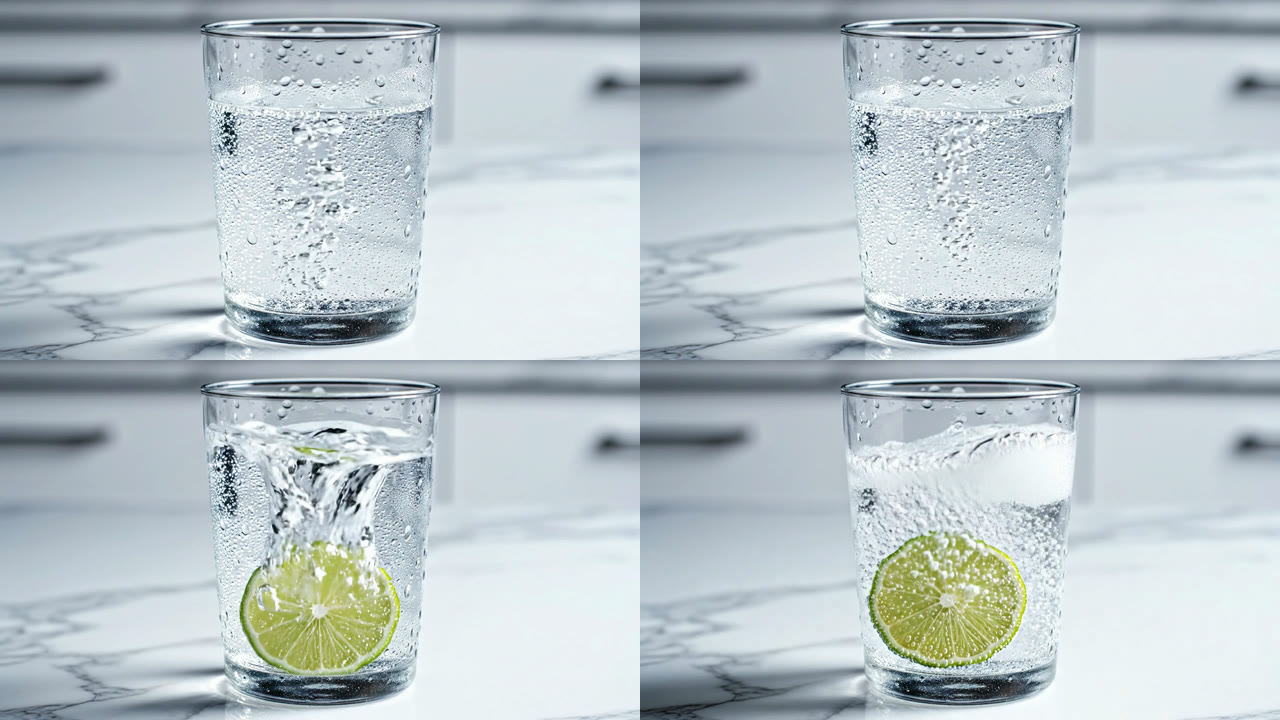
The lime hit the water at about 3.6 seconds, and the loudest sound in the clip sits at 3.6 seconds, so the plop matched the picture. The glitch: the fizz dropped to digital silence from 2.6 to 3.5 seconds. For a product video, check the waveform before you ship. Watch prompt 4 with sound.
Prompts 5 to 8: the patterns that usually break
Prompt 5: a 39-word line in 8 seconds
Medium close-up at eye level. A mechanic in grey overalls leans against a car in a sunlit garage and says to the camera, "Most people wait until the warning light comes on, but if you check your tire pressure, your oil and your brake fluid once a month, you will save hundreds of dollars a year and avoid almost every roadside breakdown." Audio: his voice, a radio playing quietly, a socket wrench clicking in the background.
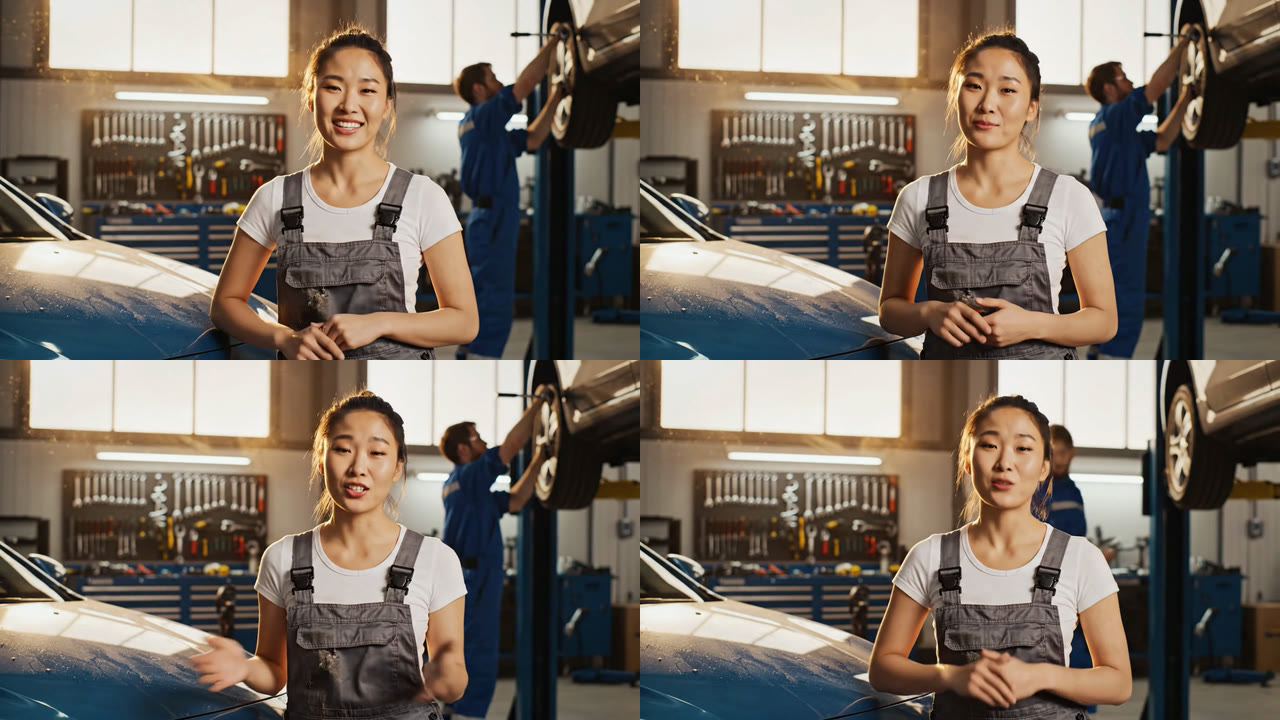
The line did not fit. Speech ran from 0.6 seconds to the end at about 4 words a second and stopped after "hundreds of dollars": 31 of 39 words. Prompt 1 ran at 1.9 words a second, so keep lines under about 15 words per 8-second clip, or record longer scripts with an AI voiceover generator. Watch prompt 5 with sound.
The speaker was wrong too. The subject said only "a mechanic", with "his voice" later in the audio line, and Veo cast a young woman. Put age and gender in the subject, such as "a mechanic in his fifties", especially for UGC ads where the presenter must match the brief.
Prompt 6: three lines of on-screen text
Static shot of a cafe chalkboard menu hanging on a brick wall, warm afternoon light. The chalkboard reads "Flat White 4.50", "Oat Latte 5.20" and "Banana Bread 3.80" in neat white chalk letters. A barista's hand wipes a smudge from the corner of the board. Ambient noise: cafe chatter and a milk steamer.
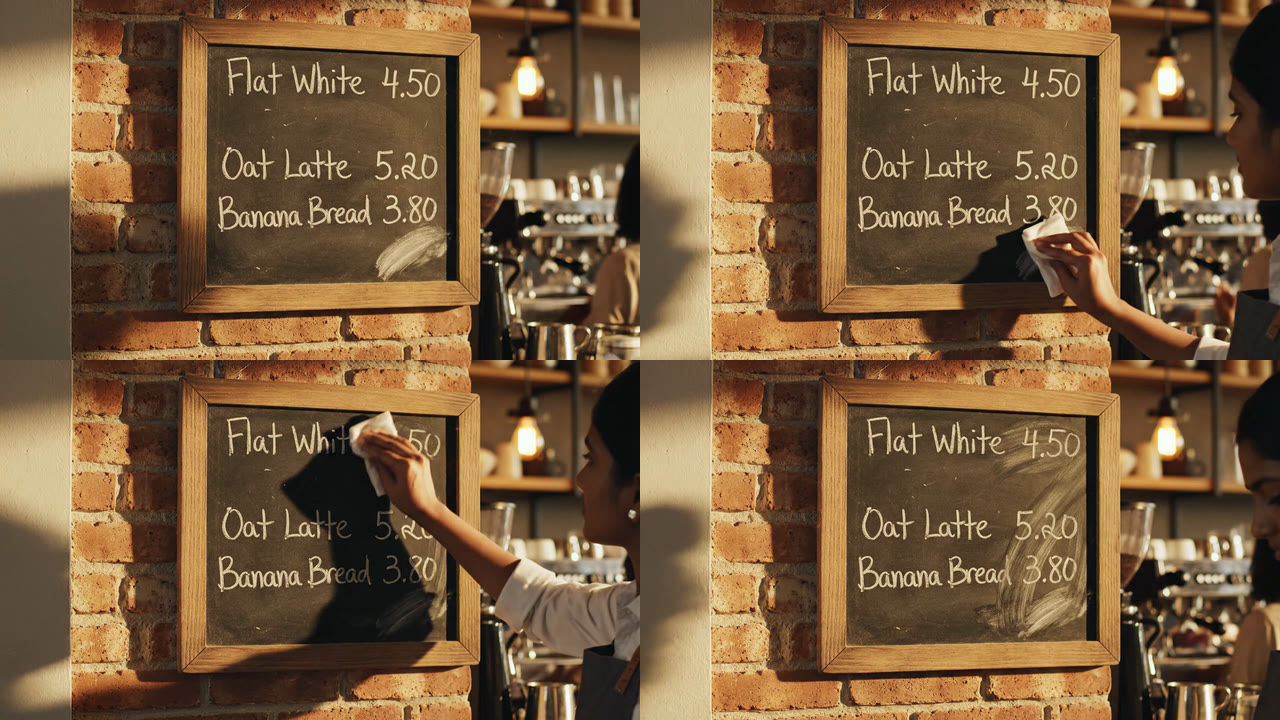
We expected garbled letters, yet every word and price matched in each frame we checked. The hand wiped across the prices instead of one corner and smeared them, as chalk would. Quoted words render; unwritten words become prompt 3's signs. If text must be exact on every run, make the board with an AI image generator and use it as a start frame. Watch prompt 6.
Prompts 7 and 8: "no" in the prompt vs the Negative Prompt field
Prompt 7: Wide shot of an empty beach at sunset, gentle waves rolling onto the sand, orange and pink sky. No people, no boats, no birds, no footprints in the sand. Ambient noise: waves and a light breeze.
Prompt 8: Wide shot of an empty beach at sunset, gentle waves rolling onto smooth untouched sand, orange and pink sky. Ambient noise: waves and a light breeze. Negative Prompt field: people, boats, birds, footprints
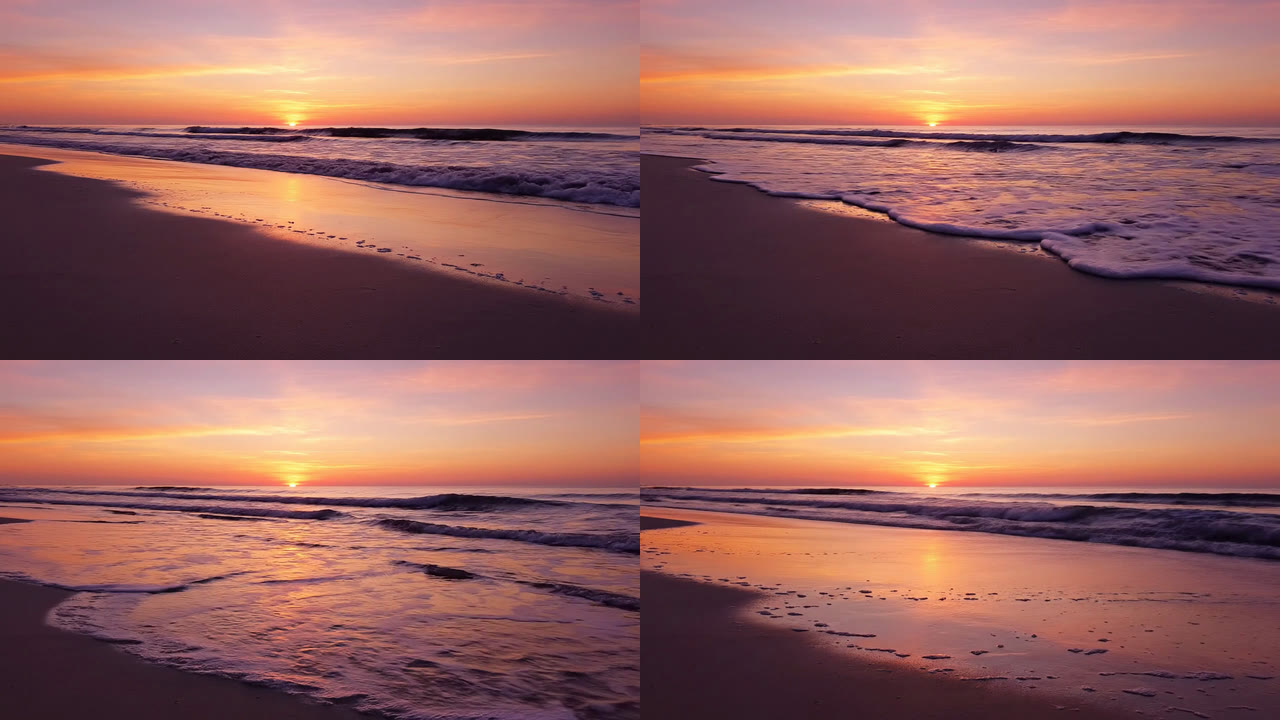
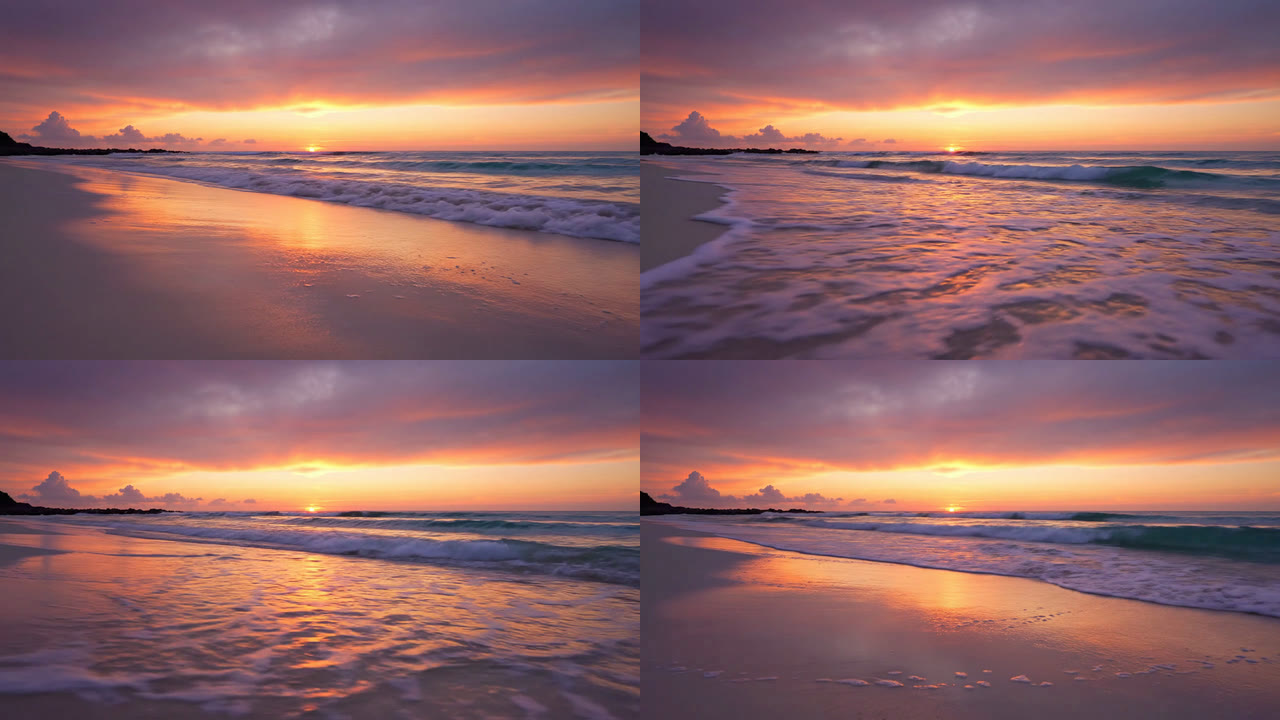
Vertex AI's guide says to avoid phrasing like "no walls" and list items instead, such as "wall, frame". In our run both versions came back clean, with only foam on the sand; prompt 8 also added clouds and a headland. The Google Veo API takes the same kind of list as a separate negative prompt. Watch prompt 7 and prompt 8.
One clean run each does not prove "no" is safe. We still prefer the field, because it keeps the main prompt about what you want to see. To send it from code, see how to access Google Veo via API.
Veo 3 prompt patterns that failed, and the fix
| Pattern | What went wrong | Fix |
|---|---|---|
| Timestamped shots | One continuous shot, no cuts | One clip per shot, joined in an editor |
| Signs with no wording | Made-up words | Quote the exact text |
| 39-word line in 8 s | Rushed, last 8 words cut | Under about 15 words, or a voiceover |
| Gender only in "his voice" | Wrong speaker | Age and gender in the subject |
| "Rising" drone shot | Glided forward instead | Start frame plus one clear move |
| Timed sound effect | 0.9 s of silence | Check audio, patch the gap in an edit |
Most failures came from asking one clip to do too much. Short clips that each do one thing are how a video generation API workflow stays predictable.
A Veo 3 prompt template you can copy
[Shot and camera move]. [Subject with age, gender and one detail] [one main action] in [setting, time of day]. [Light, lens, style]. [Speaker] says, "[line under 15 words]." Audio: [ambience], [one or two sound effects tied to the action].
Negative Prompt field: [unwanted items as a plain list]
Our prompts ran 26 to 76 words, well inside the 1,024-token limit in Google's Gemini API docs. An assistant can draft ten variations of one shot in seconds, as our guide to Claude video generation shows.
Cost and time from the run record
| Prompt | Time | Credits |
|---|---|---|
| 1. Dialogue | 85 s | 192 |
| 2. Camera move | 109 s | 192 |
| 3. Timestamps | 271 s | 192 |
| 4. Timed SFX | 125 s | 192 |
| 5. Long line | 131 s | 192 |
| 6. Menu text | 149 s | 192 |
| 7. "No" in prompt | 120 s | 192 |
| 8. Negative field | 199 s | 192 |
| Grid (Video Editor) | 58 s | 0 |
| Total | 4 min 40 s, in parallel | 1,536 |
Each 8-second Veo 3.1 Fast clip at 720p with sound cost 192 credits, and the quote before each run matched the charge. On the Professional plan (4,300 credits for $45) that is about $2.01 a clip and $16.07 for the test. Times include queueing, since all eight ran at once. Plans are on the pricing page.
For reference, Google's Gemini API pricing page lists Veo 3.1 Fast at $0.10 a second at 720p and Standard at $0.40, sound included, as of 20 October 2026. Code samples are in our Veo 3.1 API examples and pricing post.
Conclusion
The Veo 3 prompts that worked described one shot, one action and one short line, with exact text in quotes and audio in its own sentence. The ones that failed asked one 8-second clip to cut between shots or carry a 39-word script. Draft on Fast, keep what lands, and compare AI video models side by side before paying for Standard.
Try it yourself: Open this Veo 3 prompt test workflow in Wireflow. All eight prompt nodes, Veo 3.1 nodes and the grid are set up exactly as in this test; edit a prompt and run its node.
FAQ
What is the best prompt structure for Veo 3?
Shot and camera, subject and action, setting and light, any spoken line in quotes, then audio as its own sentence. The same order works for other models in an AI video generator.
How long should a Veo 3 prompt be?
Ours ran 26 to 76 words, and length did not decide which worked; the spoken line did. A programmatic video generation platform can template the parts that stay fixed.
How do I make a Veo 3 character speak?
Name the speaker in the subject, then write says, "the line" in quotes, under about 15 words for 8 seconds. For longer scripts, a lip sync generator on a recorded voice gives more control.
Can Veo 3 put readable text in a video?
In our run, yes, when the words were quoted. Unquoted signs came out as made-up words. For exact text every time, make the image with Nano Banana 2 and use it as a start frame.
Does Veo 3 support negative prompts?
Yes, Veo 3.1 takes a separate negative prompt, and Google says to list unwanted items rather than write "no". Both worked in our test, so try both with one of these tools for comparing AI video models.
Do timestamps work in Veo 3 prompts?
Not for cuts in our run: Veo 3.1 Fast kept the beat order but filmed one continuous shot. Generate one clip per shot; our list of video generation API tools covers ways to automate that.
How much does it cost to run a Veo 3 prompt?
192 credits per 8-second Veo 3.1 Fast clip in our run, about $2.01 on the Professional plan. Both that and Google's API bill per second of output, a common form of usage-based AI API pricing.
Is Veo 3 the same as Veo 3.1?
Veo 3.1 is the current version, and Google marks the Veo 3 model IDs as deprecated. If a tool or AI video generation MCP server still offers "Veo 3", check which model ID it calls.

Co-Founder & Operations at Wireflow
Runs client operations and content strategy at Wireflow. Works directly with creative teams and agencies to build production AI workflows.
- Content Strategy
- Client Operations
Make AI videos and ads.
Start free, no card needed.