Features
AI Video Generation MCP
An AI video generation MCP turns a whole video workflow into a tool your agent can call.
Build a prompt to still to clip pipeline once on Wireflow, publish it, and Claude or Cursor runs the entire graph as one MCP tool with typed inputs and asset URLs back.
Free to build · no credit card · See how it works ↓
 Andrew Adams · Co-Founder & Operations at Wireflow ·
How to Use AI Video Generation MCP
Steps to get you started in Wireflow.
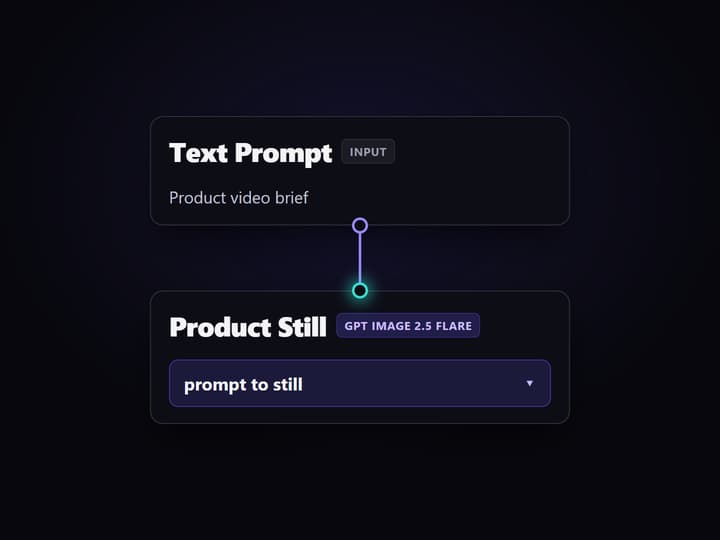
Build the video graph once
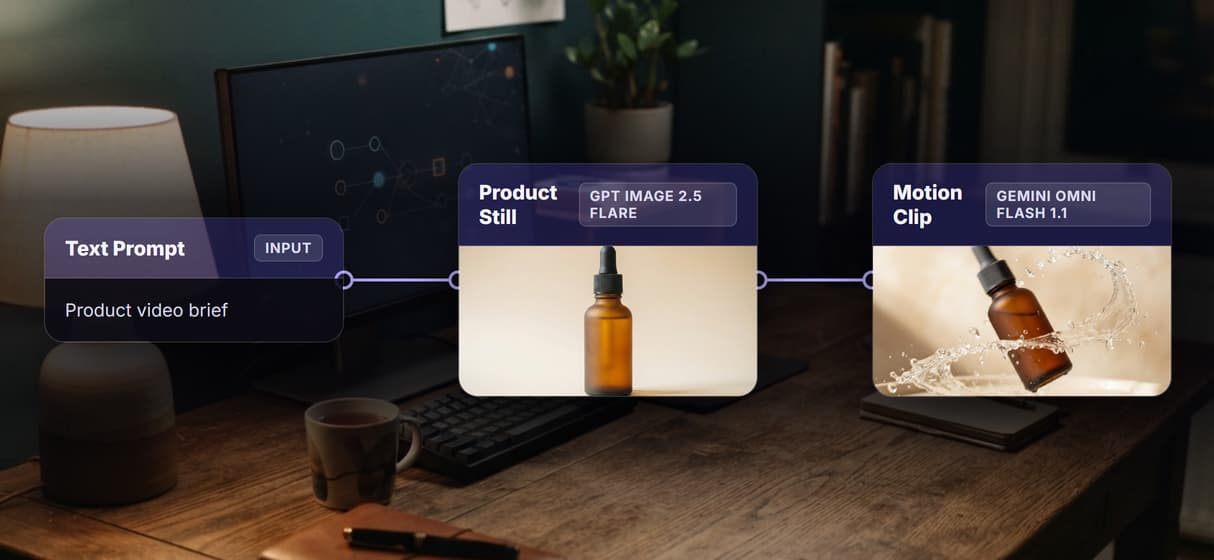
On the canvas, wire a text prompt into a GPT Image 2.5 Flare still, then into a Gemini Omni Flash 1.1 clip. Name each node with its model so the graph is readable.
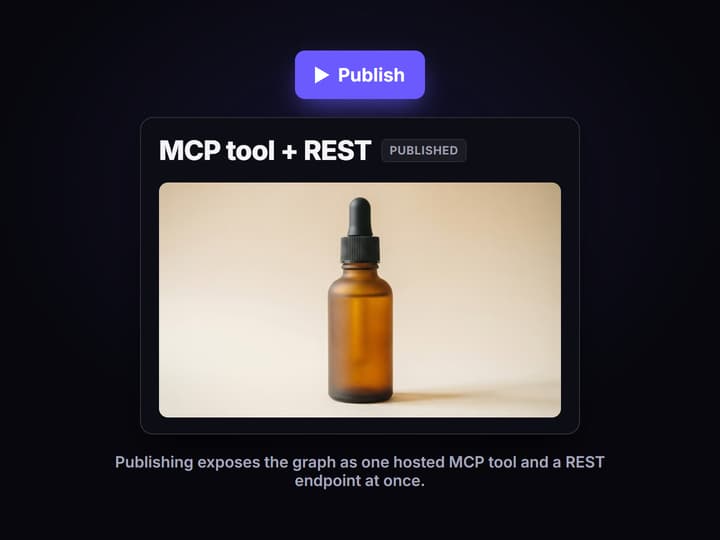
Publish it as an MCP tool
Publish the workflow. Wireflow exposes it on the hosted MCP server and as a REST endpoint at once, with its inputs typed for any caller.
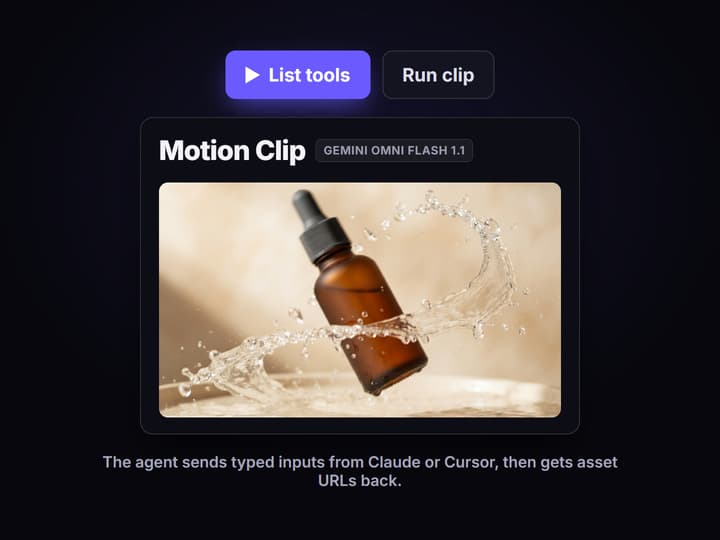
Connect it to Claude or Cursor
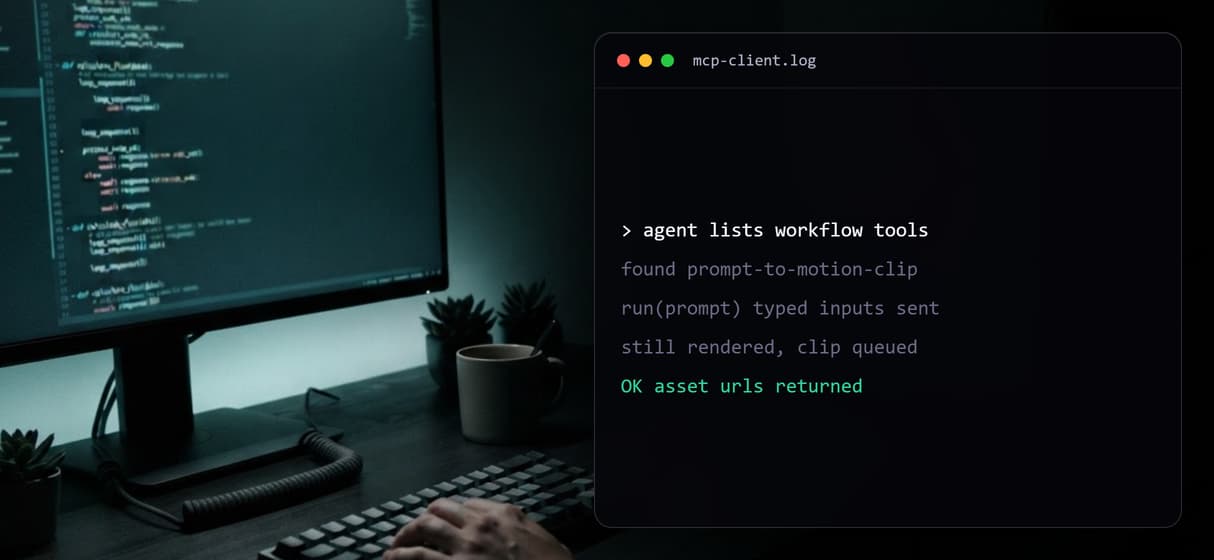
Add the hosted MCP server in your client. The agent lists the workflow as a tool, sends the prompt as typed inputs, runs it, and gets the asset URLs.
What an AI video generation MCP actually means
A Model Context Protocol server is just a way to hand an agent a callable tool. Most video-gen MCP servers hand it a fixed model: the agent sends a prompt, waits, and gets one clip. That works for a single shot, but the agent still owns every step around it, and it only ever drives that one model.
An AI video generation MCP on Wireflow is different because the tool is a whole graph, not a model. The published flow behind this page is real: a text prompt feeds a GPT Image 2.5 Flare still, and that still feeds a Gemini Omni Flash 1.1 clip. Publish it and Wireflow exposes it on its hosted MCP server as one callable tool, alongside the same video generation API endpoint. The agent never sees the wiring, it sends the brief and receives URLs.
What the hosted MCP layer gives an agent
The workflow is the tool
The agent calls a pipeline you built, not a raw model, so one invocation can render a still and animate it into a clip.
Typed inputs
Each workflow exposes named, typed inputs. The agent reads the schema, fills the prompt, and runs without guessing arguments.
Asset URLs back
Runs return hosted asset URLs the agent can pass downstream, so the clip drops straight into the next step of its task.
REST as well
The same published workflow is a REST endpoint, so code that cannot speak MCP can trigger the identical video pipeline.
Swap the video model
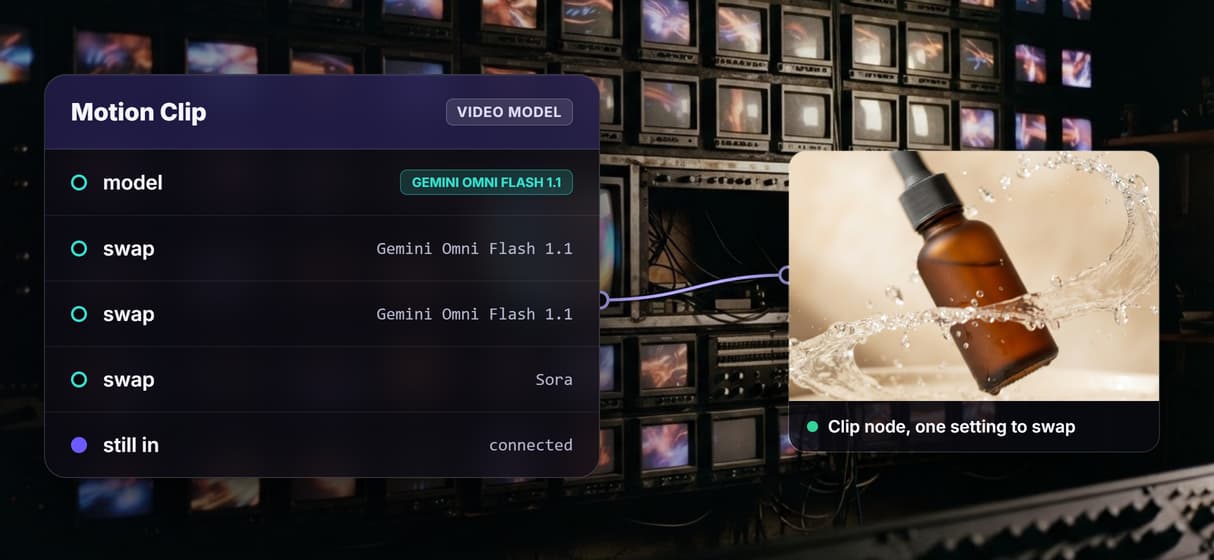
The clip node is one setting. Point it at Kling, Seedance, Veo, or Sora without touching the rest of the graph.
Video stays deliberate
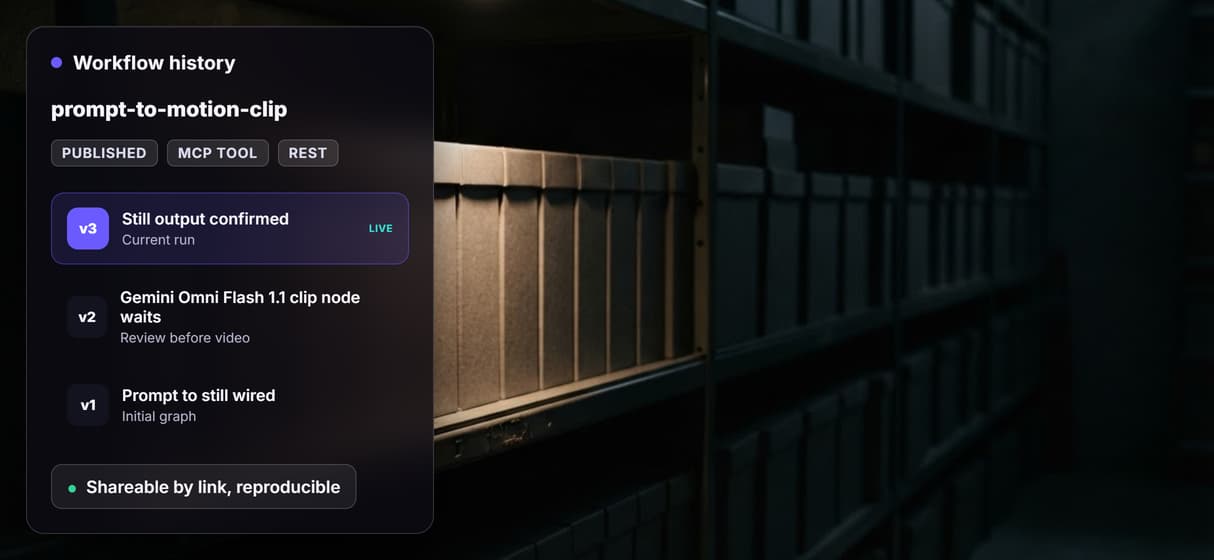
The expensive clip node is wired but not auto-run in the preview, so it waits for a decision instead of burning credits.
Build the video pipeline once, call it forever from your agent
When an agent can only call one model at a time, it has to orchestrate every step itself: prompt the image model, wait, hand the result to the video model, wait again, handle each failure. That logic lives in the agent, so it breaks when the agent changes. Move the steps onto a canvas and the orchestration becomes the tool, not the agent's problem.
On Wireflow you build that graph once, then let the agent drive it through the hosted MCP and REST layer, run after run, with no new wiring. A single call can chain video with an image still, and the same pattern extends to voice or publish nodes in one graph. It sits between a focused MCP server for video editing and a full hosted video API for agents: enough structure that one tool call does real multi-step work, enough openness that you can still inspect and edit the graph.
When a plain video API or a turnkey product is the better fit
If you want quick, turnkey access to a fixed set of well-known models from inside your assistant, with sign-in and nothing to build, a dedicated product MCP is a reasonable choice. Wireflow asks you to assemble the pipeline first, and that setup only pays off when the same multi-step job runs again and again.
Be honest about the rest too. Wireflow is a managed, hosted service, not a self-hosted server: there are no offline or local runs, and generations cost credits per run. It is the generation layer, not the reasoning brain, so it does not decide strategy or write your copy. If you need one clip from one model and never again, the direct route is faster. If you need a repeatable, chained pipeline your agent can call, weigh the tradeoffs in this MCP video automation comparison, then open the flow and read the actual graph.
More Than Just AI Video Generation MCP
Every workflow is an MCP tool
Publish a video graph once and it is a hosted MCP tool plus a video API for coding agents your agent can call.
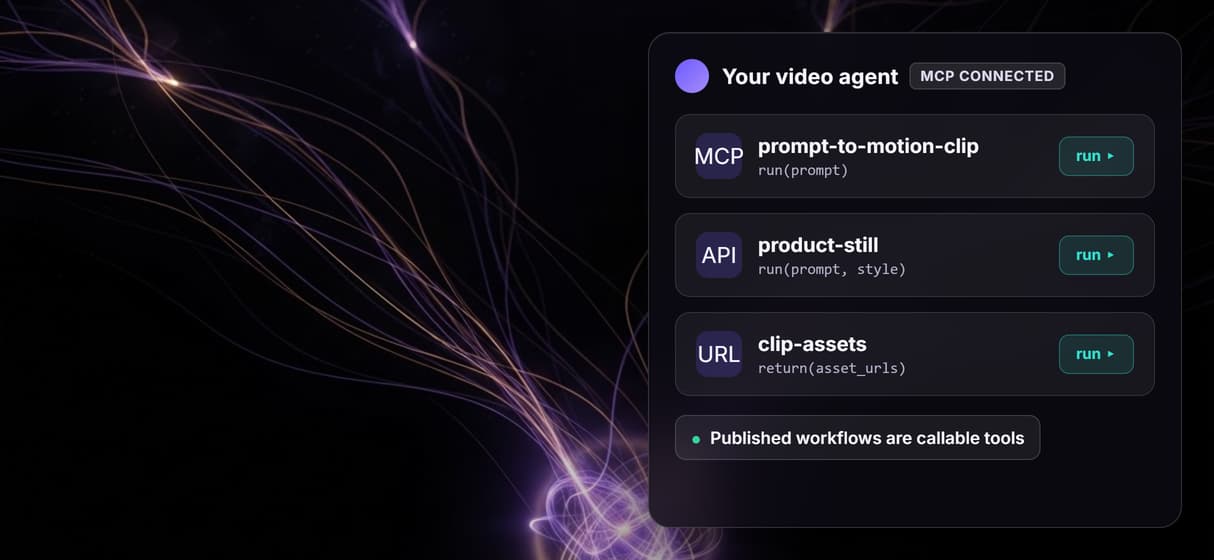
One call, still into clip
A prompt becomes a GPT Image 2.5 Flare still, then a Gemini Omni Flash 1.1 clip, so one MCP call can chain models end to end.
Runs from inside your agent
Claude, Claude Code, and Cursor list the tool, send typed inputs, and get asset URLs, the pattern behind an AI video agent.
Drive many video models
Swap Gemini Omni Flash 1.1 for Seedance, Veo, or Sora on the same clip node, then generate video from your agent without rewiring.
Versioned and reproducible
Workflows are versioned server side and shareable by link, so an agent run repeats the same workflow API graph next week.
Video generation mcp Workflows
No Code Required
API & Batch Processing
FAQs
It is a Model Context Protocol server that lets an agent generate video by calling a workflow. On Wireflow you publish a prompt to still to clip graph, and it becomes a hosted MCP tool and a REST endpoint the agent can run.
Discover related AI tools
- AI Pipeline Automation
- AI Workflow Templates
- AI Video Pipeline: Build One on a Node Canvas
- Batch AI Generation: Many Assets, One Run
- AI Model Chaining
- AI Asset Pipeline
- AI Workflow Builder
- AI Content Generation API
- AI Workflow API
- AI Orchestration API
- Headless AI Workflow Platform
- Krea AI API Alternative: Image and Video From One REST Endpoint
More From Wireflow
Written by
Andrew Adams · Co-Founder & Operations at Wireflow
Runs client operations and content strategy at Wireflow. Works directly with creative teams and agencies to build production AI workflows.
Let your agent generate video on call
The workflow behind this page is already built as a prompt to still to clip graph, with the still step run and the clip step left ready for review. Read how agents call Wireflow workflows as hosted MCP tools, then open the flow to inspect the exact graph.