Features
Agent Media AI
Agent media AI means an agent that makes your media instead of talking about it.
On Wireflow that agent runs a node graph you can open: a plain-language brief renders a vertical creator still, then Gemini Omni Flash 1.1 animates that still into a 9:16 talking-head clip you own as a file.
Free to build · no credit card · Read the agent docs · See how it works ↓
 Andrew Adams · Co-Founder & Operations at Wireflow ·
How to Use Agent Media AI
Steps to get you started in Wireflow.
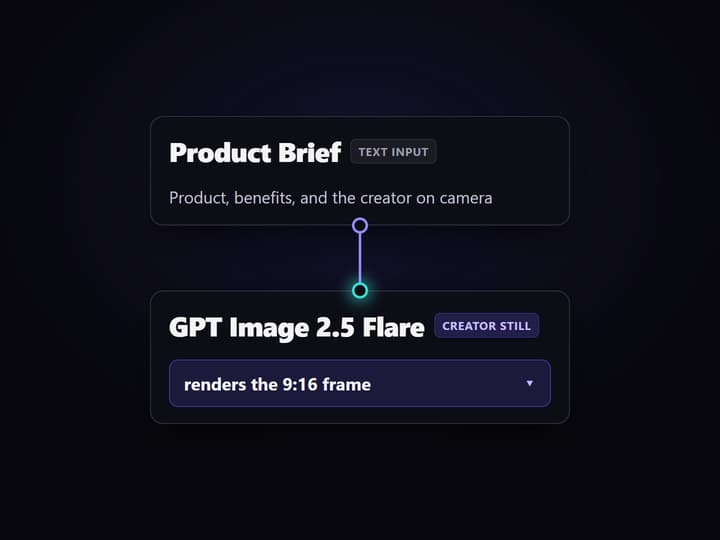
Open the flow and write the brief
Open the public workflow and click the Product Brief node. Enter the product, its benefits, and the creator you want on camera, then edit the Spokesperson Script node.
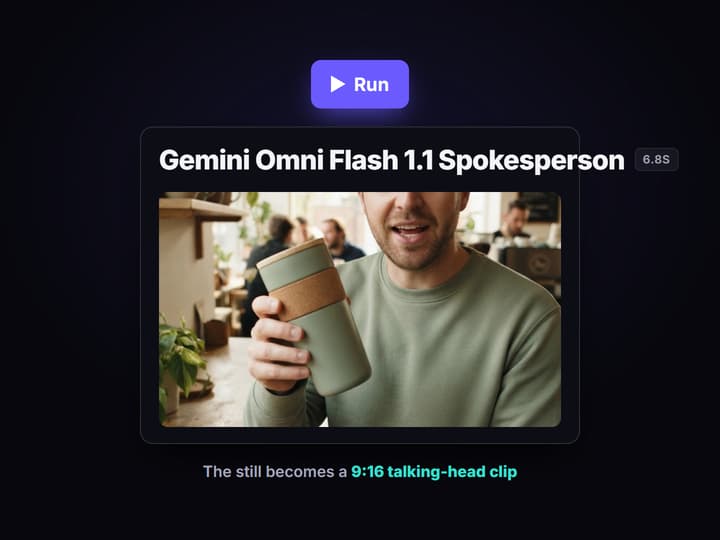
Run the still, then the clip
Press Run. GPT Image 2.5 Flare renders the 9:16 creator-holding-product still, then Gemini Omni Flash 1.1 animates it into a short talking-head clip using your script.
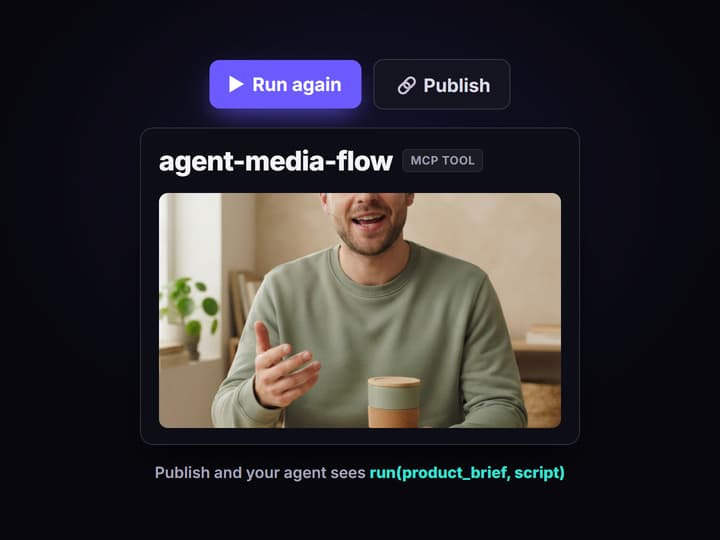
Publish it as an agent tool
Swap the brief for the next product and run again, or publish the graph so your agent calls it as an MCP tool with typed inputs and collects the asset URLs.
What agent media AI means in practice
Search the phrase and you get two answers. Media-industry explainers use it for agents that plan and buy attention. Practitioners use it for something narrower and far more useful: an agent that takes a sentence about a product and hands back a vertical clip you can actually post. The second group is the one with a job to do, and the thing they keep getting burned by is not quality. It is opacity. A one-command generator gives you an output and no way to see, change, or repeat how it was made.
This page is built the other way round. The agent's media pipeline is a graph on a canvas, four nodes wide, and the flow behind the button is public so you can open it before you spend anything. A brief node holds the product and the creator. GPT Image 2.5 Flare renders the photorealistic 9:16 still. Gemini Omni Flash 1.1 takes that still as a start frame, reads the script node, and animates a short talking-head clip. It is the same split that makes an AI content agent dependable: the agent decides what to ask for, the graph decides how it gets made.
What the media pipeline actually does
Brief in plain words
A Text Input node holds the product, the benefits, and the creator you want on camera. That is the part you rewrite per campaign.
Vertical creator still
GPT Image 2.5 Flare renders a photorealistic 9:16 creator-holding-product shot, the frame the whole clip is built from.
Talking-head clip
Gemini Omni Flash 1.1 takes that still as a start frame and animates a short 9:16 spokesperson clip with speech from your script node.
Swap the video model
The video step is one node, so Seedance 2.0 or Kling AI Avatar can take its place without rewiring the rest of the graph.
Agent-callable
Publish the graph and it becomes an MCP tool and a REST endpoint with typed inputs that returns asset URLs.
Reusable and clonable
Change the brief and the script for the next product, or clone the graph by link and keep the wiring intact.
The graph, node by node
Nothing here is hidden, so it is worth reading the flow the way the canvas shows it.
- Product Brief holds the intent. A Text Input node with the product, its benefits, and how the person on camera should look and behave. Rewriting this one field is how the same pipeline serves a different product.
- Spokesperson Script holds the words. A second Text Input node with the exact line delivered to camera, so the message stays yours instead of a model guess.
- GPT Image 2.5 Flare renders the frame. It generates the photorealistic 9:16 creator-holding-product still on hosted compute, and switches to editing when you wire an existing image into its Image 1 input.
- Gemini Omni Flash 1.1 Spokesperson makes the clip. It reads the still as a start frame plus the script and animates a short talking-head video with synced speech, still 9:16.
Four nodes is the whole story, and that is deliberate. A graph this small is auditable in one glance, versioned server-side, and cheap to fork for the next client, which is what a canvas-first team wants from an AI video workflow before they trust an agent with it. Want captions, music, or a lipsync pass? Those are nodes you add from the registry, not things already wired in here. Want a different look? The video node is the only thing you touch, and the Veo 3.1 video API page covers what that step is doing under the hood.
Not for you if you want hands-off posting
Here is the boundary, up front. Wireflow does not post. There is no connected TikTok, Instagram, YouTube, or X account, no scheduler, and no publishing queue. This pipeline ends at a finished video file and its asset URL, and a person or another system takes it from there. If what you want is a loop that writes, renders, and posts while you sleep, this workflow is the wrong half of that stack, and you should know that before you spend a credit.
Two more honest limits. Wireflow is the generation layer, not the strategy: it does not invent your hook, write your positioning, or tell you which variant sold. And the creator on screen is generated, not a licensed human creator and not a real customer testimonial, so disclose it as AI-generated the way your platform and local rules require. Building on the canvas is free; generations are pay per run, so an agent looping over a large product feed is a spend decision to cap on purpose. If you would rather compare the packaged options first, the best AI content agent tools roundup is the fairer starting point.
More Than Just Agent Media AI
The whole media pipeline on one canvas
A brief node, an image node, and a video node wired left to right on the agentic canvas, small enough to audit at a glance.
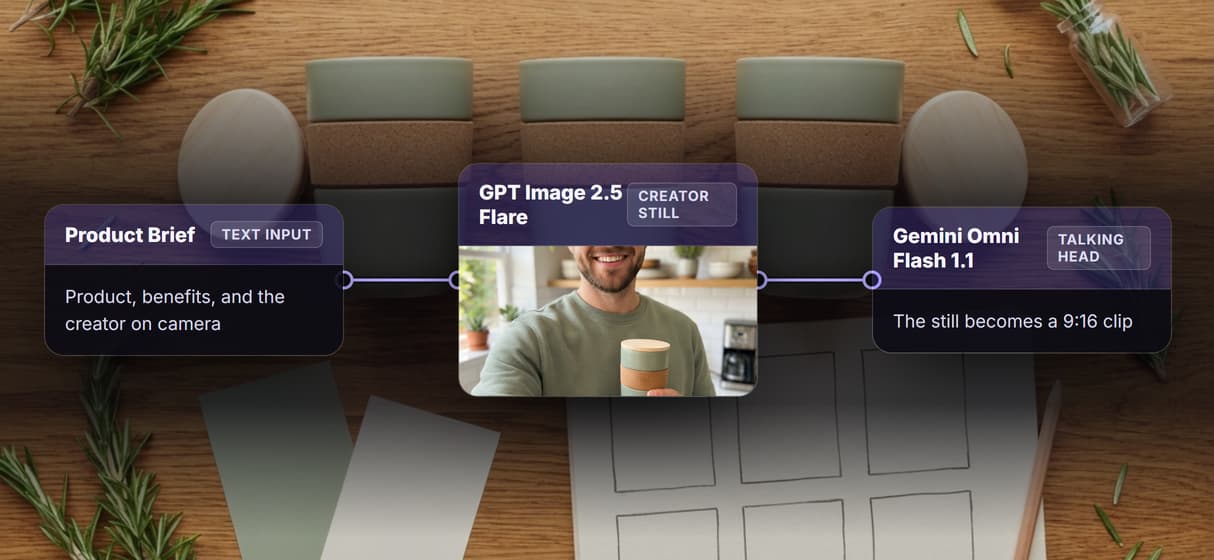
Plain words in, vertical clip out
Type the product and the script, press Run, and the UGC workflow hands back a 9:16 creator still and a talking-head clip.
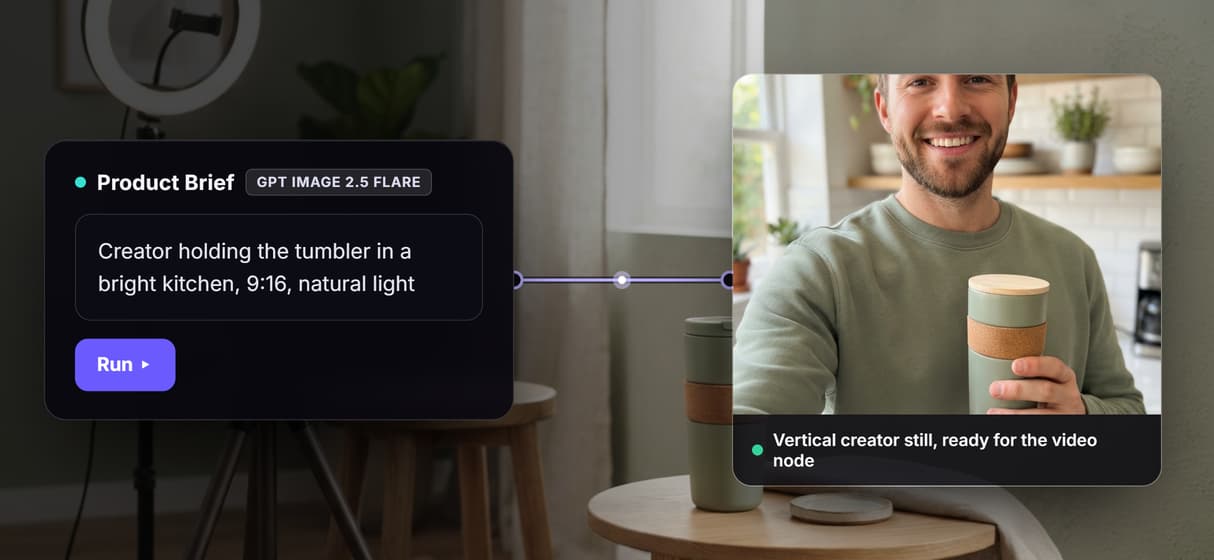
You pick the video model
Trade Gemini Omni Flash 1.1 for Kling AI Avatar in one node, the way a multi-model workflow is meant to work, and leave the rest of the wiring untouched.
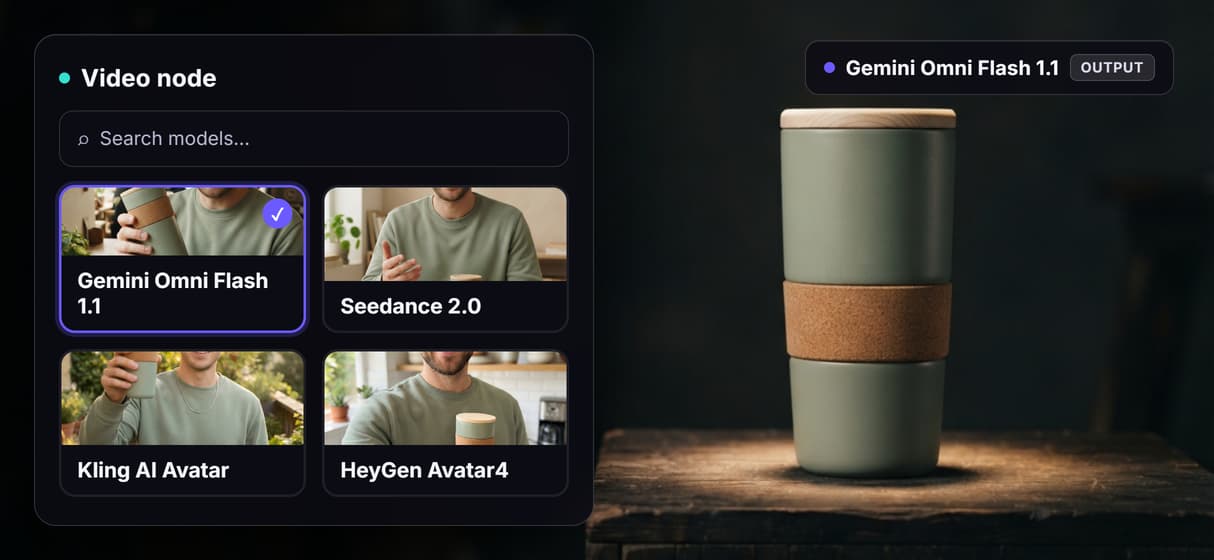
Your agent calls the same graph
Publish it and the flow becomes an MCP tool plus a workflow API endpoint with typed inputs that answers with asset URLs.
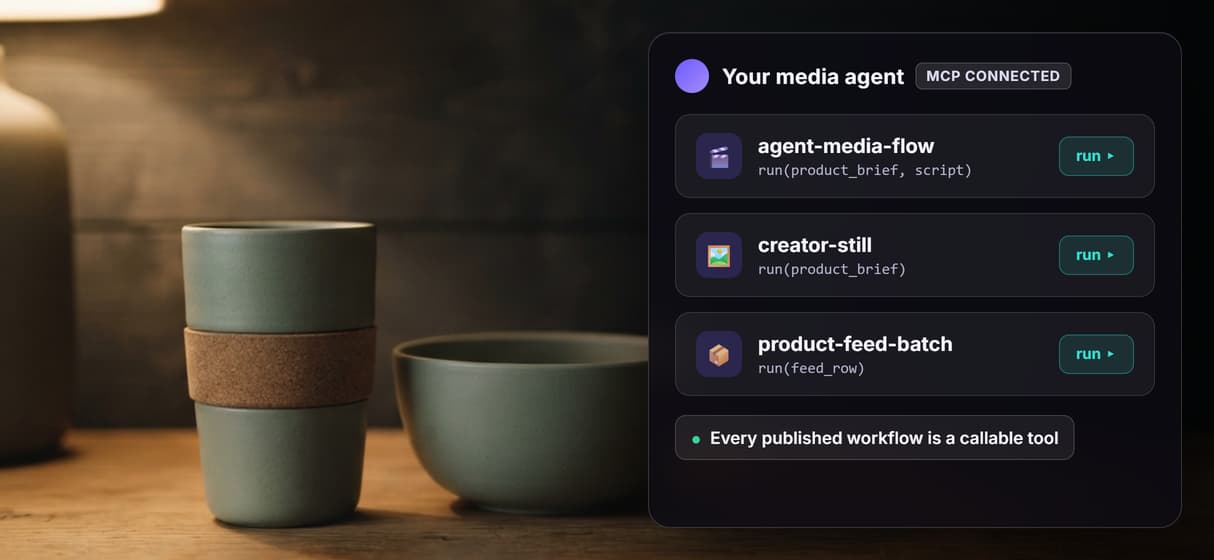
Every run traceable and repeatable
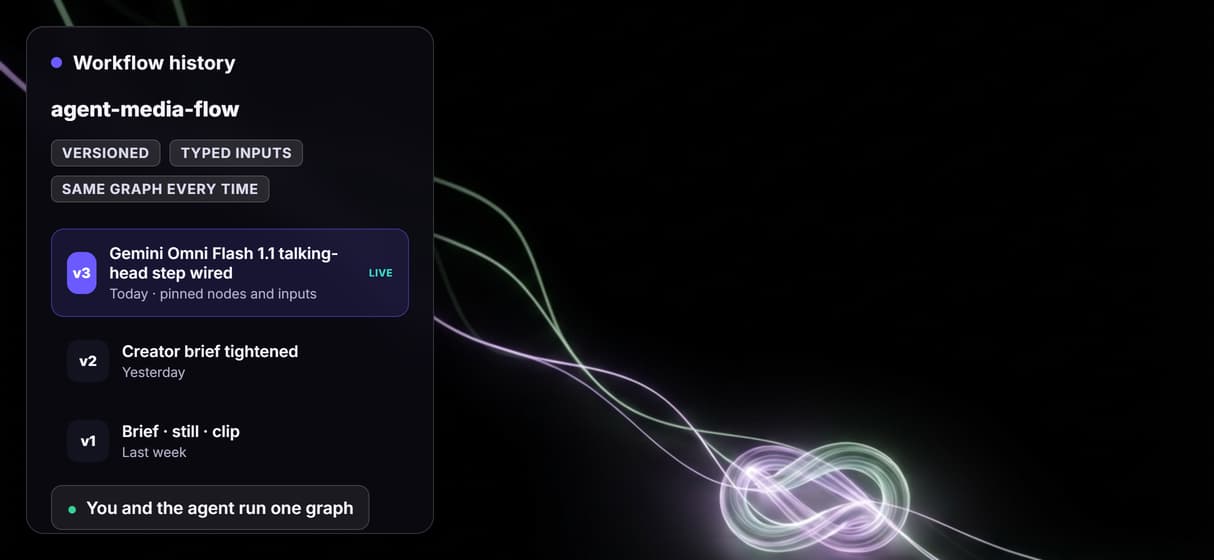
Graphs are versioned server-side, so every clip, Gemini Omni Flash 1.1 or a swapped-in Seedance 2.0, traces back to the exact nodes and inputs.
Agent media Workflows
No Code Required
API & Batch Processing
FAQs
It is an agent producing finished media by running a pipeline instead of one prompt. On Wireflow the pipeline is a node graph: a brief renders a vertical creator still, then a video node animates it into a talking-head clip.
Discover related AI tools
- AI Pipeline Automation
- AI Workflow Templates
- AI Video Pipeline: Build One on a Node Canvas
- Batch AI Generation: Many Assets, One Run
- AI Model Chaining
- AI Asset Pipeline
- AI Workflow Builder
- AI Content Generation API
- AI Workflow API
- AI Orchestration API
- Headless AI Workflow Platform
- Krea AI API Alternative: Image and Video From One REST Endpoint
More From Wireflow
Written by
Andrew Adams · Co-Founder & Operations at Wireflow
Runs client operations and content strategy at Wireflow. Works directly with creative teams and agencies to build production AI workflows.
Open the media pipeline this page is built on
The graph is public: a product brief, a GPT Image 2.5 Flare creator still, and a Gemini Omni Flash 1.1 talking-head clip in four nodes. Open it, change the brief, or publish it so your agent runs the same pipeline. The canvas is free to explore and generations are pay per run.