Features
Gemini Omni Flash 1.2 in Claude
Add Wireflow to Claude, describe the shot, and Claude runs Gemini Omni Flash 1.2 to make a 3 to 15 second clip with sound on a board you can change and run again.
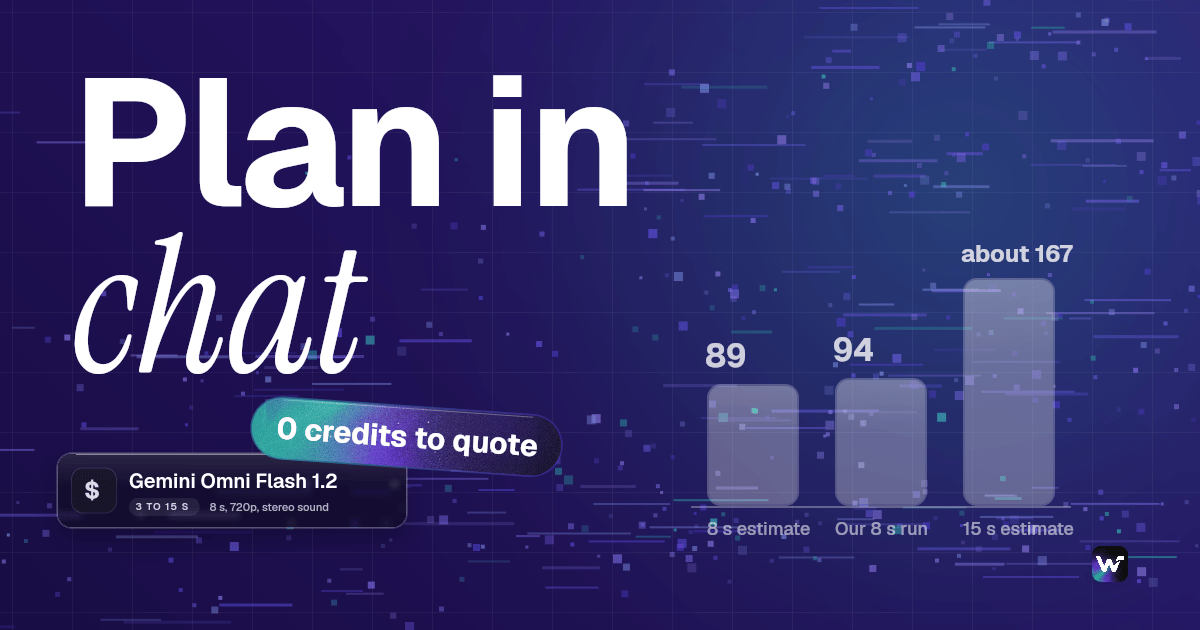
The 8 second run on this page used 94 credits. New accounts get a free video.
Free to build · no credit card · Read the agent docs · See how it works ↓
 Andrew Adams · Co-Founder & Operations at Wireflow ·
How to Use Gemini Omni Flash 1.2 in Claude
Steps to get you started in Wireflow.
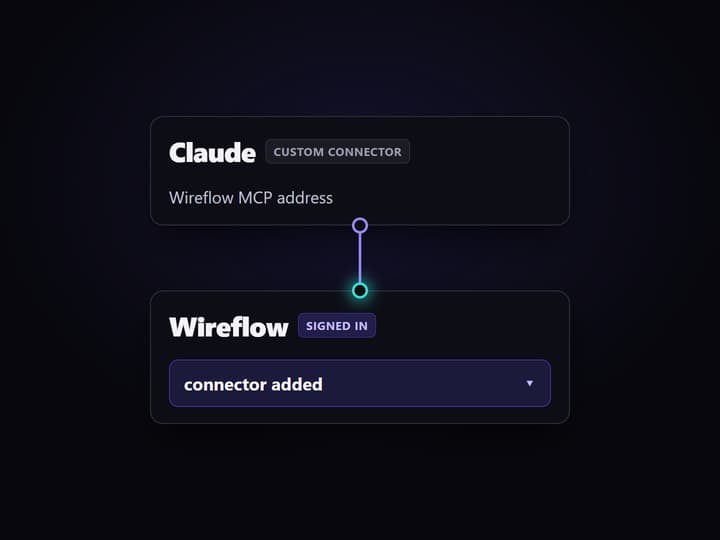
Add Wireflow to Claude
In Claude, open Customize, then Connectors, and add a custom connector with the Wireflow MCP address. Sign in with your Wireflow account and approve the permissions.
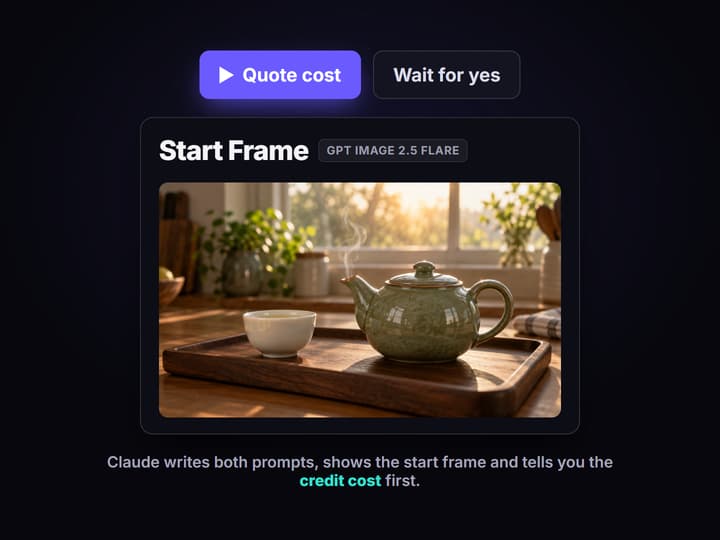
Ask Claude to plan the shot
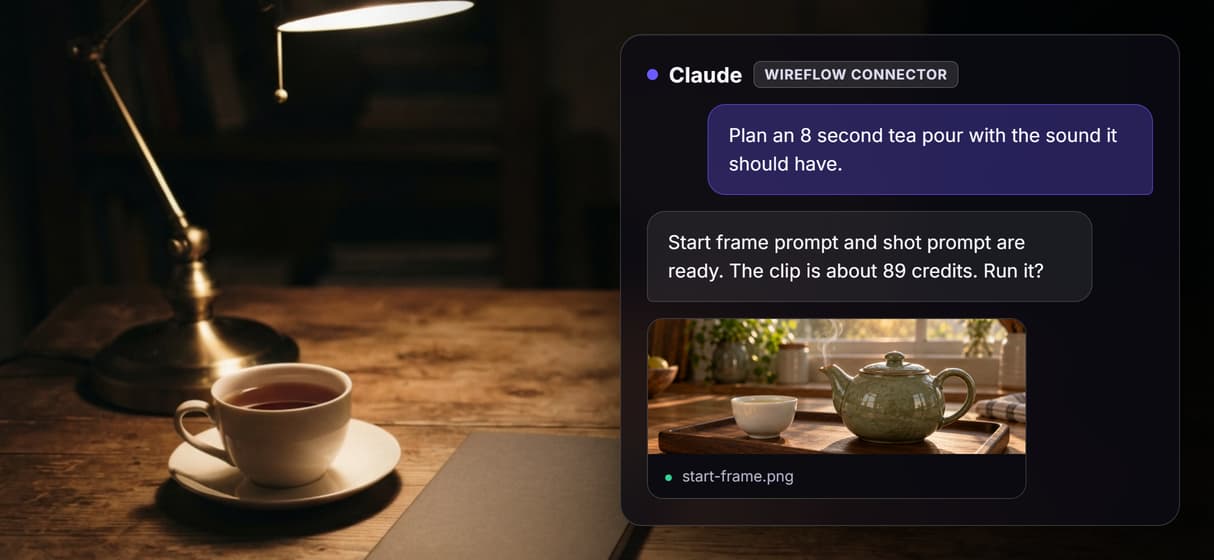
Describe the scene, the length and the sound you want. Claude writes a start frame prompt and a shot prompt, tells you the credit cost and waits for your yes.
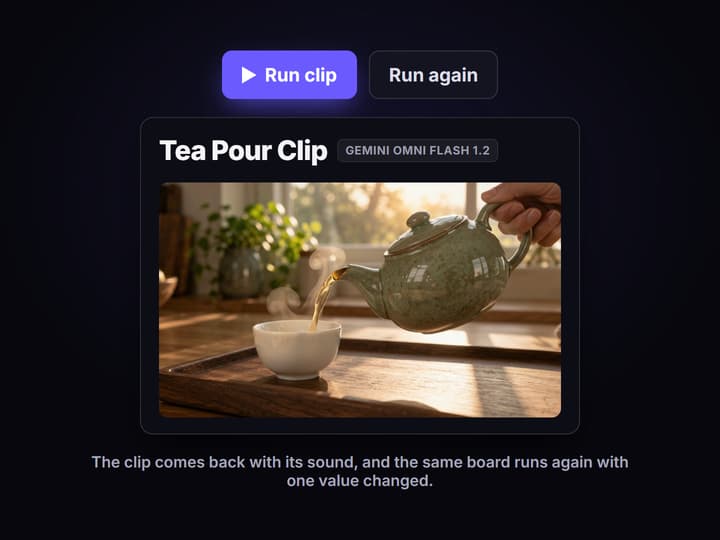
Get the clip and change it
Claude runs the board and sends the clip link with sound. With the edit permission ticked, it can set a longer clip or new prompt and rerun it.
What Gemini Omni Flash 1.2 in Claude means
Gemini Omni Flash 1.2 is the Wireflow node for Google's newest Omni video model, which Google calls Gemini Omni 1.2 Flash. It makes clips of 3 to 15 seconds with the sound written in the same pass, from a text prompt, a start frame, reference images or a clip you want changed.
Claude doesn't render video itself, so the Wireflow connector does that part. Once you add it, Claude plans the shot in your chat and builds a board around the node, and when you ask, it tells you the credit cost and runs the board only after you say yes. The clip comes back as a link, and the board stays in your account for the next version. It's the same connector behind our AI video generation MCP page, pointed at the 1.2 node.
What Claude can ask the Gemini Omni Flash 1.2 node for
A clip from a description
Claude sends your scene as a prompt and gets back a clip of 3 to 15 seconds.
Start and end frames
Wire a still in as the first frame, and add an end frame on clips up to 10 seconds.
Up to 6 reference images
Hold a product, a character or a style steady with reference images or short reference clips.
Changes to a clip you have
Wire in a clip of up to 15 seconds and describe what should be different.
Sound in the same pass
Ambient sound, effects and lip-synced speech come out with the picture.
Ratio and resolution
Clips come in 16:9 or 9:16, at anything from 360p for drafts up to 4K.
The board behind this page
We built and ran the board this page links to, so you can open it and look at real output. It has four nodes and a note.
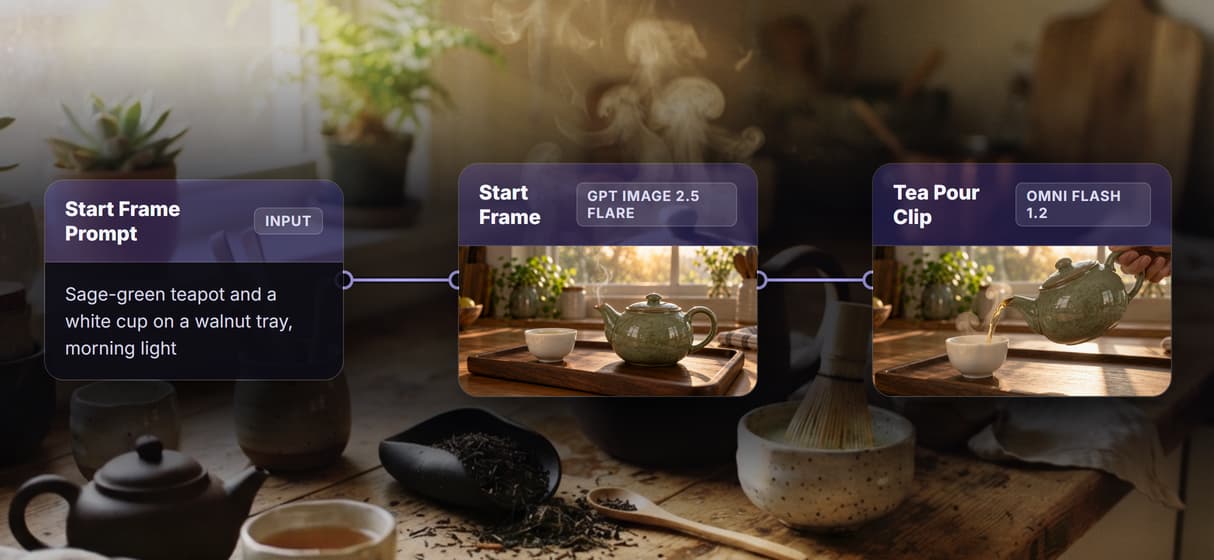
- The Start Frame Prompt node describes the still, a sage-green teapot and a white cup on a walnut tray in morning window light.
- The Start Frame node runs GPT Image 2.5 Flare at medium quality in 16:9, so you can approve the look before the clip.
- The Shot Prompt node describes the motion and the sound, where a hand pours tea into the cup during a slow push-in, and the trickle, a clink and birdsong are asked for in words.
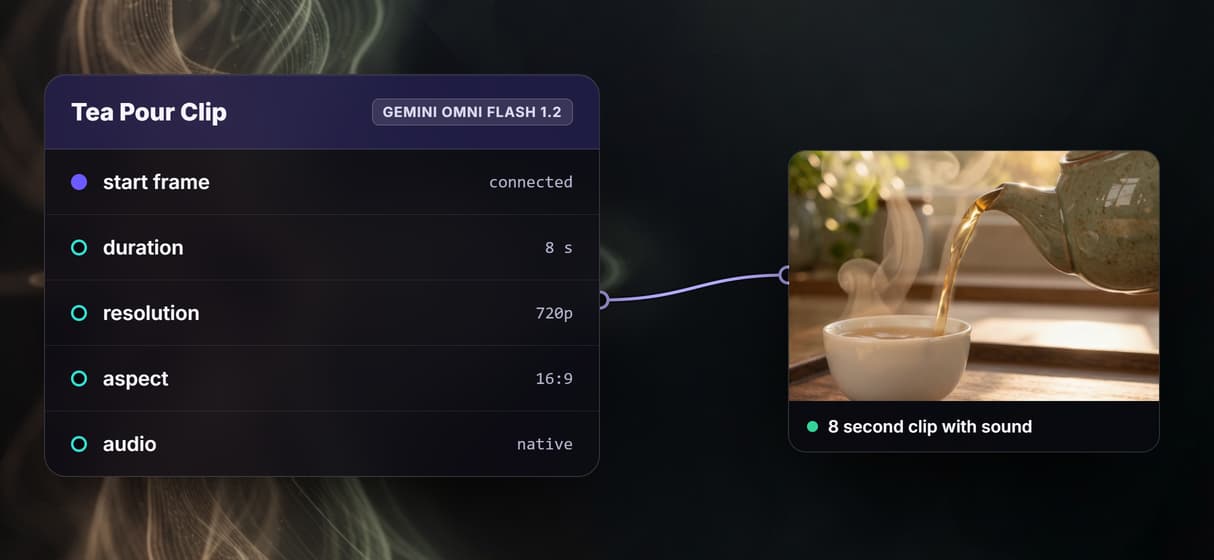
- The Tea Pour Clip node runs Gemini Omni Flash 1.2 and animates the start frame from the shot prompt into an 8 second 720p clip in a 16:9 frame.
Our run came back as an 8 second 720p clip with a stereo sound track, and the two steps used 94 credits between them. Every value Claude can change is on the node's settings page.
Run Gemini Omni Flash 1.2 from Claude
You add the connector once. Custom connectors work in Claude, Cowork and Claude Desktop on Claude's Free, Pro, Max, Team and Enterprise plans.
- In Claude, open Customize, then Connectors, click + Add and pick Add custom connector.
- Name it Wireflow and paste
https://www.wireflow.ai/api/mcpas the remote MCP server URL. - Click Add, sign in with your Wireflow account and approve the permissions. You don't paste an API key anywhere.
Then turn Wireflow on for the chat and ask in plain words. This prompt builds a board like the one on this page for a scene of your own.
I'd like you to use Wireflow to plan an 8 second 16:9 shot of an espresso machine pulling a shot on a cafe counter, with the sound it should have. Can you write a start frame prompt and a shot prompt, build a draft board with a GPT Image 2.5 Flare start frame feeding Gemini Omni Flash 1.2 at 720p, and show me both prompts? Then tell me the credit cost and wait for my yes before you run it.
With that last line, Claude looks up the price and waits for your yes before it spends any credits. It reads the price with list_models, saves the draft with create_workflow, starts it with run_workflow and gets the clip link from get_execution, and Wireflow's guide for Claude walks through each one.
What one Gemini Omni Flash 1.2 clip costs
The node's estimate for the default 8 second clip at 720p is 89 credits. Wireflow estimates up to about 167 credits for a 15 second clip, and the price per second drops a little as clips get longer. Higher resolutions cost more as well, and Claude can read the live price for your settings with list_models first, at 0 credits. Our run of this board used 94 credits with the start frame included. Our Gemini Omni Flash 1.2 pricing guide puts those credits next to Google's own price per second.
You can open and change this workflow for free, and new accounts get a free video. More videos need a plan, from $36 a month for 2,660 credits, and every plan comes with API and MCP access.
Change one thing and run it again
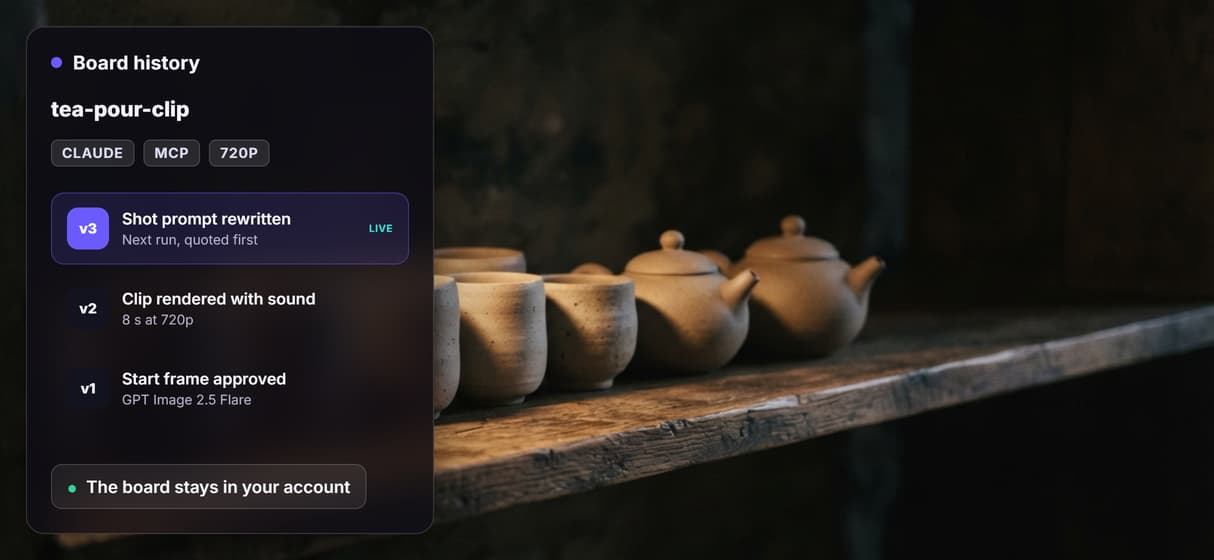
Because the board stays in your account, Claude can rewrite the shot prompt, set any length from 3 to 15 seconds or switch to 9:16 and run it again, while the earlier take stays on the node.
- Changing values on a board needs the opt-in permission to create, edit and delete workflows, which you tick on the consent screen, and the connector permissions list says what each one allows.
- To change a clip you already have, Claude wires it into the node's video input, up to 15 seconds long, and describes the change, such as new light or a new background.
- check_video looks for frozen regions, silent audio, and black or flash frames before anyone watches the clip, and it costs no credits.
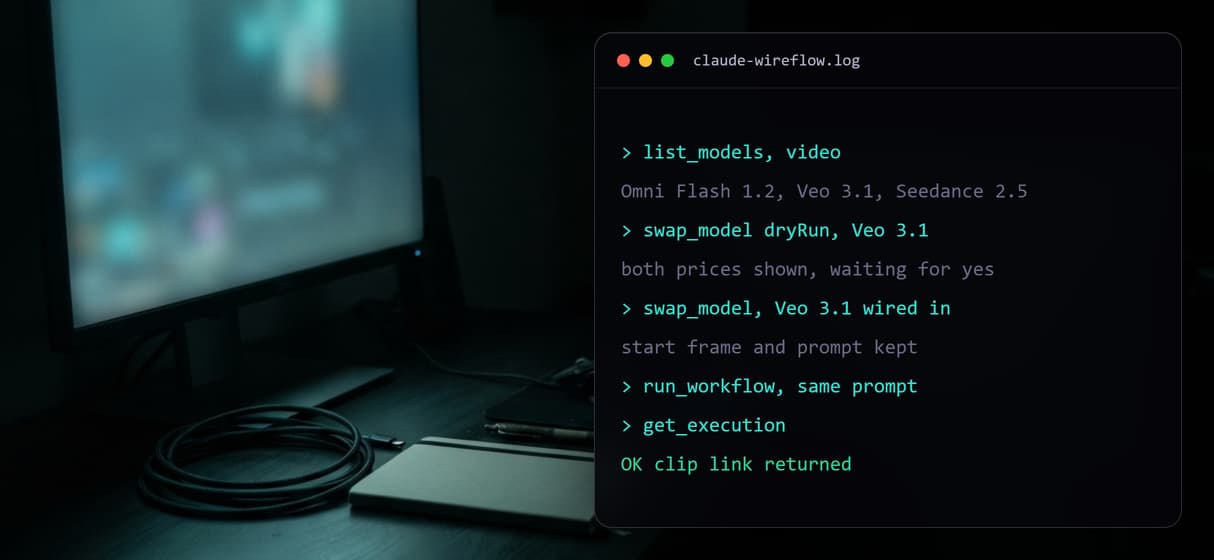
- swap_model puts Veo 3.1 or Seedance 2.5 in the same spot with a price for each, so you can compare models on one prompt.
- Several clips become one video in a Video Editor node on the board, and its exports use no credits.
When Google's own tools fit better
Google also serves the model through the Gemini API, Google AI Studio, Google Cloud and its own apps such as Flow and Google Vids. If you already pay Google and want a raw API call on your own key, or you make your clips inside those apps, we'd suggest you stay there. Google's own API also takes more reference images per prompt than the 6 the Wireflow node accepts, and the node has no switch that turns the sound off.
Google says the model still has trouble with fast sports action, quick script changes and complex physics, so plan around those shots. Claude and the node give you one shot, and a finished ad still needs a cut, which you can make in a Video Editor node on the board or with the video generator in your browser.
More Than Just Gemini Omni Flash 1.2 in Claude
Claude plans the shot
You describe the moment and Claude writes the start frame prompt and the shot prompt, camera move and sound included, as in Claude video generation.
Check the look before the clip
Claude can run the GPT Image 2.5 Flare start frame on its own first, so you approve the look before the image to video step.
Sound with every clip
The newest Gemini Omni Flash node writes the audio in the same pass as the picture, on clips from 3 to 15 seconds in 16:9 or 9:16.
Change one value and rerun
The board stays in your account, so with edit access Claude can rewrite a prompt or set a longer clip and run it again, then edit the cut on that board.
Swap the model, keep the board
Claude can put Veo 3.1 or Seedance 2.5 where Gemini Omni Flash 1.2 sits and run the same prompt, so you compare AI video models on one board.
Build Any AI Workflow
AI Models Integrated
Full Commercial License
FAQs
Claude doesn't make video itself. With the Wireflow connector added, it builds and runs a Wireflow board that calls the Gemini Omni Flash 1.2 node, then gives you the clip as a link and keeps the board in your account.
Discover related AI tools
More From Wireflow
Written by
Andrew Adams · Co-Founder & Operations at Wireflow
Runs client operations and content strategy at Wireflow. Works directly with creative teams and agencies to build production AI workflows.
Open the board Claude runs
This board turns a GPT Image 2.5 Flare start frame into an 8 second Gemini Omni Flash 1.2 clip with sound. Open it to read both prompts and watch the finished clip, then ask Claude to run your own version.